Core Keeper: Connect to your server with the Game ID
 Core KeeperGuide
Friends join from Core Keeper's title screen with Join Game, using your server's Game ID: a long code on your dashboard that travels over Steam's relay…
Friends join from Core Keeper's title screen with Join Game, using your server's Game ID: a long code on your dashboard that travels over Steam's relay network, so no one has to port forward on their end. Every new Core Keeper server also ships with a random password already set, which is what Core Keeper asks for on a direct address join. Players need the Steam version of Core Keeper on PC; console players cannot join a dedicated server.
What to send your friends
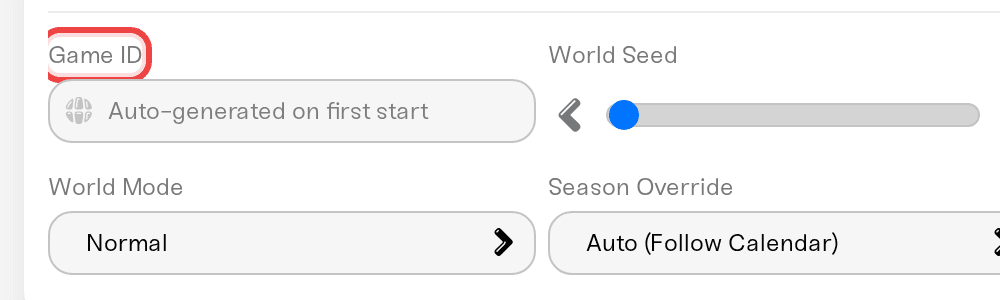
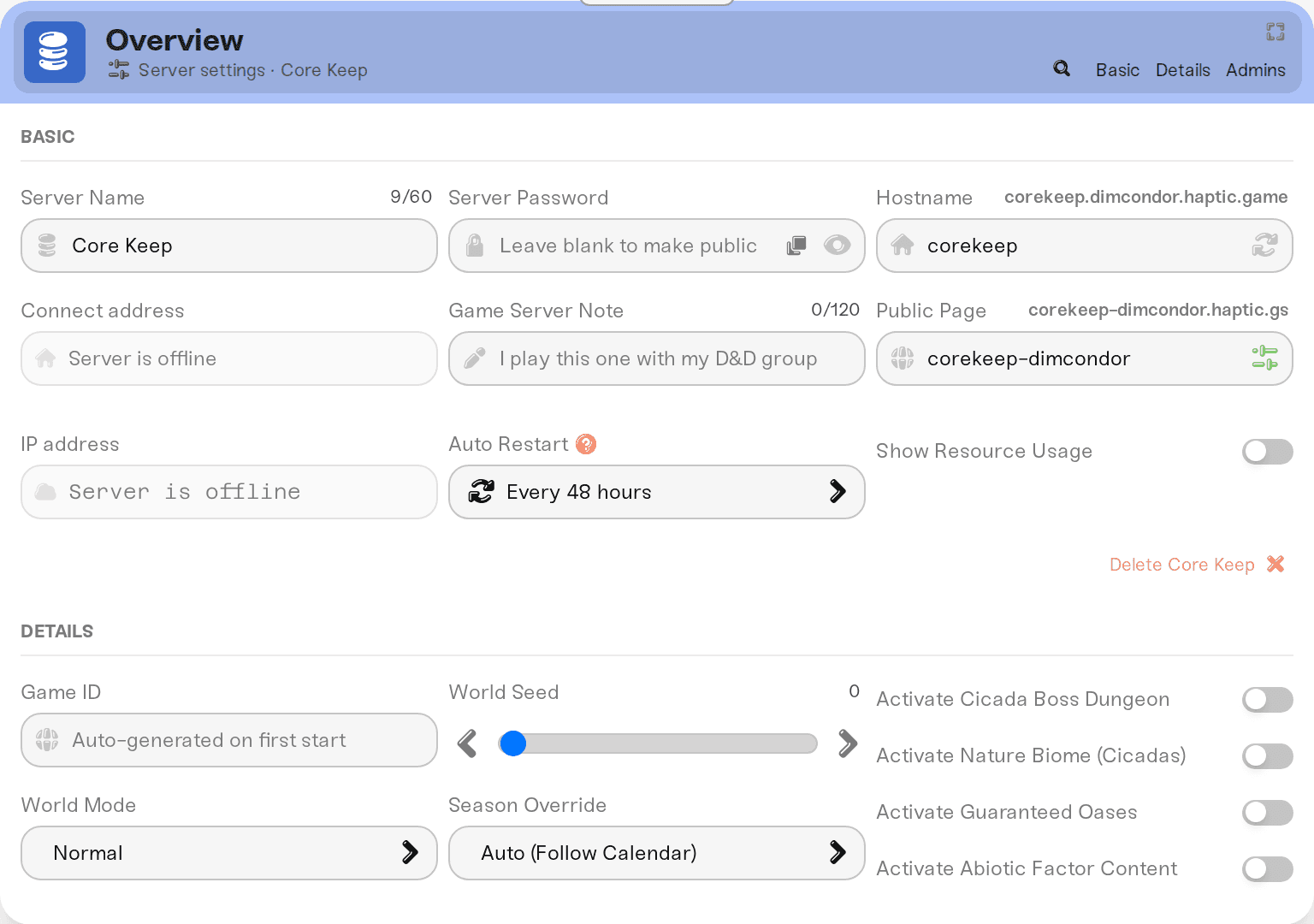
The Game ID. On My Servers, press Detail view on your server, then open the Details tab of the Overview card. Game ID is a long code that Core Keeper generates the first time your server starts, so until then the field reads Auto-generated on first start. After a first start it fills in within a minute of the server coming online (reload the page if it still looks empty). It then stays the same across restarts, updates, and sleep.
The password. On your server card, open the chevron at the end of the address row and click the Copy password pill. On a phone it sits in the row of buttons under the address.
Friends do not need a Haptic account for either.
The password you never set
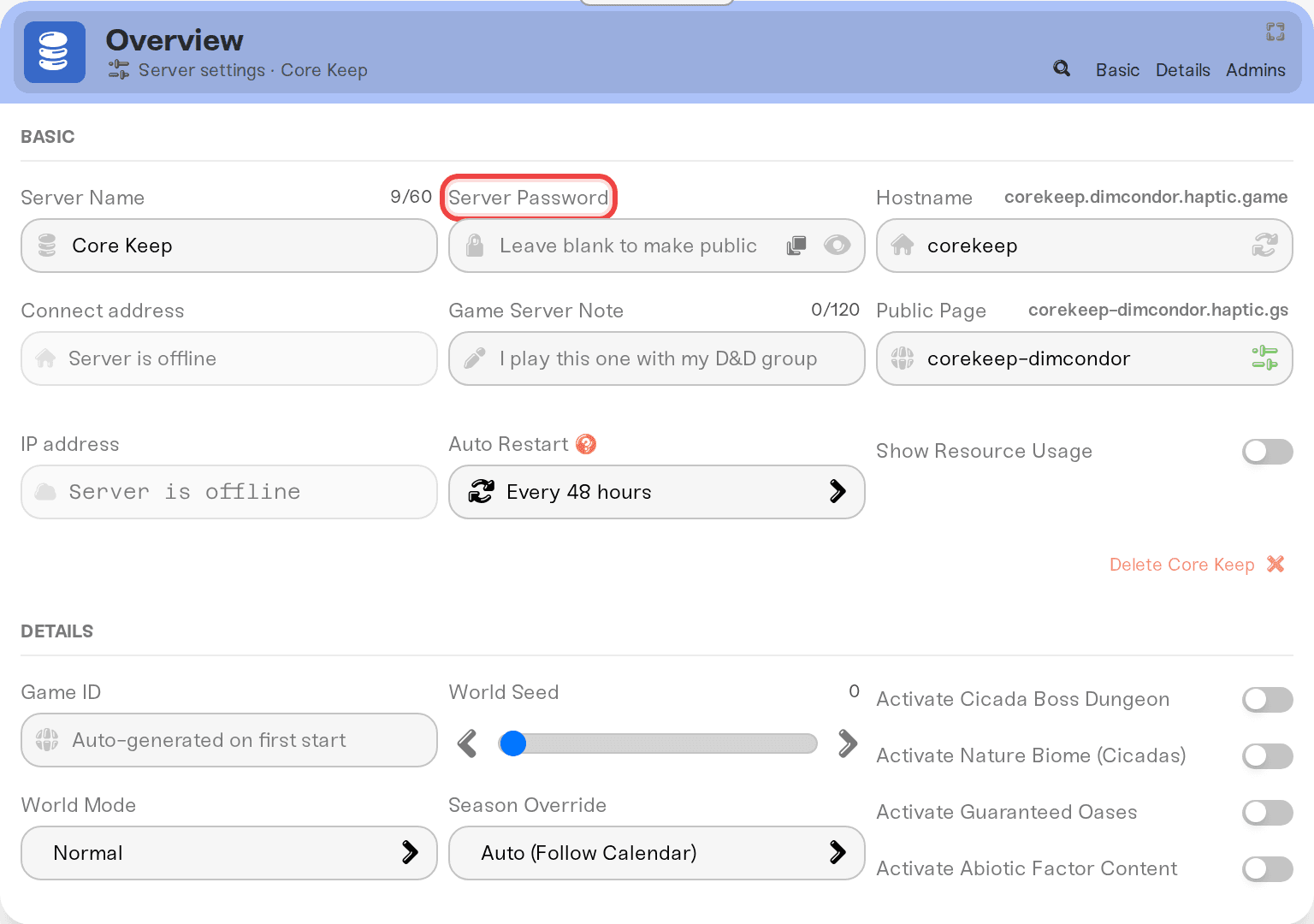
Every Core Keeper server we create starts with a random password already on it, so there is always one to send. Core Keeper documents that password as the one it asks for when someone connects by address. Reading it, changing it, or clearing it works the same as on any Haptic server: see set or remove your server password. The dashboard field accepts 32 characters, but Core Keeper's own limit is 28, so keep it to 28 or shorter.
Joining with the Game ID
Game ID joins travel over Steam's relay network, so your friends do not need port forwarding on their end.
Check that your server card says Online. A sleeping Wake & Play server keeps its Game ID but answers nothing until someone wakes it: see let friends wake your server.
In Core Keeper, pick Join Game on the title screen.
Paste the Game ID and join.
Treat the Game ID as the private part. Anyone who has it can reach your world, so share it only with people you want in there.
Want a fresh code, for example after sharing it too widely? Clear the Game ID field, save, and restart the server. Core Keeper generates a new code on that start, and that is the code to hand out from then on. Your world is untouched.
About the address on your card
Your server card also shows an address like cavern.vesta.haptic.game:7699, and Core Keeper does have a direct connect option. That box expects a numeric IP address rather than a name like ours, so use the Game ID instead; it reaches the same server.
On a desktop browser, the Join button on your card launches Core Keeper through Steam. If the game opens on the title screen rather than connecting, join with Join Game from there.
Who can join
Steam on PC (Windows or Linux): yes.
Epic, GOG, or PC Game Pass copies: your server runs on Steam's network, and players on other PC stores report crossplay errors when joining dedicated servers. Treat the Steam version as the requirement.
PlayStation, Xbox, Switch: no. Core Keeper's publisher has no plans for console-to-PC crossplay, so no dedicated server can accept console players. That is a Core Keeper rule, not something we control.
If a player sees "You are missing the crossplay privilege" on a Steam copy that worked yesterday, your server is on an older build than their game, which happens right after a Core Keeper update. Press Restart on the server card. New builds are normally available within about an hour of the Steam release, so if a restart straight after a big patch still fails, wait a little and restart again.
Need help?
Reach us on Discord or at support@haptic.gg. Include your server name, whether the player used the Game ID or the address, and the exact error they see.


