Valheim Crossplay: How Console Friends Join Your Server
 ValheimGuide
Turn on Crossplay in your server's settings and restart. Your server gets a six-digit join code that shows on your server card, and friends on Xbox, Game…
Turn on Crossplay in your server's settings and restart. Your server gets a six-digit join code that shows on your server card, and friends on Xbox, Game Pass, PlayStation 5, Switch 2, and PC enter it from Valheim's Join Game screen. The code changes every time the server starts, so always share the current one. Consoles cannot host their own dedicated server, so a crossplay server is how a mixed group shares one world.
Turning crossplay on
Open your server's settings
Find the Crossplay checkbox in your Valheim server's configuration.
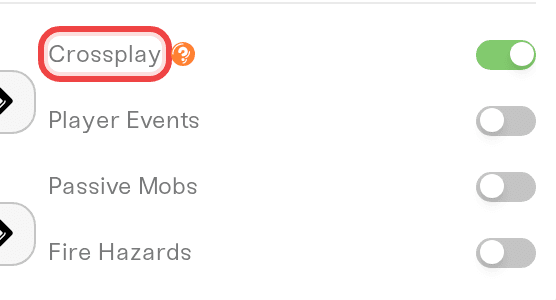
Turn it on and save
Saving prompts a restart so the server can switch over. Crossplay uses a different networking system (Microsoft PlayFab), which is what makes console connections possible.
Share the join code
After the restart, your server card shows a join code. Copy it and send it to your group. Anyone joining still needs your server password, so the code alone does not let strangers in.
The current code is everywhere your friends get join details:
Your server card: the Join Code button copies it.
Share: the share text includes the code.
Copy join details: in the dashboard search, a server's menu copies the address, password and join code in one go.
Your public server page: if you turned it on, friends see the code under the address and can copy it. The page never shows your password.
Your Discord card: with Haptic for Discord, the card shows the code in large text and posts it when the server is up.
Support chat: ask "what's my join code?" and it tells you the current one.
The code changes on every start
Valheim registers a new join code every time the server starts: after a restart, after an update, and every time a Wake & Play server wakes up. Often the same digits come back, but not always, so a code from yesterday may not work today.
While the server is asleep or still starting there is no code yet. Every place above then says Join code appears once the server is running. Wake or start the server, wait for it to come online, then share the code it shows. If a friend wakes the server from your public page, the new code appears on that page by itself a few seconds after the server is up.
Crossplay and mods do not mix. Valheim's mod loader only works with crossplay off, so a crossplay server runs vanilla Valheim. The dashboard guards this for you and will not let both be on at once. See Mods or crossplay for how to choose.
How friends join, platform by platform
Xbox, Game Pass, PlayStation 5, and Switch 2: Start Valheim, choose Start Game, pick a character, then open Join Game, choose to add a server, and enter the join code.
Steam players on a crossplay server: the same join code works, and the server can also appear in Valheim's Community server list.
Steam players on a non-crossplay server: they join by the server address on your server card, through the Community list, or by adding the address to Steam's server favorites.
A few things worth knowing
The password is the lock. Valheim requires a server password, and everyone who joins needs it, on every platform.
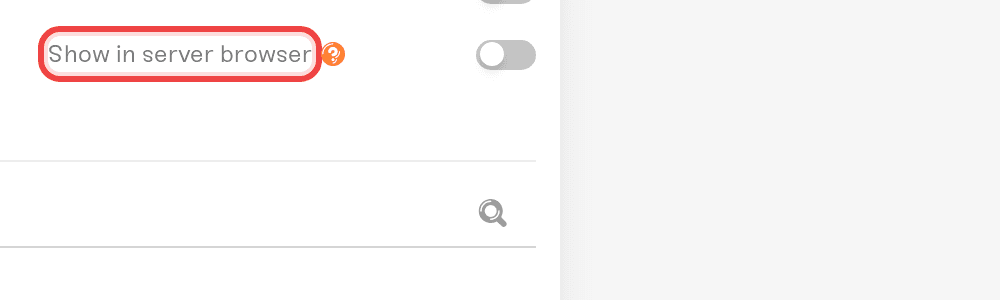
Server browser visibility is your choice. The Show in server browser setting controls whether your server can appear in Valheim's in-game Community list. Turn it off and friends join by code or address only.
Crossplay runs through Microsoft. Join codes and crossplay connections go through Microsoft's PlayFab service. On the rare occasion PlayFab itself has an outage, every crossplay Valheim server on the internet is affected at once. When that happens your dashboard shows a notice on the server card, your world is safe, and joins recover when Microsoft's service does.