What are custom hostnames?
 HapticGuide
Every Haptic server gets a friendly, memorable address like odin.vesta.haptic.game instead of a bare IP. It is yours to customize, and it never changes…
Every Haptic server gets a friendly, memorable address like odin.vesta.haptic.game instead of a bare IP. It is yours to customize, and it never changes when your server restarts or moves, so you can share it once and your friends are set.
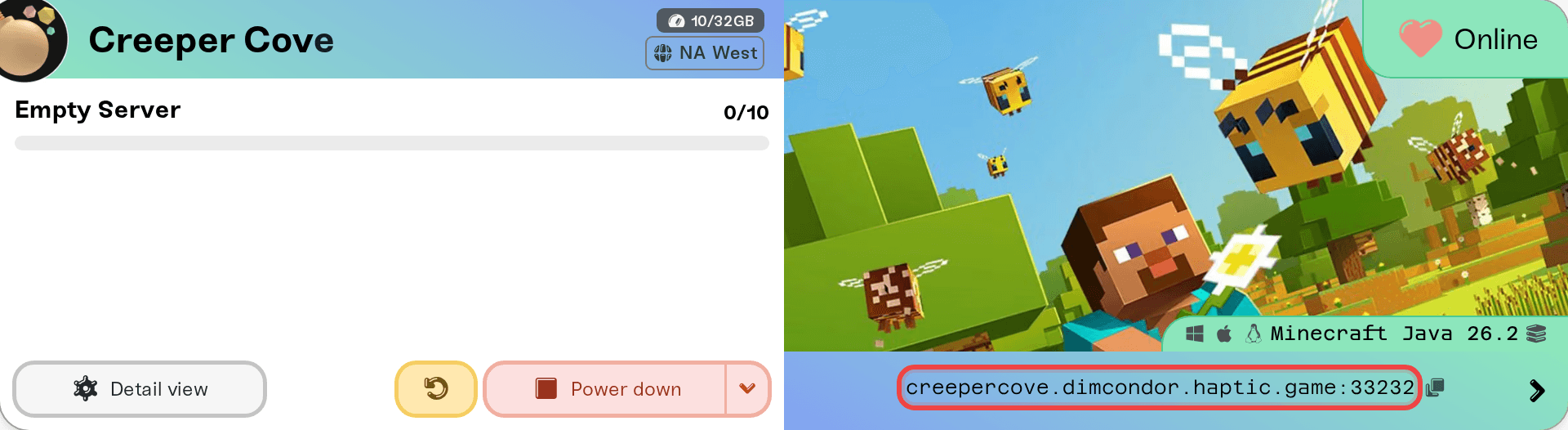
How the address is built
Take odin.vesta.haptic.game apart:
odin, the server name: unique per server. Change it in that server's settings.
vesta, your hostname root: shared by every server on your account. Change it in Account, Settings, and it updates all of your servers at once.
haptic.game: the domain every Haptic server lives under. (Your dashboard is on haptic.gg; the .game domain is just for game servers.)
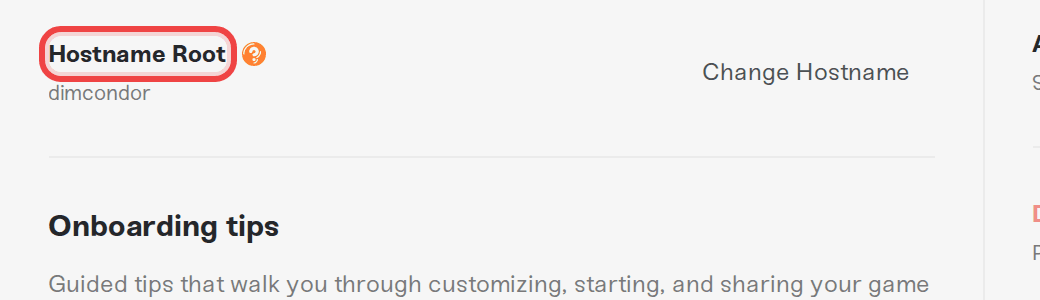
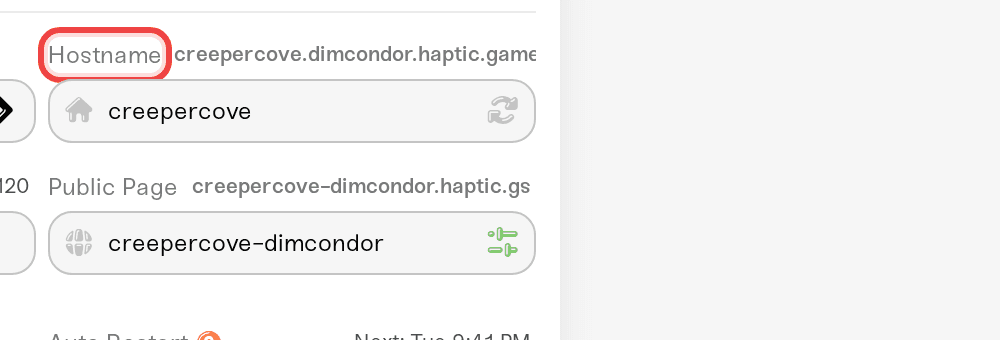
By default we assign your account a random root from world mythology: Greek, Roman, Norse, Egyptian, and many more. Vesta, for example, is the Roman goddess of the hearth. Which one did you get?
Why it beats an IP
It never changes. Restarts, region moves, sleeping and waking: the hostname stays stable even when the underlying IP does not.
It is yours.
fortress.dragonclan.haptic.gametells your friends whose server they are joining;35.233.173.148:7699does not.Share once. Friends can save it in their game's server list and it keeps working.
About the port
Some games cannot look up a hostname without a port attached. That depends on the game's own support for SRV records, not on Haptic. If your server card shows the address with a port (like odin.vesta.haptic.game:7699), share it exactly like that, port included.
Every server can also have a public web page at its own haptic.gs address, showing the server address, who is online, and a wake button for friends. Turn it on in your server's Public Page settings.