Set, change, or remove your server password
 HapticGuide
Your server password lives in your server's settings: open Detail view on the server card, and it is the Server Password field in the Basic tab. Set one to…
Your server password lives in your server's settings: open Detail view on the server card, and it is the Server Password field in the Basic tab. Set one to lock your server to people you trust, or clear the field to make it public; in most games a blank password means anyone with the address can join. Password changes apply the next time the server powers up, not instantly. To hand the password to friends, use the Copy password pill on the server card, right next to the address.
Where the password lives
Go to My Servers and find your server's card.
Click Detail view to open the server's settings.
In the Overview card, stay on the Basic tab.
Find the Server Password field.
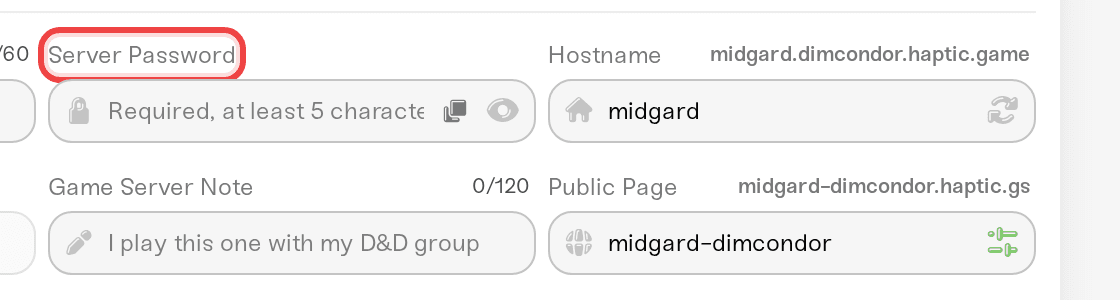
The field shows dots instead of characters; click the eye icon to reveal what is typed. Passwords can be up to 32 characters.
Not every game has this field. Minecraft, Rust, FiveM, RedM, and Enshrouded handle access differently; see games where passwords work differently below.
Set or change the password
Type the new password into the Server Password field.
A popup slides up: "Your server has unsaved changes."
Click Save changes.

Saving never restarts your server for you. The toast after saving says it plainly: "Settings will be applied the next time this server powers up." Until then, the old password is still the one that works, and anyone already playing stays connected.
Server running? Restart it when your group is ready and the new password is live. See start, stop, and restart your server.
Server offline or sleeping? Nothing else to do. The new password applies on the next start, and waking from sleep counts as a start.
Remove the password
Clear the Server Password field so it is empty, then save. The field's placeholder tells you what that means: "Leave blank to make public". With no password set, anyone who has your server address can join, so share the address carefully, or lean on the game's own access lists where it has them (whitelists, allowlists, and bans; see manage admins, whitelist, and bans).
One exception: games that require a password will not let you save a blank one. On Valheim, saving with an empty field shows "Server Password is required. This game cannot run a server without a password." That is a Valheim rule, not something we control; the game refuses to run an unprotected server.
Minimum length rules
Some games enforce a minimum password length, and we check it before saving so your server never gets a password it would reject:
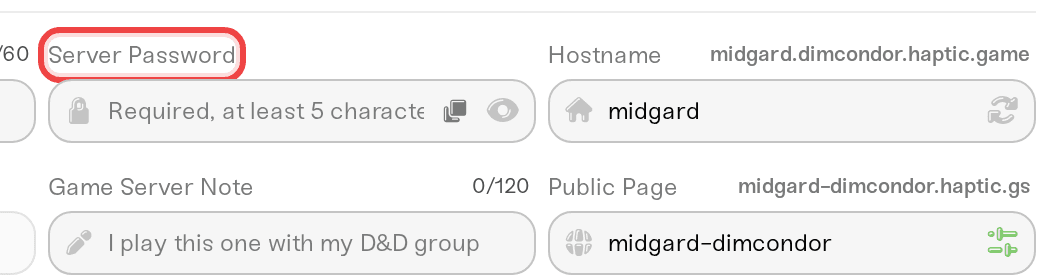
Valheim requires a password of at least 5 characters on every server. The field's placeholder reads "Required, at least 5 characters", and saving something shorter shows "Server Password must be at least 5 characters."
For other games, any non-empty password up to 32 characters is fine.
How players get the password
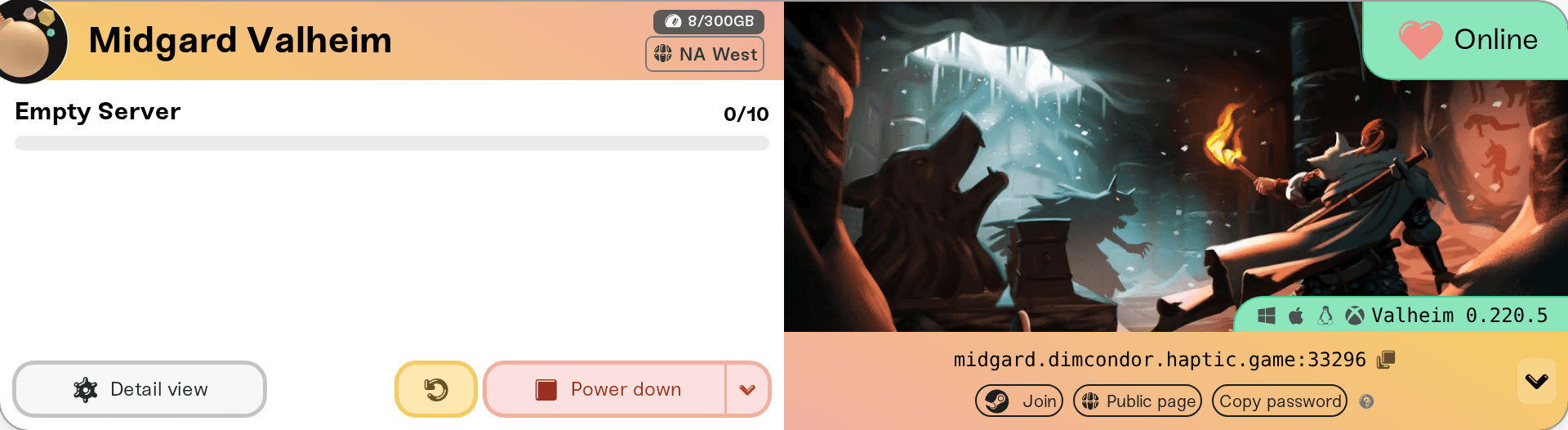
You do not need to retype the password from memory. Every server card shows your join address in a strip at the bottom, and the password lives right next to it:
On a computer, click the small > chevron next to the address to reveal the shortcut pills, then click Copy password. The pill flashes "Copied!" and the password is on your clipboard, ready to paste to your group. On mobile the pills are always visible, no chevron needed.
On phones and tablets, the Share pill opens your device's share sheet with a prewritten message containing the game, the join address, and the password, ready to send in one tap.
If the game supports a password but none is set, the strip shows "*This server has no password*" (asterisks included) instead of a pill.
These shortcuts work while your server is online, offline, or sleeping, so you can send friends the details before the server is even up. For the full rundown of everything a friend needs to join, see invite players to your server.
Games where passwords work differently
Minecraft (Java and Bedrock). Minecraft has no join password at all; that is a Minecraft rule, not a Haptic one. Control who joins with the whitelist instead: see manage admins, whitelist, and bans.
Rust. Rust has no join password; that is a Rust rule, not a Haptic one. Anyone who finds your server in Rust's server browser, or has its address, can join. The Basic tab shows Server Password as "Rust has no join password", with nothing to type, and a password typed into the old Server Password box never kept anyone out. To keep a player out, ban them on the Admins tab: see manage admins, whitelist, and bans.
FiveM and RedM. There is no join password. Players sign in with their Cfx.re account to connect, so you will not find a Server Password field on these servers.
Enshrouded. Instead of one password, Enshrouded uses role passwords: an Admin Password, Friend Password, and Guest Password, each granting a different permission level to whoever joins with it. They live in the Details tab of the Overview card, and the server card shows separate Admin, Friend, and Guest copy pills. There is also an Allow Visitors (No Password) toggle that lets anyone join with heavily restricted permissions.
Valheim. A password is always required, minimum 5 characters, as covered above.
Passwords this article is not about
Two other passwords show up around your server and are easy to mix up with the join password:
Admin Password. Several games (Palworld, Project Zomboid, Conan Exiles, and others) have a separate admin password in the Details tab. It grants in-game admin powers to people who already joined; it does not gate joining. For an example of how it works, see Palworld: become a server admin.
Share password. If your server has a public page with friend wake enabled, the share password lets friends start the server from the public page. It never lets anyone into the game world; a joining player still needs the server password on top. See let friends wake your server.
Need help?
If a friend keeps getting a wrong-password error after you changed it, the usual cause is that the server has not restarted since the change, so the old password is still active. Restart once and try again. Still stuck? Message us on Discord or email support@haptic.gg with your server name and the game you are running, and we will take a look together.
Changing your server settings covers the save flow, unsaved-changes markers, and which changes need a restart.
Invite players to your server for everything a friend needs to join.
Changing Valheim world settings on an existing server if you are on Valheim and want to change more than the password.
Valheim: admins, allowlist, and bans to make a passworded Valheim server invite-only on top.
Friends with the operator role can see your server's settings but cannot change them, the password included; see friend roles and permissions.



