Project Zomboid: Choose When Water and Electricity Shut Off
 Project ZomboidGuide
The blackout is a planned part of Project Zomboid, and you control it. Water Shutoff and Electricity Shutoff pick when each utility dies (or Disabled to…
The blackout is a planned part of Project Zomboid, and you control it. Water Shutoff and Electricity Shutoff pick when each utility dies (or Disabled to keep it forever). If the power is already off, even on a brand-new world, set Electricity Shutoff Day Override to a day later than where your world is now (or 9999 to keep power on), save, and restart: the power comes back. Nothing about your world or bases is at risk from changing these, and they apply on the next restart after you save.
Pick a shutoff window
Each dropdown gives the game a window, and the game secretly picks one day inside it. Your players never know the exact day, which is the fun.
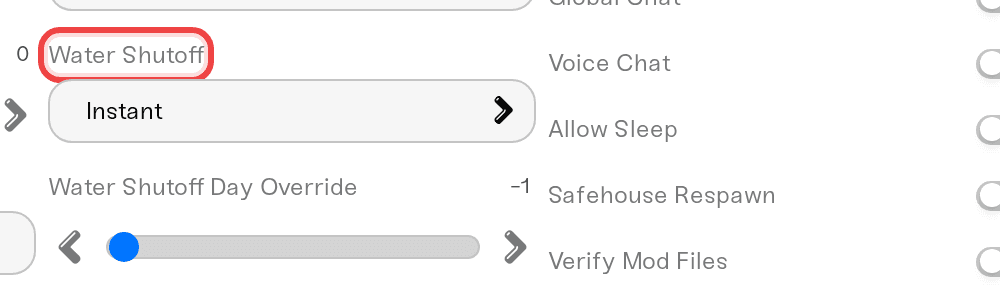
Water Shutoff options:
Instant
0 - 30 Days (default)
0 - 2 Months
0 - 6 Months
0 - 1 Year
0 - 5 Years
2 - 6 Months
6 - 12 Months
Disabled
Electricity Shutoff options:
Instant
14 - 30 Days (default)
14 Days - 2 Months
14 Days - 6 Months
14 Days - 1 Year
14 Days - 5 Years
2 - 6 Months
6 - 12 Months
Disabled
Disabled means that utility never shuts off. Water windows can start at day 0; electricity always keeps at least 14 days unless you pick Instant.
Open your server's settings and go to the Details tab.
Find Water Shutoff and Electricity Shutoff and pick a window for each, or Disabled.
Save, then restart the server.
One catch: the windows count from the game's standard start date (July 9, 1993), not from when your server was created. If you set a later Start Month for a new world, part or all of a short window may already be used up on day one.
New world, but no power from the start?
Two settings can leave a fresh world dark, and both are quick to check on the Details tab:
Electricity Shutoff is set to Instant. Instant shuts the power off as soon as the world starts.
Start Month is later than July. The shutoff clock counts from July 9, 1993, so a world that starts months later can already be past a short window when your players first spawn.
Whatever the cause, the fix in the next section turns the power back on without resetting anything. If neither setting above applies, use that fix anyway: it does not depend on why the power went out.
Power already went out? Bring it back
This is the one people think is impossible. It is not:
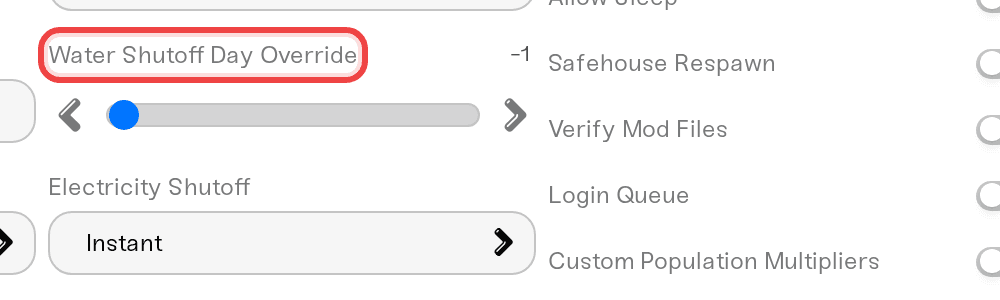
In your settings, find Water Shutoff Day Override and Electricity Shutoff Day Override. They are exact day numbers; -1 means automatic (the game uses the window you picked above).
Set the override to a day later than your world's current day, counted from July 9, 1993. Day 40 and you want two more weeks of power? Set the electricity override to 54. If your world started in a later month, count from July 9, not from your first day, or just use 9999.
Save and restart. The utility runs again until the new day arrives.
Set the override to 9999 and the lights stay on for the rest of the run. To undo, set it back to -1 and the window you picked takes over again on the next restart.
Things that will NOT fix it
Restarting, resetting, or re-uploading to bring the power back. The shutoff day is part of the world. Only the Day Override settings (or in-game generators) restore utilities.
Setting an override of 0. Anything below 1 is treated as -1 (automatic), so 0 does not keep the power on.
Refrigeration or spoilage settings. A fridge without power does nothing regardless of those dials; fix the power first.
Restarting without saving. Settings apply on restart, but only after you hit Save.
Need help?
Ask on Discord or open a ticket. Include your world's current in-game day and the values of the four shutoff settings.
What the blackout does to your food: Project Zomboid: Control Food Spoilage and Refrigeration
Start dates interact with the shutoff clock: Project Zomboid: Set the Day Length and Start Date
Every sandbox setting from the dashboard: Project Zomboid: Change Any Sandbox Setting


