How to delete a server
 HapticGuide
Deleting a server removes its settings and live world files, and there is no undo button in the dashboard. Its backups are not destroyed, though: they are…
Deleting a server removes its settings and live world files, and there is no undo button in the dashboard. Its backups are not destroyed, though: they are kept for 6 months under Account > Data Recovery, and we can restore one onto a new server for you. The memory the server was holding goes back into your plan's memory budget right away. If you only want to switch games or take a break, stash the server instead: stashing is free, keeps everything, and frees the same memory.
Stashing is usually the better move
Delete a server when you are sure you will never want it again. If there is any doubt, stash it instead:
A stashed server keeps its world, settings, mods, and backups. Nothing is deleted.
A stashed server holds 0GB, so it frees exactly as much memory as deleting it would.
You can bring it back whenever you like by giving it memory again in Manage.
Stash space is included with every plan and grows with your memory. See How to stash a server and switch games for the steps. Deleting is for when a world's story is truly over, or when your stash is full and you need the room.
Before you delete
Download a copy of the world if it might ever matter to you. Open the server's Backups card, pick a backup, and click Download Backup. After deletion you cannot download it yourself anymore; you would need to message us within the 6-month window. See Download your world.
Power the server down. You can only delete a server while it shows Offline (a server stuck on a failed startup counts too). See Start, stop, and restart your server.
How to delete your server
Open My Servers and click Detail view on the server's card.
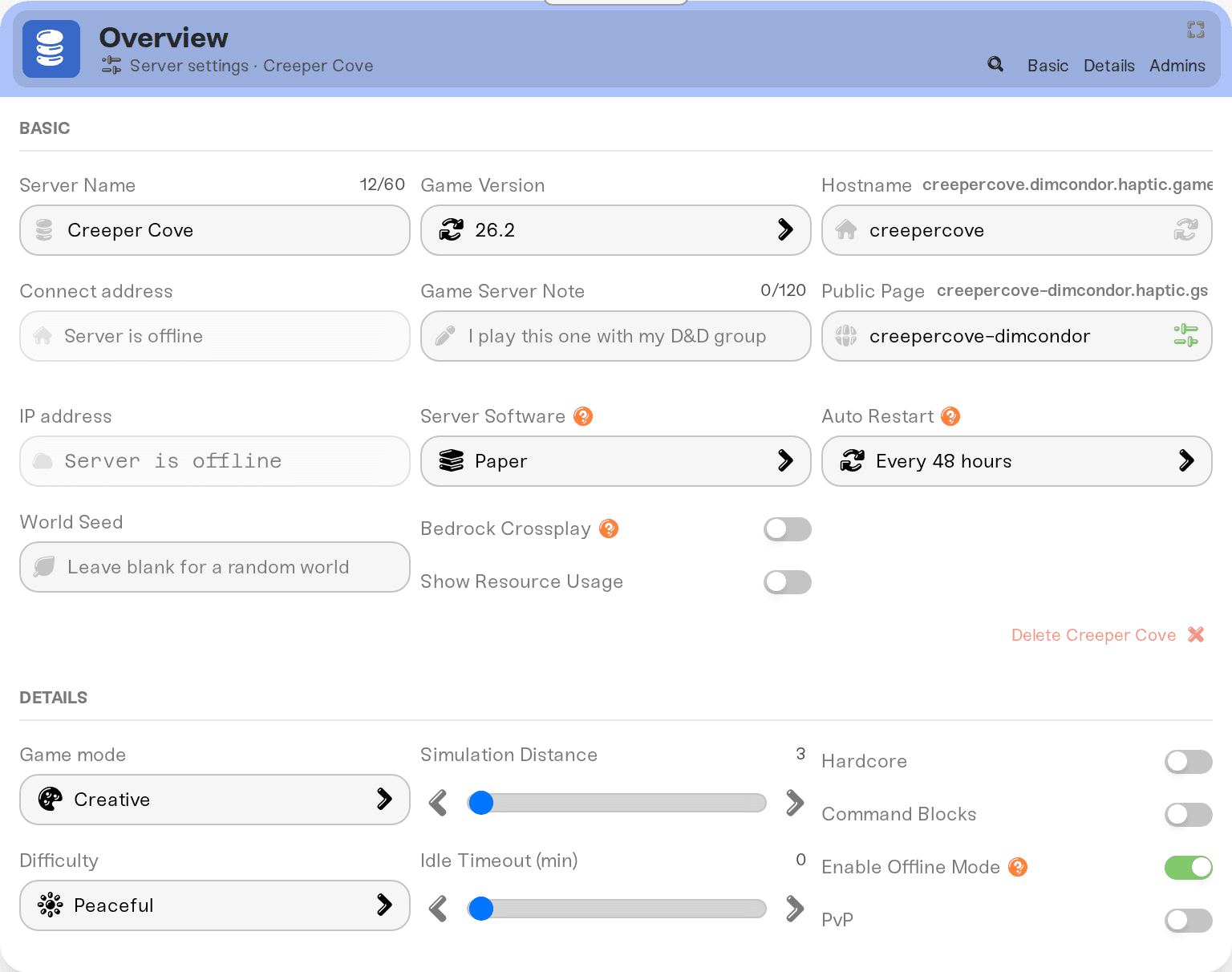
Click the Overview card's header to expand it.
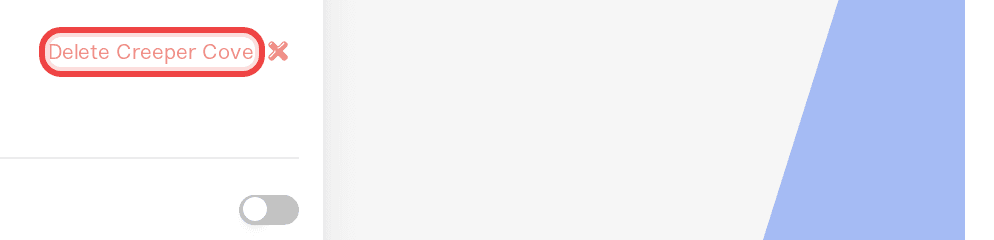
Scroll to the bottom of the expanded Overview card. In the bottom-right corner there is a red Delete button with your server's name on it.
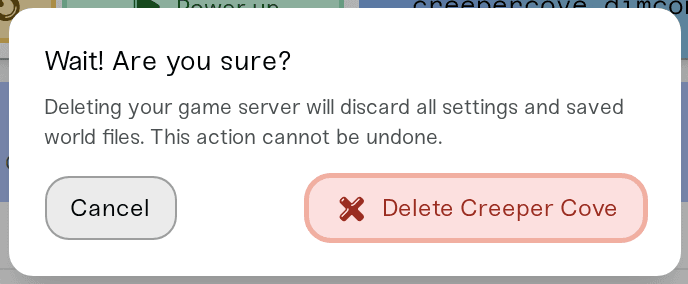
Click it. A dialog titled Wait! Are you sure? opens and explains: "Deleting your game server will discard all settings and saved world files. This action cannot be undone."
To confirm, press and hold the red Delete button. A ring fills up while you hold ("Hold to confirm..."); nothing is deleted unless you hold until the ring completes, and Cancel closes the dialog without changing anything.
When it completes, the server disappears from your list and a "deleted" confirmation appears.
Open the stashed server's card from the Stashed Servers section in Manage, expand its Overview card, and use the same red button. That frees up one of your stash spots.
What happens after you delete
Settings, mods, and the live world are removed. The server is gone from your dashboard immediately.
Backups are kept for 6 months. Every backup the server had is moved to a recovery archive you can see under Account > Data Recovery. If you want one of those worlds back on a new server, message us and we will restore it with you. After 6 months they are permanently removed. Full details in How long Haptic keeps your backups.
Its memory is freed. The GB the server was using become unallocated in your Memory Budget. Give them to another server in Manage, or use them for a brand new server with Add Server. See Understanding your memory budget.
A stashed server may take its place. If you delete your last active server and you have stashed servers, the top one is activated automatically with your plan's full memory. You will see a message like: "My Valheim Server" has been activated with 4GB of memory.
Your bill does not change. Deleting a server does not cancel or shrink your subscription; your plan's memory stays yours to use on other servers. If you want to stop paying, see How to cancel my subscription.
If deleting is blocked
"Please power down the server first." The server is still running (or going to sleep). Power it down, wait for Offline, then try again. The confirmation dialog shows the same reason as "Please power down the server before deleting it."
"You must have at least one active server. Add another server first." Your account always keeps at least one server. If this is your only one and you are trying to leave Haptic, you do not need to delete it: cancel or pause your subscription instead and we take care of the rest.
"Your server is still shutting down. Please try deleting again in a couple of minutes." You powered down moments ago and the shutdown is still finishing in the background. Give it a couple of minutes and try again.
You do not see a Delete button at all. Only the server's owner, or a friend given the Account Admin role, can delete a server. Other shared roles cannot. See Friend roles and permissions.
An amber warning appears in the dialog saying the server has recent changes that have not been backed up to the cloud yet. You can still delete, but anything newer than the last cloud sync is lost for good, because the recovery archive only keeps the last cloud-synced state. If you want those latest changes kept, close the dialog, wait a few minutes for the backup to catch up, and try again.
Need help?
Deleted something by accident, or missing a world you thought you had? Message us on Discord or at support@haptic.gg with the deleted server's name and roughly when you deleted it. Within 6 months of deletion we can check the recovery archive together and restore the backup onto a new server.



