My server is lagging
 HapticTroubleshooting
First figure out which kind of lag you have: if only one player lags, it is their connection to the server; if everyone lags at the same time, the server…
First figure out which kind of lag you have: if only one player lags, it is their connection to the server; if everyone lags at the same time, the server itself is struggling, and that is usually memory. The fix for server-side lag is more memory, fewer heavy mods, or gentler settings.
Which lag is it?
One player rubber-bands, everyone else is fine: that player's route to the server is the problem. Distance is the usual reason (a friend in Europe on an NA server will feel it), followed by Wi-Fi, VPNs, and busy home networks.
Everyone stutters at once, or the world itself slows down (day/night crawls, mobs freeze, blocks reappear): the server is out of breath. Keep reading.
Fixing server-side lag
Give it more memory
Memory pressure is the number one cause. Big worlds, lots of players, and modpacks all eat RAM, and a server running at its limit stutters or briefly freezes. Adding memory takes a minute and applies right away: How to upgrade or change my plan. The server RAM calculator suggests a healthy amount per game and player count.
Check your mods
Try removing or disabling the mods you added most recently, restart, and compare. A single heavy or misbehaving mod can drag a whole server down, and modpacks often want noticeably more memory than the base game.
Soften the expensive settings
Every game has a few settings that cost real performance: view or render distance, world size, spawn rates, simulation speed. Dial back the one you cranked up and see if the lag follows.
Restart on a schedule
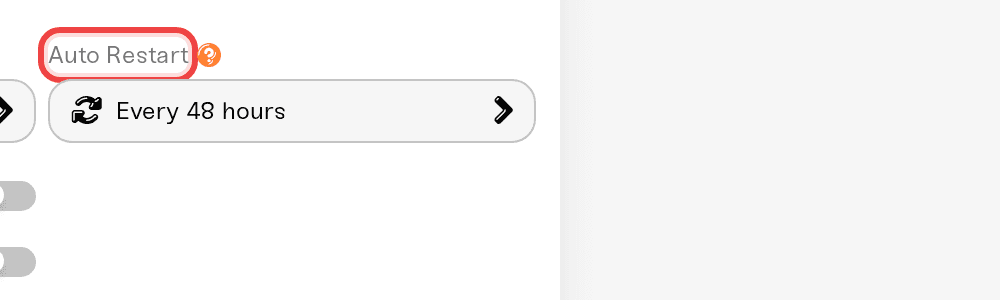
Some games slowly leak performance over long sessions. If your server feels great after a restart and worse a day later, set up an automatic restart schedule in your server settings.
Not the server, not you?
Check status.haptic.gg for anything platform-wide. Haptic servers run on modern AMD Ryzen hardware with fast NVMe storage, so sustained lag on a lightly loaded server is unusual and worth reporting.
Still lagging?
Message us on Discord with your server name, the game, roughly how many players were on, and when it lagged. We can look at your server's actual resource usage from our side and tell you exactly what is starving.



