Valheim "Incompatible Version" After an Update
 ValheimGuide
"Incompatible version" means your game and the server are on different Valheim versions, which happens for a few minutes whenever Valheim updates: Steam…
"Incompatible version" means your game and the server are on different Valheim versions, which happens for a few minutes whenever Valheim updates: Steam updates your game right away, and your server follows on its next restart. The fix is almost always restart your server from the dashboard. Once the server is on the new version, everyone can join again.
Why this happens on patch day
Valheim requires the client and server to run the exact same version. When Iron Gate ships an update, Steam pushes it to players within minutes, but a running server keeps its current version until it restarts. In that window, updated players see "Incompatible version" when they try to join. This is true on every host and for self-hosted servers too.
The fix
Restart your server
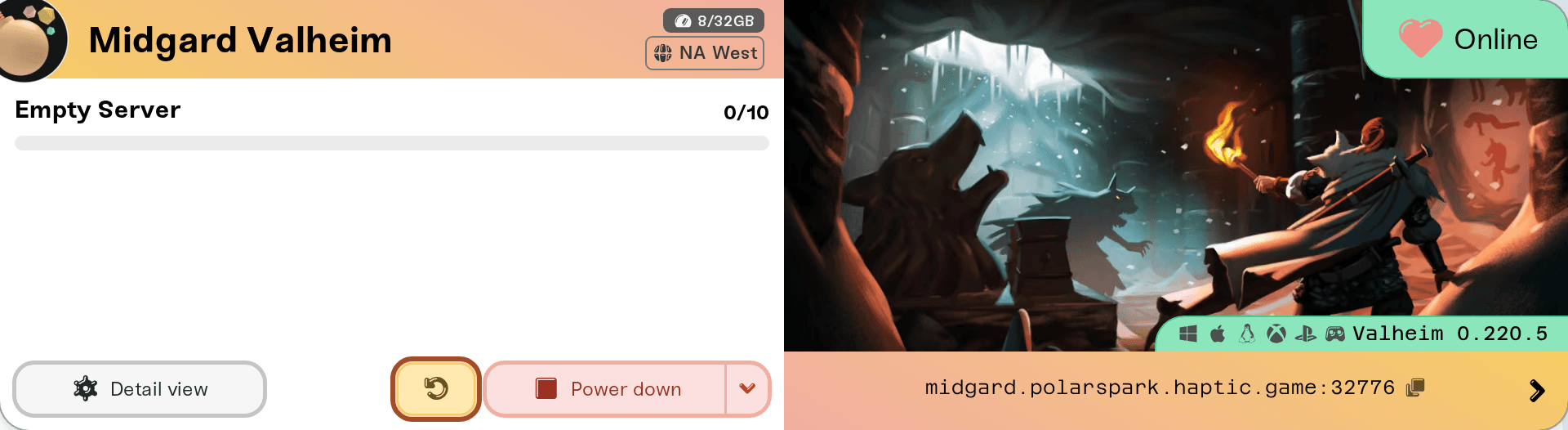
Use Restart on your server card. Your server picks up the newest Valheim server build during startup, automatically. No reinstall, no file work. An empty server also restarts itself within about half an hour of a new build, with warnings in game first, and never while anyone is connected, so pressing Restart just makes it sooner.
Give a big update a few extra minutes
Major updates (like 1.0) are larger downloads, and the first start after one can also convert your world to a newer save format. A slower first boot after a big patch is normal. Your world is safe while it works.
Have everyone retry
Once the server is back, players on the new version join normally. Anyone still failing should restart Steam so their own update finishes.
The update triangle. When a new Valheim build is available and your server has not restarted onto it yet, your server card shows an update indicator. If friends suddenly cannot join, that triangle is the first thing to check.
If it still fails after a restart
A player's game did not update yet. Steam sometimes staggers updates. Restarting Steam forces it.
Iron Gate has not published the server update yet. Valheim ships on Steam as two separate products, the game and the dedicated server tool, and the server one sometimes goes live hours after the game. While that gap is open, no host can update, because the files do not exist yet. After the February 2026 patch the gap was just over 24 hours. Your world is safe, and your server picks the update up on its next restart once Iron Gate publishes it.
Confusing version numbers are normal. Server builds carry a platform prefix, so your server reports a version like
l-1.0.7. The prefix is not a mismatch; compare the numbers after it.Modded servers after a big update. A major Valheim version breaks BepInEx mods until each mod author rebuilds them, which can take days or weeks, and some mods never come back. Haptic pulls in rebuilt versions automatically and tells you to restart when they land, so there is nothing for you to check. To play in the meantime, open the Mods tab, choose Disable all, and restart.


