I can't connect to my server
 HapticTroubleshooting
Almost every "can't connect" comes down to one of four things: the server is not actually online, the address was typed by hand instead of copied, the game…
Almost every "can't connect" comes down to one of four things: the server is not actually online, the address was typed by hand instead of copied, the game version does not match, or something on your side of the internet is in the way. Walk the checklist below in order; it catches nearly all of them.
Work through the checklist
Check the status on your server card
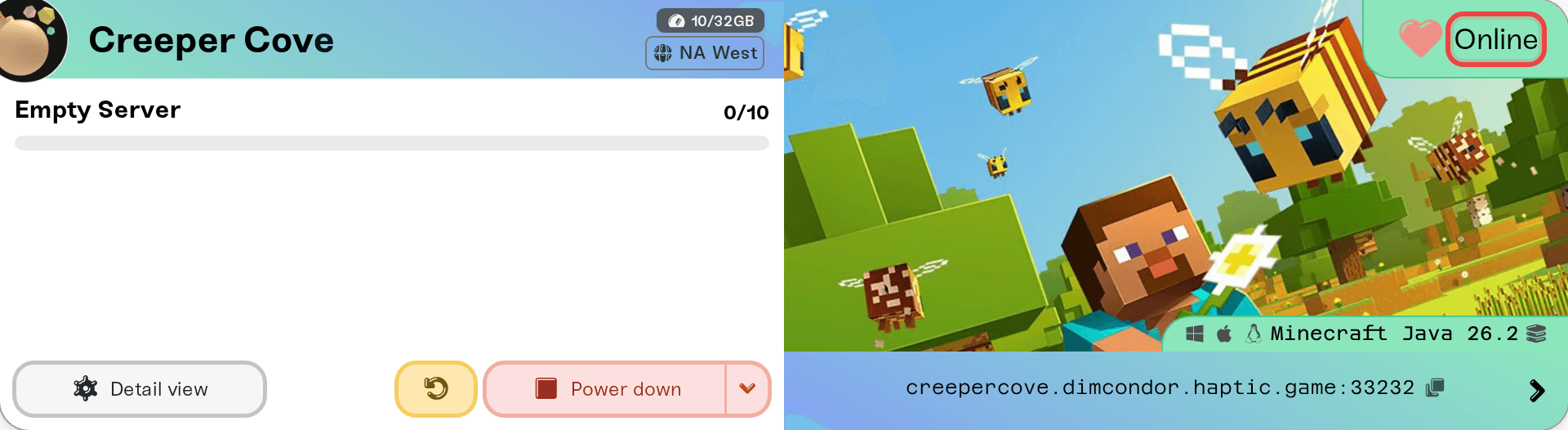
Your server has to say Online before anyone can join. If it says Sleeping, press Wake up and give it a moment. If it says Offline, start it. Anything else, our guide My server status is Offline explains every status.
Copy the address, don't type it
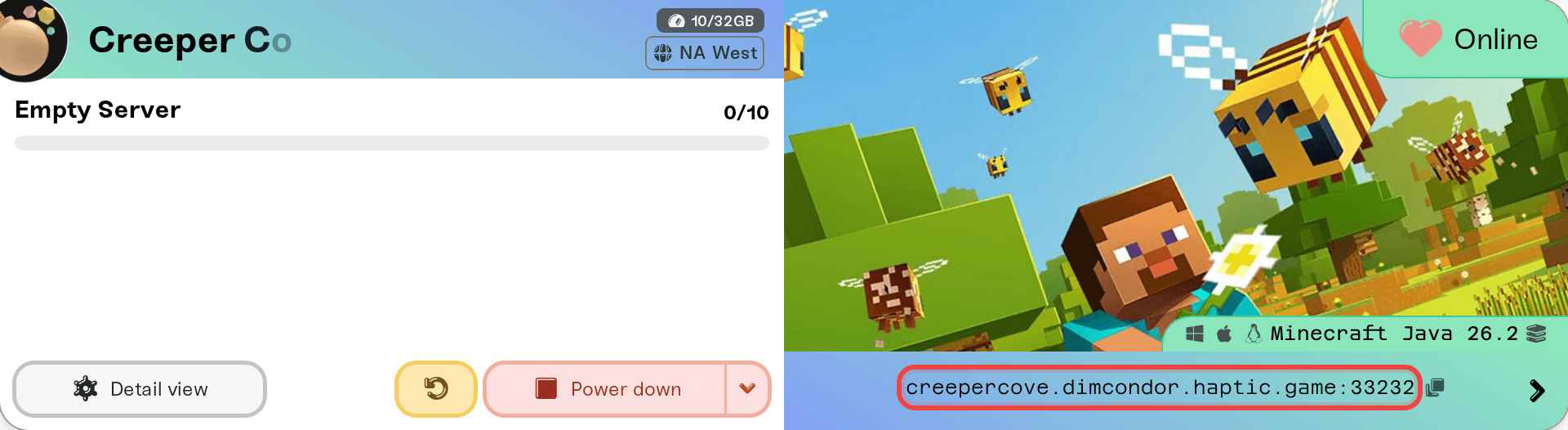
Use the copy button next to the server address on your server card and paste it into the game. Typos in hostnames and missing ports are the single most common cause. If the address shown includes a port (like :7699), the port is required; that is a rule of that particular game, not something we control.
Match the game version
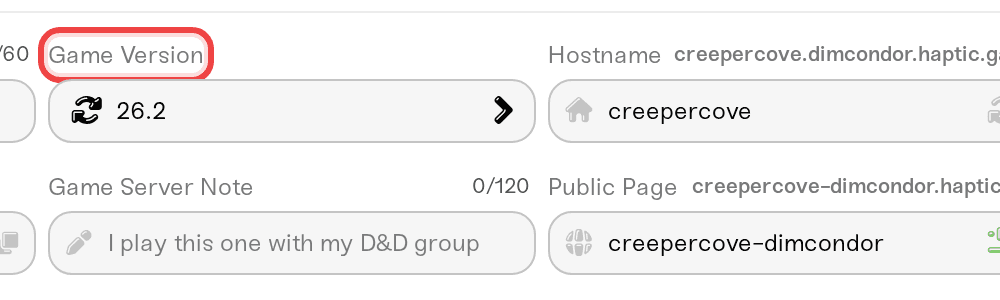
Your game and your server usually need to run the same version. If your game updated recently and the server did not (or the other way around), joining fails, often with a misleading error. Check the version setting in your server's settings and pick the one that matches what you are playing, or update your game.
Rule out your own connection
Try joining from a phone hotspot, turn off any VPN, and make sure a firewall is not blocking the game. If a friend can join and you cannot (or the reverse), the server is fine and the difference is on the player's side.
Game-specific quirks
Some games have their own joining rules: crossplay between platforms may need to be enabled on the server first, console players sometimes need an extra step to reach any third-party server, and a few games list servers in an in-game browser that can take a few minutes to update. Check your game's guides under game support for the specifics.
Palworld: one player can't get in while everyone else joins
Palworld's popup saying the connection timed out or the IP address has changed (or that the destination is down) is the game's generic message; it names no real cause. If your server card says Online and your other players are in, the server is fine and the problem sits on that one player's PC. Restarting the server changes nothing for them, so skip it.
The usual cause is Steam. Your Palworld server checks every player's Steam login ticket, and when Steam will not verify that player's copy of the game, they are turned away the moment they connect, often with exactly this popup. Have the affected player do these in order, on the PC where Palworld runs:
Quit Palworld. Then quit Steam properly: open the Steam menu and choose Exit, not just closing the window. Reopen Steam.
Launch Palworld from the Steam library, not from a desktop shortcut or a mod launcher, and join again.
Still failing? In the Steam library, open Properties for Palworld, go to the Installed Files tab and click Verify integrity of game files. Let it finish, then join again.
Still failing? Have them try one of Palworld's official servers. If that turns them away too, it is their Steam copy or account, not your server, and Steam Support is the place to take it. If it works, carry on below.
Nothing here changes your server, so there is nothing to undo. Steam verification cannot be switched off, on purpose: it keeps unofficial copies out and protects player data.
If it still fails, check the two other things that single out one player:
Join by the exact address. In Palworld, open Join Multiplayer Game, tick Enter Password next to the address bar at the bottom, and paste the address copied from your server card, port included. Searching the community browser works too, as long as they pick your exact Server Name.
Current version, different network. Their copy of Palworld has to be on the current build, and a full Steam restart usually pushes a pending update through; see Palworld: nobody can join after a game update. Then have them try once from a phone hotspot with any VPN off.
Xbox and PlayStation 5 players cannot join by address at all; they use the community browser, as described in Palworld: how Xbox, PS5, and Mac friends join your server.
Need help?
First glance at status.haptic.gg to rule out a rare platform issue on our side. Then message us on Discord with your server name, the game and platform you are connecting from, and a screenshot of the exact error.



