RedM: Players can't join your VORP server (Steam Web API key)
 RedMTroubleshooting
VORP identifies every player by their Steam account, and your server can only look Steam accounts up if it has a Steam Web API Key. Without one, VORP…
VORP identifies every player by their Steam account, and your server can only look Steam accounts up if it has a Steam Web API Key. Without one, VORP rejects everyone who tries to join with "❌ Steam Required: Please Open Steam and Restart RedM." Nothing is broken and your server, database, and characters are fine. Get a free key from Steam, paste it into Steam Web API Key in your server's settings, restart the server, and joins work.
Why this happens
RedM only asks Steam who a player is when the server has a Steam Web API key. With no key, the server never receives a Steam ID for anyone, so VORP turns every player away at connect time with:
> ❌ Steam Required: Please Open Steam and Restart RedM.
It shows for everyone, even players who have Steam open, and opening or restarting Steam does nothing. The missing piece is on the server, not on their PC.
To confirm it, open the Console card right after a start. VORP prints Steam Web API Key is not set, please set it in your server.cfg. Ignore the part about server.cfg: on Haptic you set the key in your server settings instead.
The key is free and has nothing to do with your Cfx.re License Key. A VORP server needs both.
Get a free Steam Web API key
Sign in to Steam in your browser and open steamcommunity.com/dev/apikey.
Steam asks for a domain name. It is only a label, so type anything, for example your server's name.
Agree to the terms and press Register.
Copy the long key it shows you.
One Steam rule, not ours: the account must not be a limited account. Steam lifts the limit once you have spent at least 5 USD on it. The key is tied to that Steam account, so treat it like a password. If it ever leaks, revoke it on the same page and paste the new one into your server.
Put the key in your server settings
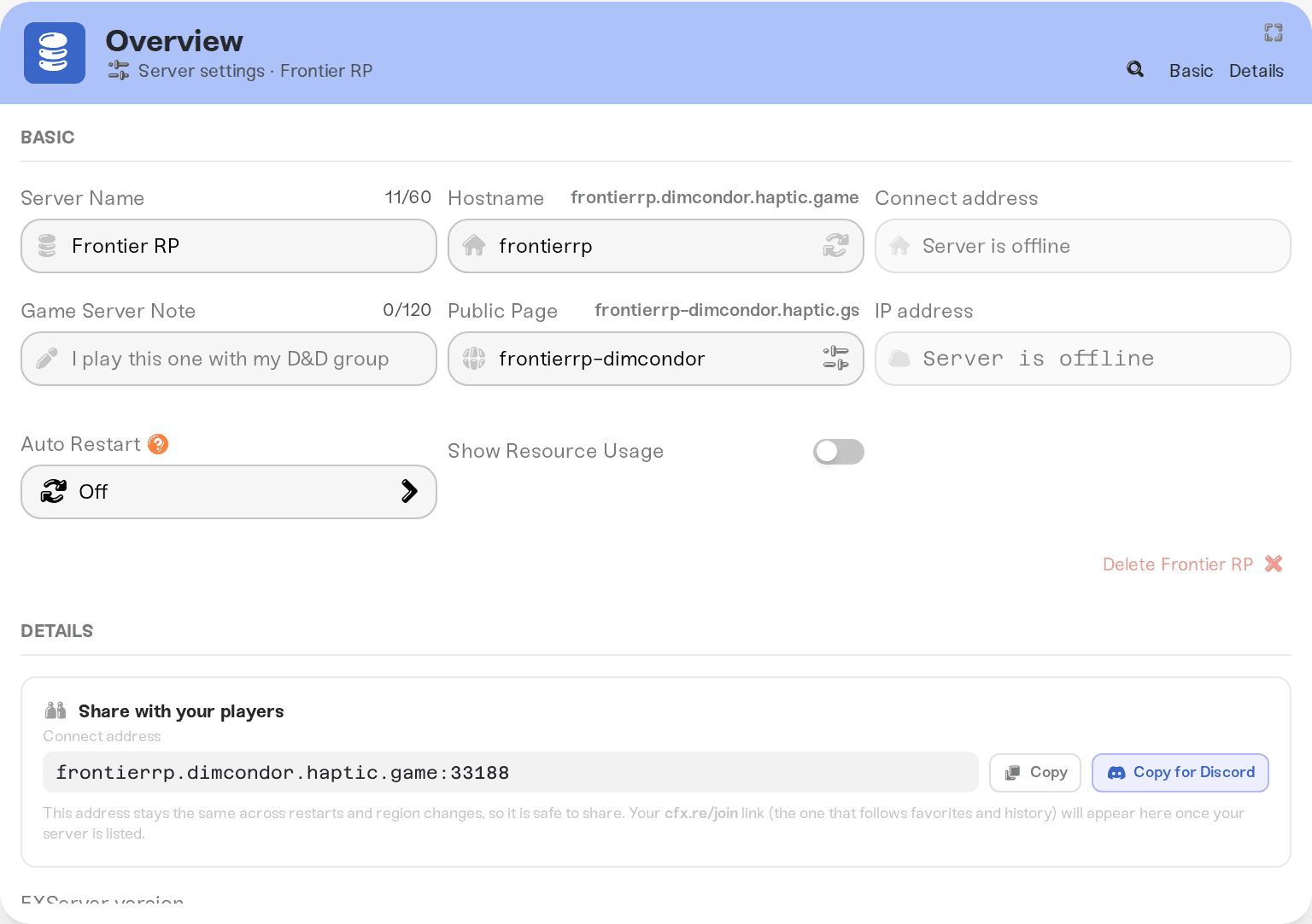
Open My Servers, press Detail view on your RedM server, and open the Details tab of the Overview card.
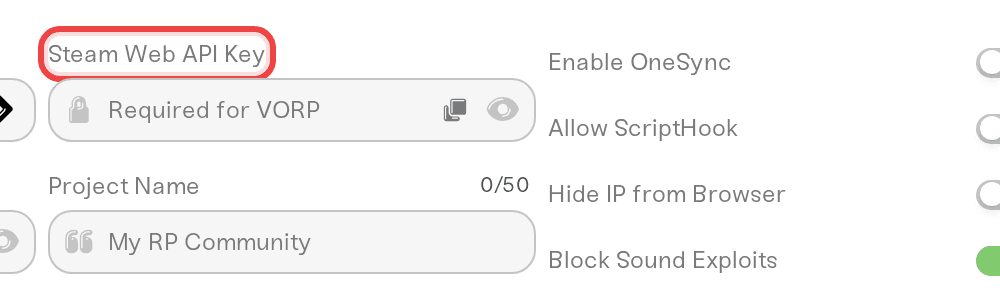
Find Steam Web API Key (its placeholder reads "Required for VORP"). The search icon in the Overview title bar jumps straight to it if you type "steam".
Paste the key and press Save changes in the popup at the bottom of the page. The field shows dots instead of the key; the eye icon next to it reveals it.
Restart the server. Settings apply on the next power up, so a running server keeps rejecting players until it restarts.
Have your players try again.
You do not need to add the key to server.cfg: the field writes the set steam_webApiKey line for you on every start. If you moved this server from another host, or installed VORP from its txAdmin recipe, open server-data/server.cfg in the Files card and delete any set steam_webApiKey line there. Your own server.cfg loads after Haptic's settings, so a key line in it overrides the field and keeps everyone rejected.
If you are setting the server up for the first time, the Set up your RedM server dialog that opens on Start already warns about this under the framework dropdown when VORP Core is selected. It does not have a field for the key, so add it in the Details tab after the dialog closes and restart once.
Which frameworks need it
VORP Core: required. Joins fail without it.
RSGCore: optional. It identifies players by their Rockstar license, so joins work without a key.
Vanilla or Custom: only if a script you installed says it needs Steam identifiers. Same field.
FiveM: the identical-looking field on a FiveM server is genuinely optional.
If one player still can't join
Steam must be running and signed in on their PC when they launch RedM, even if they own Red Dead Redemption 2 through the Rockstar Launcher or Epic. Once your key is set, the same "Steam Required" message for a single player usually means Steam was not running or not signed in on that player's PC (offline mode counts).
Signing in with a Cfx.re account on connect is normal for every RedM server and is not this problem.
Make sure the server actually restarted after you saved the key. The server card must show Online again after the restart.
Things that will not fix it
Players opening or restarting Steam, or reinstalling RedM or Red Dead Redemption 2, while the server has no key.
Generating a new Cfx.re license key. That key starts the server; it does not identify players.
Switching the framework away from VORP and back, or reinstalling VORP.
Need help?
Reach us on Discord or at support@haptic.gg. Include your server name and a screenshot of the message your players see when they are rejected.


