Let friends chip in on your server costs
 HapticGuide
Split the Bill gives you a personal link your friends can use to chip in toward your server costs. They pick an amount from $3 up, pay once or monthly…
Split the Bill gives you a personal link your friends can use to chip in toward your server costs. They pick an amount from $3 up, pay once or monthly through Stripe, and do not need a Haptic account. 100% of every contribution lands as Account credit on your account and automatically reduces your next bill. You stay the only person on the subscription; chipping in never gives anyone access to your servers or billing.
How Split the Bill works
Your Haptic subscription stays yours: one plan, one card on file, one person in control. Chip In sits on top of that. You share a link, a friend contributes whatever they like, and the money arrives as credit on your account. When your next bill comes due, the credit is used up first and your card is only charged for whatever remains.
Friends can contribute two ways:
Monthly: a small recurring contribution that credits your account every month, until they cancel it.
One-time: a single contribution, no strings attached.
The chip-in page is not listed or searchable anywhere; only people you give the link to will find it.
Create your chip-in link
Click your avatar in the top right and open Account. You land on the Your Haptic Plan tab.
Find the Share & Save section (the right column on desktop, below your plan details on mobile) and its Split the Bill card.
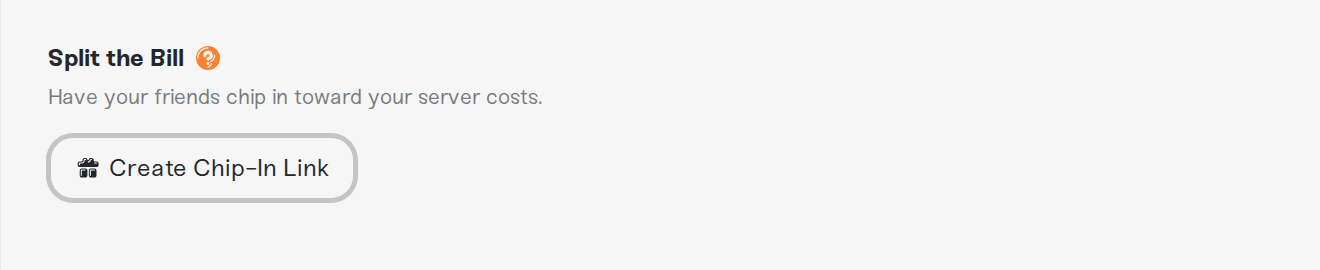
Click Create Chip-In Link. You will see Chip-in link created.
Your link appears in the card, in the form
https://haptic.gg/chip-in/followed by a 10-character code. Click it once to copy it; the row briefly shows Chip-in link copied!.Share it however you like: Discord, group chat, anywhere your friends are.
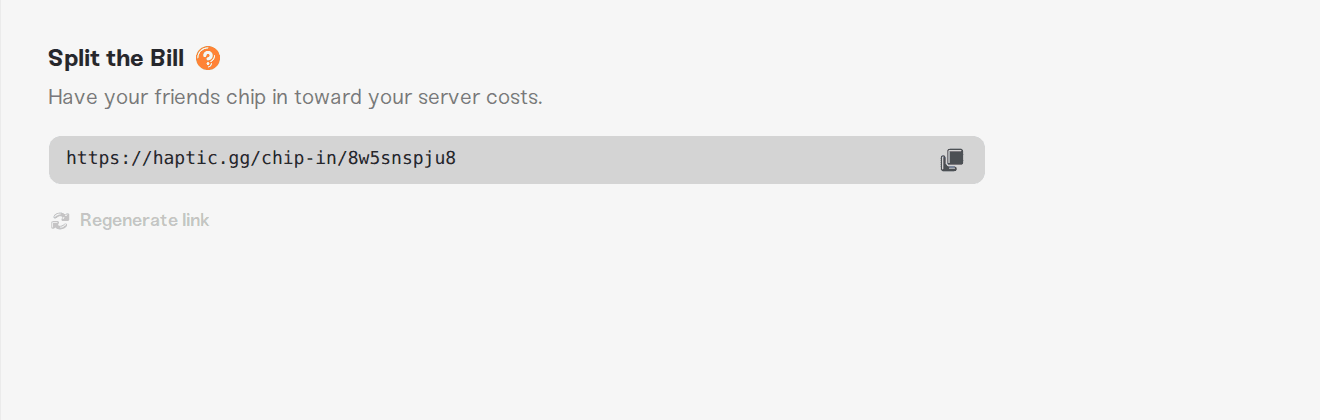
One link covers everything: it is per account, not per server, so you never need a second one. If you ever want to retire a link you have shared, use Regenerate link at the bottom of the card (it confirms with Code regenerated). The old URL stops working immediately, the card shows your new link, and any monthly contributions friends already set up keep running untouched.
What your friends see and pay
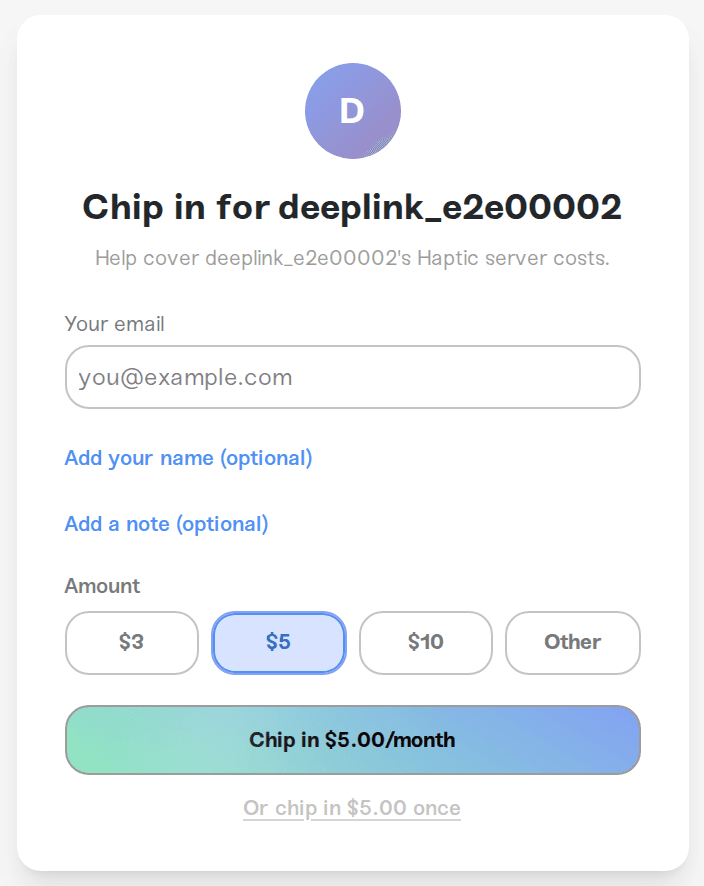
Opening your link shows a small page titled Chip in for your name, with the line "Help cover [your name]'s Haptic server costs." Friends see the name you set as your display name (or the first part of your email address if you have not set one) and, so they know what they are helping with, the price of your plan ("Their plan is $X.XX/mo.").
To contribute they:
Enter their email (used for the Stripe receipt). Friends who chip in from inside their own Haptic dashboard skip this step; their email is pre-filled.
Optionally click Add your name (optional) and Add a note (optional) to include a name and a short message for you.
Pick an amount: $3, $5, $10, or Other for a custom amount. Contributions are in USD, minimum $3 and maximum $500 per payment.
Click Chip in $X.XX/month to start a monthly contribution, or the smaller Or chip in $X.XX once link below it for a one-time contribution.
Pay in the secure Stripe checkout that opens.
After paying they see Thank you! Your contribution has been received. along with a note that their emailed receipt contains the link to manage or cancel a monthly contribution.
One guardrail to know about: you cannot chip in to yourself. Using the email on your own Haptic account is rejected with You cannot chip in to your own server.
Where the money goes
The moment a contribution is paid, its full amount is added to your account as credit; Haptic keeps none of it. You will see it in two places:
An email lands in your inbox: "[Name] chipped in $X.XX", including any note they wrote.
The green Account credit box appears on your plan page showing the amount ready to use. As the tooltip there says, "This credit will be applied to your next bill, including plan upgrades."
There is nothing to redeem or activate. At your next renewal (or upgrade), the credit is spent first and your card covers only the rest. If contributions ever exceed a bill, the leftover credit simply rolls forward to the one after.
Monthly contributions credit your account again each month when the friend's payment goes through, for as long as they keep it running.
Credit can only reduce your Haptic bills; it is not money you can pay out or transfer.
Keep track of contributors
Once anyone has chipped in, the Split the Bill card grows a Contributors list showing each contribution with its amount and either /mo or one-time. Contributors appear with their Haptic display name when their email matches an account that has one set, otherwise with their email address. (The name a friend types on the chip-in page shows up in the email you get, not in this list.)
Click View all to open the All Contributors modal: totals for Monthly, One-time, and Total contributors, plus every contribution with its date. A contribution marked (canceled) was a monthly one the friend stopped; (failed) means their last monthly payment did not go through (they get an email from us and the contribution revives automatically if a later payment succeeds). A canceled or failed contribution never takes back credit you already received.
Friends who already use your servers
People you have given dashboard access to (see Share server access with friends) do not need the link at all, as long as you have created one:
On their Shared With Me pages, a one-time banner invites them to "Support your friend, chip in for [your name]'s servers" with a Chip In button (on phones they get the gift icon straight away instead). Dismissing the banner leaves that small gift icon next to your name in their top bar, so they can chip in any time.
Friends without their own plan also get a Chip In card on their Account page listing everyone who shares servers with them. If you have not created a chip-in link yet, your row there says No chip-in link.

Sharing and chipping in are fully independent: contributing money never grants server access, and having server access never costs anything.
Cancel or change a contribution (for contributors)
A one-time chip-in is a single payment; there is nothing to cancel afterward. Monthly contributions can be stopped any time:
From the receipt email: every contribution gets a Stripe receipt by email, and for monthly contributions it contains the link to manage or cancel the payment.
From your Haptic account: if you do not have a Haptic plan of your own and a friend shares servers with you, the Chip In card on your Account page lists each of your monthly contributions with a Manage in Stripe button that opens a secure Stripe page to change the payment method or cancel. A contribution you have canceled shows a Canceling badge with its end date, then Canceled. No card on your Account page? Use the link in the receipt email; it always works.
Each monthly chip-in is its own little subscription with its own Manage in Stripe page, so if you support two friends (or chipped in twice), you cancel each one separately. Canceling stops future payments only; what you already gave stays with your friend as credit. Want to change the amount? Cancel the current contribution and chip in again at the new amount.
Good to know
The link needs an active billing setup on your side. Chip-ins are credit against your Haptic bills, so the page only accepts payments once you have (or have had) a paid plan. If your payment ever fails or your plan lapses, friends can still chip in, and the credit helps cover the bill when billing resumes; friends with shared access even see a Chip In button on the banner telling them your subscription expired.
Contributions are between $3 and $500 per payment, in USD, through Stripe. Below $3 the form shows Minimum contribution is $3.
One link per account, covering all your servers. Regenerating it invalidates the old URL but never touches existing monthly contributions.
Refunding a contribution is between you and your friend; if something went genuinely wrong with a payment, contact us and we will take a look together.
Need help?
Questions about a contribution, credit that has not shown up, or a payment that will not go through? Message us on Discord or email support@haptic.gg with the email on your account (and, for contributors, the email you used to chip in) and we will sort it out.
Share server access with friends: give friends the controls, not just the bill
Refer a friend: the other way to earn account credit



