40% OFFOur winter sale is on! We're giving everyone 40% off their new server at checkout!
 RedMGuide
A free Cfx.re license key, a framework choice, and a press of Start. Haptic asks for all of it the first time you power the server on and installs…
A free Cfx.re license key, a framework choice, and a press of Start. Haptic asks for all of it the first time you power the server on and installs everything for you, including the framework's database tables.
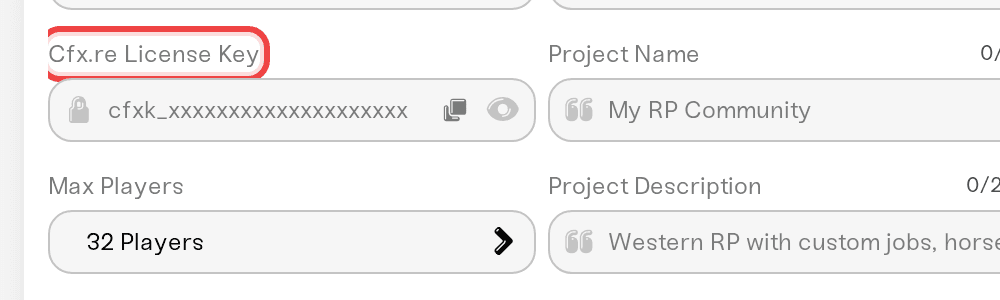
Sign up at forum.cfx.re if you do not have an account. The key is free.
Open portal.cfx.re/servers/registration-keys and generate a server registration key. Copy it.
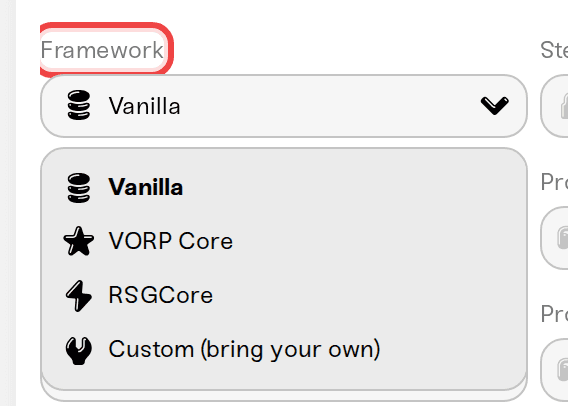
The first time you press Start, Haptic asks for the key together with your framework choice. Change it later in your server's settings under Cfx.re License Key.
Vanilla: a basic RedM server with the default resources. No framework, no database tables.
VORP Core: the most popular RedM roleplay framework, installed with its database tables ready.
RSGCore: a QBCore-style roleplay framework for RedM.
Custom (bring your own): nothing pre-installed. Upload your own resources and they are picked up automatically.
Haptic installs the framework for you. Do not reinstall one by hand. If you switch frameworks later, the old framework's folders are not deleted automatically; tidy them up on the Files card.
Upload a resource folder into server-data/resources/ on the Files card. Haptic detects it and loads it on the next start, on every framework choice.
If a script comes with a .sql file, drop it into server-data/sql/ and restart: it imports into your database automatically. Full guide: Import SQL files into your server's database.
Restart the server after uploading. Resources load at startup.
Your server.cfg is yours: edits stick. The haptic.cfg next to it holds Haptic-managed settings; leave that one alone.
Press Start, fill in the dialog, and wait for Online. The first start takes longer: the framework and its database tables install once. Then connect in game using the join details on your server page.
No license key configured: add your key when the start dialog asks, or in server settings.
Invalid Cfx.re license key: generate a fresh key at portal.cfx.re and paste it in.
License key authentication failed: the key may be tied to another server. Generate a new one.
Framework install failed: message us on Discord, this one is on us.
Web admin panel: RedM servers run txAdmin. See Manage your server with txAdmin.
In-game admin: VORP keeps admin in your database. See Become an in-game admin.
Memory: VORP or RSGCore with scripts want 4 GB or more; Vanilla runs on less.
 © Haptic, LLC
*40% off applies automatically at checkout for your first month. Ends November 22, 2026.


