Conan Exiles: become a server admin
 Conan ExilesGuide
Conan Exiles has no admin list. Your server has an Admin Password instead, and anyone who enters it in-game becomes an admin. Every new server already has…
Conan Exiles has no admin list. Your server has an Admin Password instead, and anyone who enters it in-game becomes an admin. Every new server already has a random one, so there is nothing to set up: reveal it in your server's Details tab, join with the IP address and port from your server card, press Esc, open Settings, then Server Settings, enter the password, and click Make Me Admin. Nothing about your world changes when you do this.
How admin works in Conan Exiles
Games like Minecraft keep a list of operator accounts. Conan Exiles does not: admin rights come from a shared password that any player can enter from the in-game menu. That is a Conan rule, not something we control, which is why your Conan server has no Admins tab on the dashboard.
Two things follow from this:
Anyone who knows the password can become admin, with kick, ban, teleport, spawn, and building powers. Share it only with people you trust.
Admin powers live in-game, in Conan's in-game admin panel. The dashboard's Console card can handle a few jobs too (see below), but it does not make anyone an admin.
Become an admin
Find your Admin Password
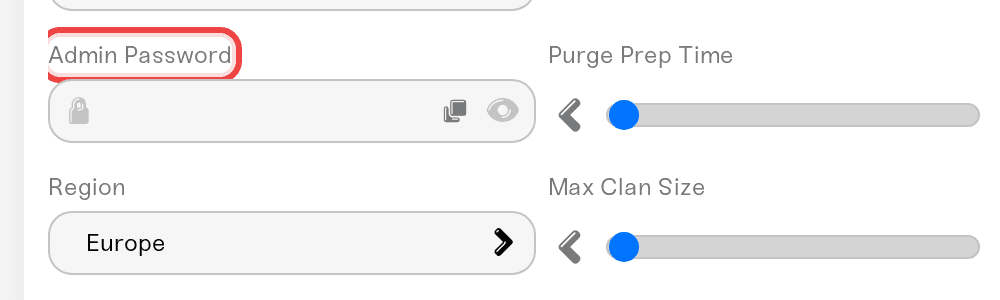
Press Detail view on your server card and open the Details tab of the Overview card. The Admin Password field is hidden behind dots: click the eye icon to reveal it, or the copy button next to it to copy it without showing it on screen. You do not need to set one up: every server gets a random admin password when it is created.
Join your server
In Conan Exiles, open the online server browser, choose Direct Connect, and paste the address from your server card. For Conan the card shows an IP address and port (numbers, like 192.0.2.10:31000), because that is what Direct Connect asks for. The address only appears while your server is Online; until then the card says Address appears when the server is online. The IP can change when your server starts on a different machine, so if a saved address stops working, copy it from your card again.
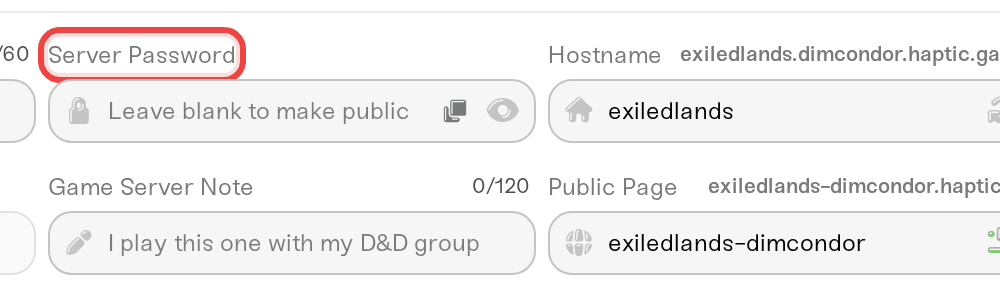
If the game asks for a password when you join, that is the Server Password from the Basic tab (the one your friends use to get in), not the admin password.
Make yourself admin in-game
Once you are in the world:
Press Esc and open Settings.
Open Server Settings.
Type your Admin Password into the password field and click Make Me Admin.
The game confirms with Administrator rights granted.
Back in the Settings menu you can now open the admin panel: teleport yourself or other players, spawn items, kick or ban players, and edit any building.
If you find you are no longer admin after a rejoin or a restart, enter the password and click Make Me Admin again.
Give a friend admin
Send them the admin password. They follow the same in-game steps and get the same powers you have. There is no role picker or per-player list for Conan, so "admin" is all or nothing.
Change the admin password
Edit Admin Password in the Details tab, press Save changes, then restart your server. Like other server settings, the new password applies the next time the server powers up, and the old one keeps working until then. Stick to letters and numbers: some special characters may not work in the Conan admin password.
This is also how you take admin away from someone: change the password, restart, and only the people you give the new password to can claim admin again.
Kick or ban from the dashboard
You do not have to be in the game for the basics. The Console card sends commands to your running server, and the replies appear in the log stream. Type them without a leading slash:
listplayersshows who is on, with the Idx number of each player.kickplayer index <idx> <message>kicks that player, andbanplayer index <idx> <message>bans them.listbansshows the ban list, andunbanplayer <userid>lifts a ban.
Server settings are changed in the dashboard, not from the Console: commands that rewrite settings are turned off there.
Things that will NOT make you an admin
Typing the admin password at the join screen. That prompt wants the Server Password; the admin password goes under Server Settings once you are in.
Owning the server on the dashboard. Dashboard access and in-game admin are separate. You still click Make Me Admin like everyone else.
Typing commands into the Console card. The Console can kick and ban, but it cannot open the in-game admin panel for you. Spawning, teleporting, and building edits need Make Me Admin in-game.
Pasting a server name into Direct Connect. If the game says Connection timed out! Could not find server., check that your card says Online and that you pasted the numbers from your card.
Need help?
Reach us in Discord or at support@haptic.gg. Include your server name and a screenshot of the in-game Server Settings screen with the password covered.


