Enshrouded roles: Admin, Friend, Guest, and Visitor passwords
 EnshroudedGuide
Enshrouded has no single server password. It has one password per role, and the password a player types when they join is what decides their permissions.…
Enshrouded has no single server password. It has one password per role, and the password a player types when they join is what decides their permissions. All three are already filled in with random passwords, in the Details tab of your Overview card. To make someone an admin, give them the Admin Password and have them reconnect with it.
Why there is no Server Password field
Enshrouded's server software swaps the usual single join password for role groups. Each group has its own password, and that password grants its permission level to whoever joins with it.
That is also why your server has no Admins tab: Enshrouded has no admin list or whitelist for a dashboard to manage. Roles are the whole access system, and bans are made in game (see below). That is how Enshrouded works on every host, not a Haptic limit.
What each role can do
| Role | Kick and ban | Chests and containers | Build and extend bases | Dig and terraform |
|---|---|---|---|---|
| Admin | Yes | Yes | Yes, including Flame Altars | Yes |
| Friend | No | Yes | Yes, including Flame Altars | Yes |
| Guest | No | No | No | Yes |
| Visitor | No | No | No | No |
Friend is the role for the people you actually play with. Guest is for people you want exploring and fighting but not touching your bases or your chests.
Where the passwords live
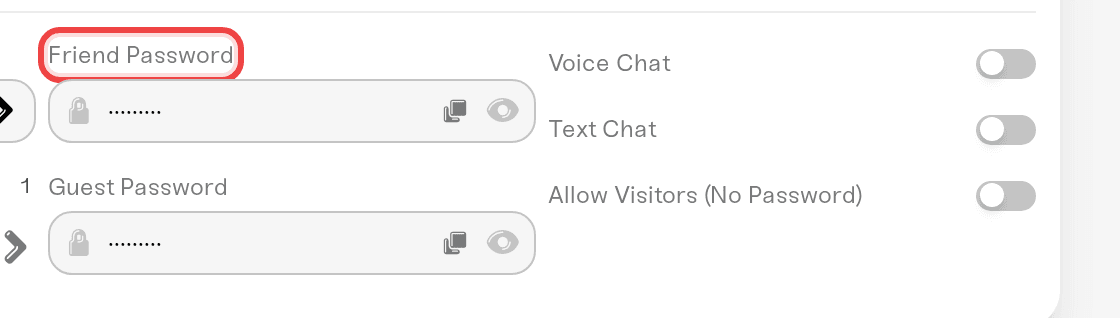
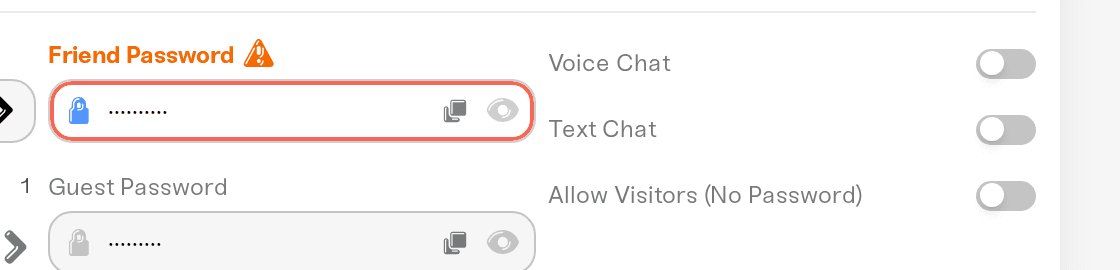
Open your server's Overview card, then the Details tab. The three password fields sit together there: Admin Password, Friend Password, and Guest Password.
All three are filled in with a different random password when your server is created, so all three roles work from the first start. Nothing is blank and nothing is off.
Each field shows dots. Click the eye icon to reveal it, or the copy icon beside the eye to put it straight on your clipboard.
Clearing a field and saving switches that role off. Admin cannot be switched off, and your server will not start without an Admin password, because an Admin role with no password would make everyone who joins an admin.
How to become admin, or make a friend admin
Copy the Admin Password with the copy icon next to its eye icon in the Details tab.
Send it to the person who should be an admin.
They join your server and enter that password at the prompt.
That is the whole promotion process. There is no in-game promote command and no dashboard button, because the password typed at join is what sets the role.
Someone already connected as a Guest or Friend has to disconnect and rejoin with the Admin Password. Nothing changes role mid-session.
Reserved slots. Enshrouded keeps one slot open for the Admin role, plus three for Friend when a Friend password is set. That is one Admin slot in total, not one per admin, so a second admin can still find a full server.
Changing a role password later
Type the new password, press Save changes, then restart the server. Your server writes every role password into its config at each start, so after the restart the new password works and the old one no longer gets anyone in. The same goes for the Allow Visitors (No Password) checkbox below.
Players already on the server keep their role until they leave, so ask anyone you are demoting to rejoin.
To demote someone, change the password of the role they used and give them a lower role's password instead.
Letting anyone join with no password
The Allow Visitors (No Password) checkbox is off by default, which means every player needs one of your role passwords. It sits with the other checkboxes in the Details tab, not next to the password fields.
Turn it on and anyone with your address can join as a Visitor: they can explore and fight, but they cannot open containers, build, or terraform. It is the setting for an open, public world where nothing of yours is at risk. Restart afterwards, then confirm it took by trying to join with no password.
"Each role password must be unique."
If two roles share a password, Save changes stops and shows this message. It is not fussiness on our side: Enshrouded's server refuses to start when two groups have the same password, so we block the save instead of letting your server fail to boot.
Give each role its own password and save again.
Kicking and banning happens in game
Any player in the Admin role kicks and bans from the in-game player list. There is nothing to press in the dashboard for this, and Enshrouded's server accepts no console commands at all, so your Console card shows a live log with the command box disabled. See Use the server console.
Bans are saved with your server. If someone you banned gets back in after a restart, ban them again, change the password of the role they joined with, and tell us your server name so we can check it.
What the dashboard leaves out, and why
These gaps are deliberate, and each one has a reason:
No ban list. An Admin bans in game, and the ban is saved with your server. Enshrouded ties each ban to a code made from the player's Steam account, not the Steam ID you can look up, so nobody can be banned before they have joined. None of the other Enshrouded hosts we checked has a ban list either.
No custom roles or permissions. The game picks a role from the password a player types. We keep three fixed roles plus Visitors, so the dashboard can hand your friends the Friend and Guest passwords while the Admin one stays with you. Your server writes these roles into its config file at every start, so groups added to that file by hand do not stick.
No autosave setting. Enshrouded has none. It saves about every 30 seconds, and your server saves again every time it stops.
No mod browser. Mods themselves do work: your server runs the EML mod loader for you before it starts. Upload each mod's folder into
install/enshrouded/modsand restart. There is no browser because Enshrouded mods are on Nexus Mods, so you download them yourself: Enshrouded: Add Mods to Your Server.No version pinning or update switch. Players can only join a server on the same build as their game, and Steam updates players automatically, so a server held on an older build would lock everyone out: Enshrouded: 1.0, game updates, and version mismatch.
On your server card
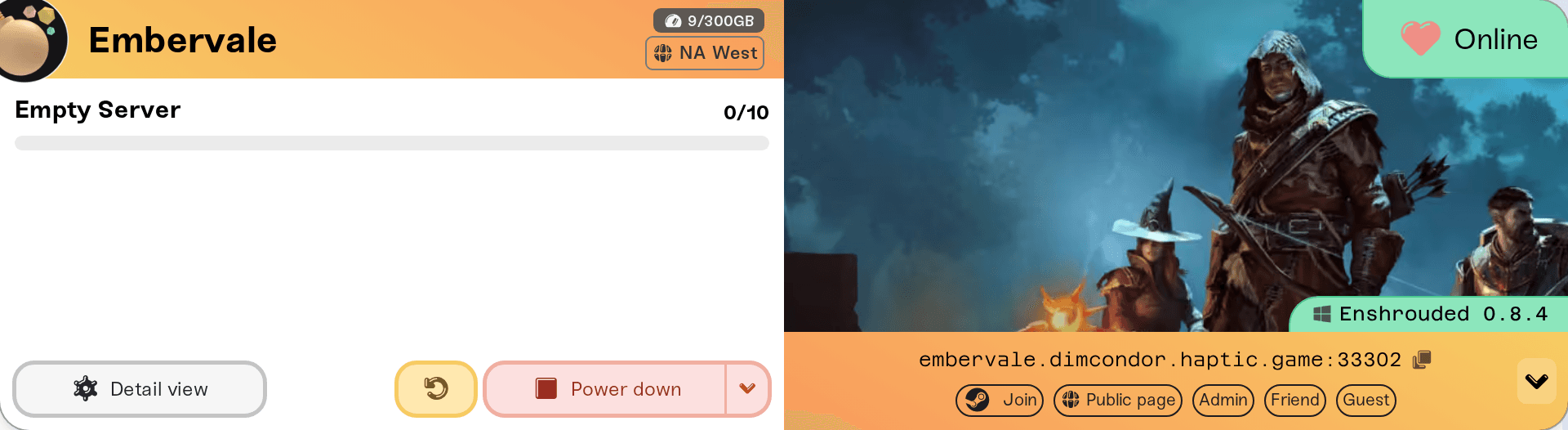
Because there is no single password, your server card carries one copy pill per role: Admin, Friend, and Guest, one for each role that has a password set. On a computer, click the small > chevron at the right end of the address strip to reveal them. On mobile they are always visible under the address, no chevron needed.
While the server is online, the player list shows each player's Steam name with their role in parentheses underneath, so a small (Admin) or (Guest) line under a name is expected.
Need help?
Reach us in Discord or at support@haptic.gg. Include your server name and which role password the player used to join.
Haptic "friends" are a different thing. Sharing dashboard access with someone is separate from the in-game Friend role: Friend roles and permissions.


