Windrose: join your server with an invite code or direct IP
 WindroseGuide
Windrose has no server browser. New Haptic servers hand out an invite code, shown on your server card where other games show an address: copy it, send it…
Windrose has no server browser. New Haptic servers hand out an invite code, shown on your server card where other games show an address: copy it, send it to your friends, and they paste it into Play, then Connect to Server. You can put the server on Direct IP joining instead, using the join-method pill behind the > chevron on the card, and then everyone joins with your hostname:port on the Direct IP tab. Switching needs a restart, and neither method changes anything about your world.
Your invite code
On My Servers, your server card shows Invite code: XXXX where other games show an address. Click it to copy; it flashes Copied invite code!.
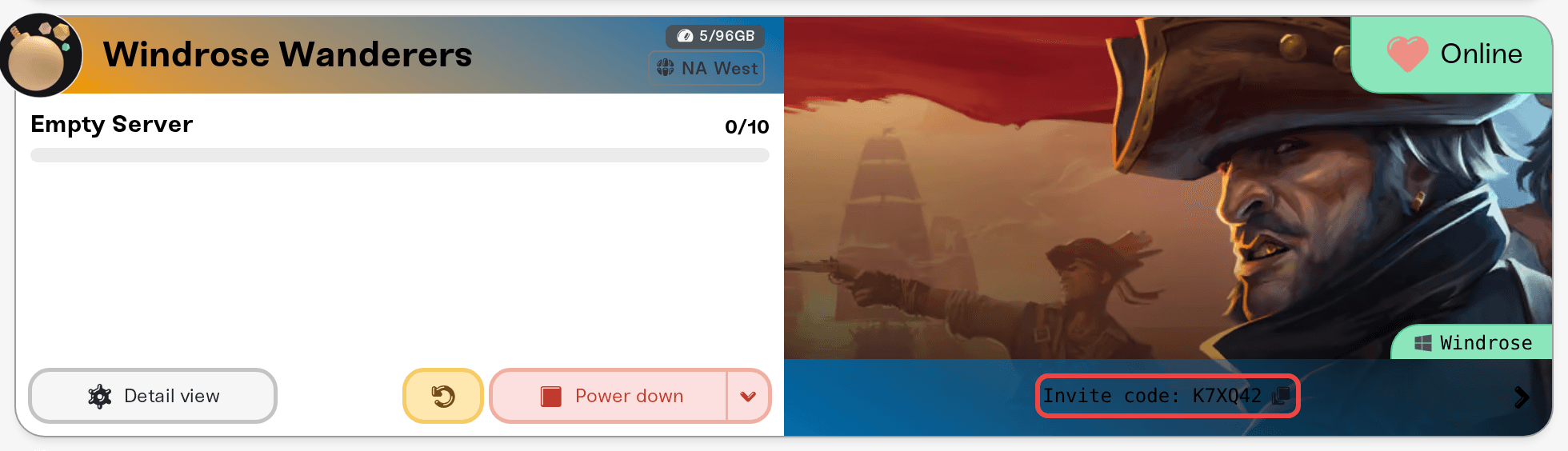
The card says Waiting for invite code… whenever we do not have a code for your server yet, most often before its first start: Windrose generates the code itself while the server boots. Start the server and the code appears on the card once it is online.
The code stays the same across restarts. You cannot pick it or reset it: there is no way to change a Windrose invite code on Haptic today.
How your friends join with the code
Copy the code from your card and send it over. On a phone, the Share button on the card sends the code and your password in one message.
In Windrose, they click Play, then Connect to Server, and paste the code.
They enter the server password when asked.
Codes are case-sensitive, so have people paste rather than retype. Every Haptic Windrose server starts with a random password. To read it, click the > chevron next to your invite code and use Copy password (on a phone, that button sits in the row under the code). You can change or remove it in Set, change, or remove your server password.
Switching to Direct IP joining
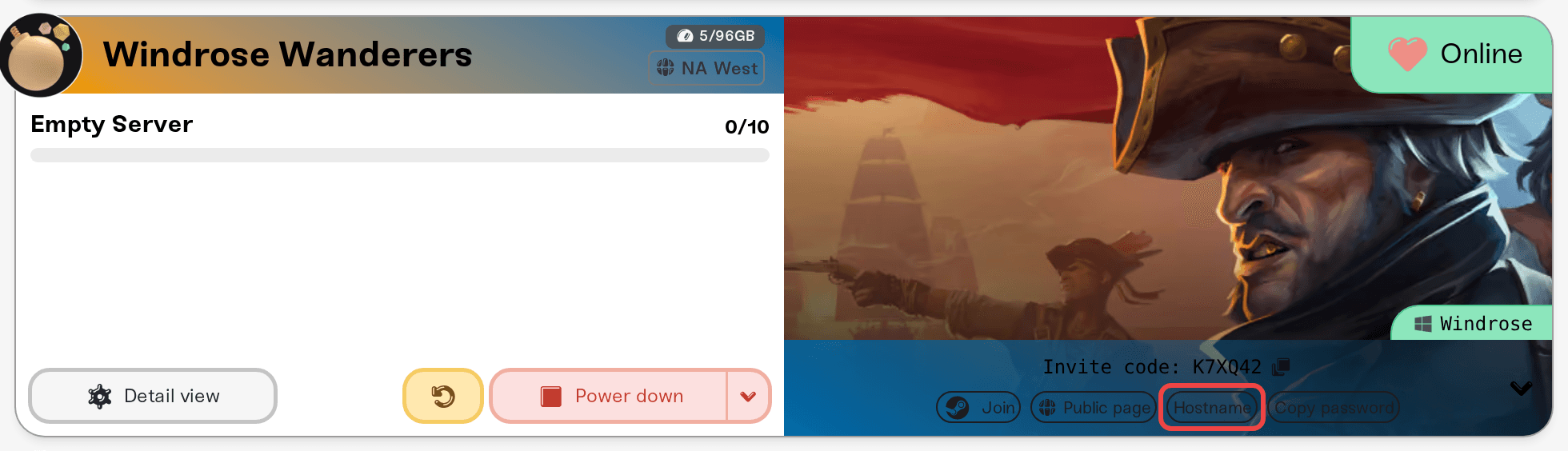
On your server's card, click the > chevron next to the invite code to open the shortcuts row. On a phone, the buttons are already showing under the code.
Click the join-method pill. It is labeled with the method you would switch to: it reads Hostname while you are on invite codes, and Join code while you are on direct IP.
Restart your server. Windrose only reads the join method when it starts. On a running server you also get "Join method saved. Restart your server to apply."; if the server is stopped or sleeping, the change saves quietly and applies the next time it starts.
Once it is back, the card shows your hostname:port instead of a code. Players click Play, then Connect to Server, then the Direct IP tab, and paste the address exactly as shown, port included.
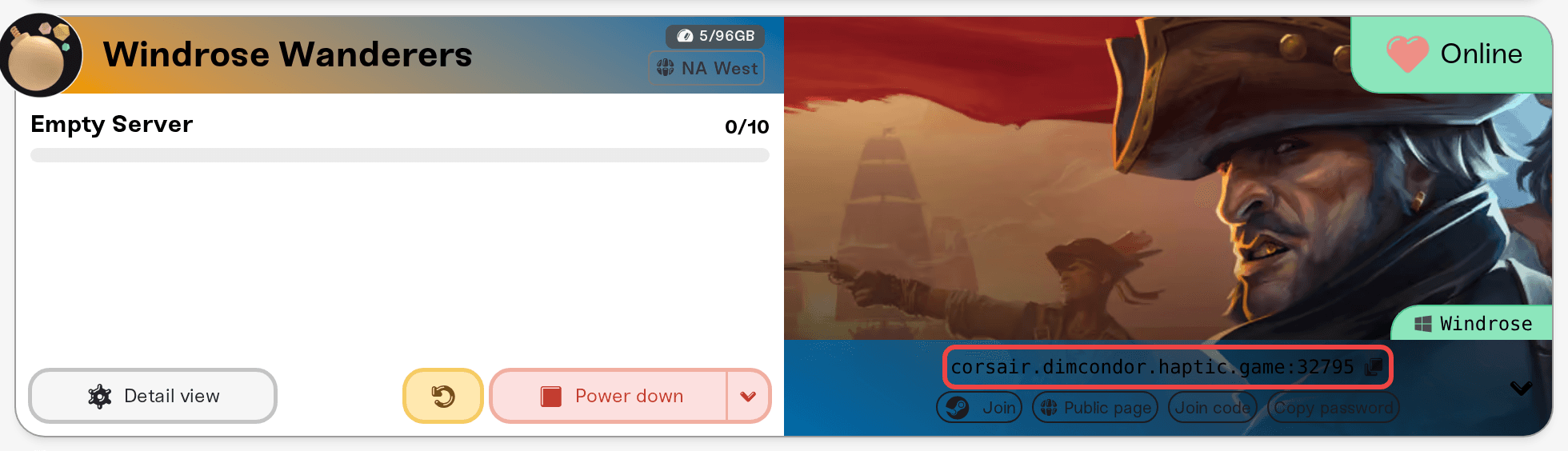
The pill only appears for the server owner and for friends with the Server Admin or Account Admin role. A Server Operator does not see it. See Friend roles explained.
Which one should you use?
Invite codes are the default on newer servers and the easiest thing to drop into a group chat. If you created your server before mid-2026 it may still be on Direct IP, showing hostname:port and no code; the pill switches it either way.
Direct IP is the dependable fallback: it skips Windrose's matchmaking relay completely. If invite-code joins time out or drop players seconds after they load in, switch to Direct IP and restart before troubleshooting anything else.
Only one method is active at a time, and it is whichever one the server booted with, so tell your friends which one to use.
Before anyone can join
Your server must say Online. If it says Sleeping, wake it from the dashboard or your public page first: Let friends wake your server.
Every player has to finish the Windrose singleplayer tutorial once. Until they do, the game bounces them straight back to the menu with no error, whichever join method you use. That is a Windrose rule, not something we control or can switch off.
These are Windows PC servers. Windrose has no console versions, so there is nothing to enable for Xbox or PlayStation players.
Need help?
Reach us on Discord or at support@haptic.gg. Include your server name, whether you are on invite code or direct IP, and what the player sees when the join fails.


