ValheimGuideCheck Public Test Branch in your server's Basic tab and your server runs Valheim's Beta build from its next start. Everyone who joins must opt in to the…
Check Public Test Branch in your server's Basic tab and your server runs Valheim's Beta build from its next start. Everyone who joins must opt in to the same Beta in their own Steam, or they see "Incompatible version". Take a manual backup first: the current test build converts your world to a new save format, and that backup is your clean way back to the normal version.
Iron Gate releases upcoming Valheim patches to a public test branch on Steam before they go stable, so players can try them early and report bugs. As of August 2026 the current test build carries the new world save format that is expected to ship with 1.0. It is not a preview of 1.0 itself: Iron Gate's 1.0 FAQ says there will be no public test for 1.0 (Deep North), so do not turn this on hoping to play Deep North early. Test builds are pre-release software: expect rough edges.
The Steam code that unlocks the Beta is literally yesimadebackups. Take the hint.
The current test build converts your world to Valheim's new save format the first time it loads it, and Iron Gate's own Public Test FAQ states that saves updated to the test version cannot be reverted. If you switch your server back to the normal version later, it can end up on the world as it was just before the conversion. Progress made on the Beta stays in the backups taken while the Beta was running. A Beta-format world may load again once the stable release ships that same save format, but do not count on it.
With your server online, open its Backups card and press New Backup. That snapshot is your world as it stands on the normal version, and manual backups are kept for two years.
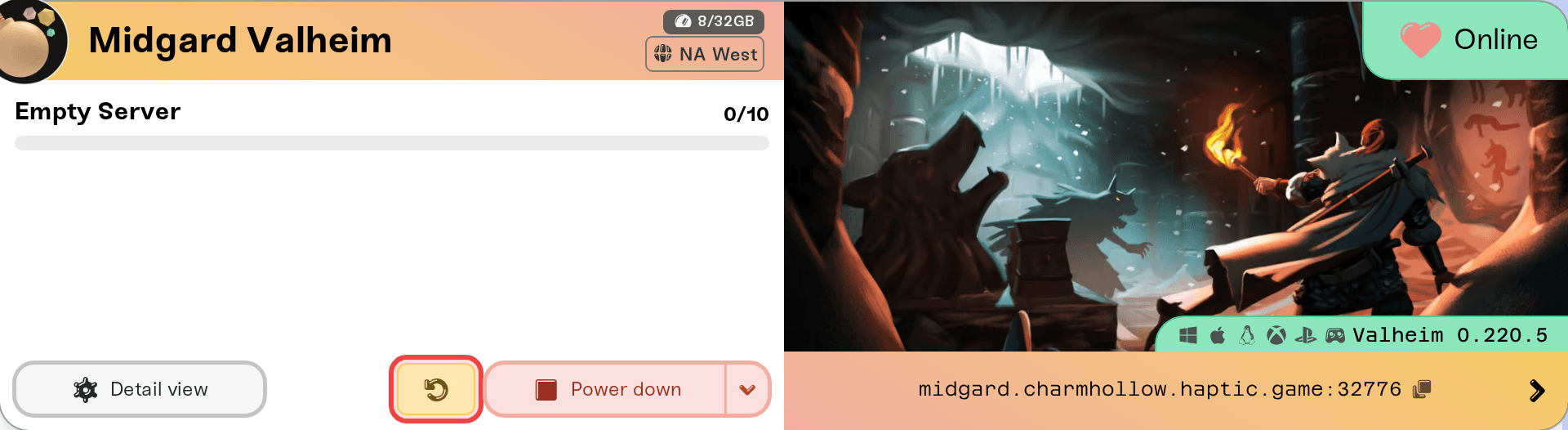
Press Detail view on your server's card and open the Basic tab of the Overview card.
Check Public Test Branch (marked "Advanced feature - use a pre-release version (Beta)").
A warning appears: "All players connecting to a Beta server must opt-in to the Public Test Branch in Steam." The next section covers it.
Press Save changes in the popup at the bottom of the page. Like all settings, the change applies the next time your server powers up, so restart it from the server card to switch now.


Your server's public page lists the branch under Branch, reading public-test on the Beta and public on the normal version, so your group can check without asking you.
The server switching is only half the job. Each player does this once, on their own PC:
In Steam, right-click Valheim in your Library and choose Properties.
Open the Betas tab.
Under Private Betas, enter the code yesimadebackups and click Check Code.
In the beta participation dropdown, select public-test. Steam downloads the test build.
To leave the Beta later, set the same dropdown back to None and Steam downloads the stable version again.
A branch mismatch shows the exact same "Incompatible version" error as patch day, but restarting the server does not fix this one. The game and the server have to be on the same branch, in both directions:
Server on Beta, player on normal: the player opts in on Steam (steps above).
Server on normal, player on Beta: the player sets their Steam beta dropdown back to None. This one catches people who joined a test months ago and forgot; if you suddenly cannot join your own server, check your Betas tab first.
If everyone is on the same branch and joins still fail right after a Valheim update, that is the ordinary patch-day case: see "Incompatible version" after an update.
Because of the save-format conversion above, treat this as a restore, not just a toggle, and do it in this order:
Uncheck Public Test Branch and save.
Stop the server if it is running. Restore Backup only works while the server is stopped.
In Backups, restore the manual backup you took before enabling the Beta.
Start the server. The restore also clears out the Beta-format save files, so the normal version loads the world from your backup instead of two save formats sitting side by side on disk.
Your players need to leave the Beta on their side too.
Console and Game Pass friends: the Public Test Branch is a Steam feature. Expect console and Game Pass players to sit a Beta cycle out.
Uploading a world from a Beta client: a world created or saved on the test build will not load on a normal-branch server, and an upload never flips the branch for you. Turn on Public Test Branch before uploading a Beta world (upload steps).
Mods: BepInEx mods target specific game versions and usually lag test builds by days or weeks. Run vanilla on the Beta.
Reach us in Discord or at support@haptic.gg. Include your server name, whether the Public Test Branch box is checked, and a screenshot of the error your players see.