Change your server's region
 HapticGuide
You can move your server to a different region whenever you like, free, and your world, settings, mods, and backups all move with it. Make sure the server…
You can move your server to a different region whenever you like, free, and your world, settings, mods, and backups all move with it. Make sure the server is powered down, open Manage on My Servers, pick a new region from the dropdown, and hit Save changes. One thing does change: your join address gets a new port number after the move, so send your friends the fresh address from the server card.
Where to see your server's current region
Every server card on My Servers shows a region chip with a small globe icon, right under the memory chip (for example NA East). Hover over it and you will see the city your server's data lives in, plus your live ping to that region in milliseconds, measured from your own device right then.
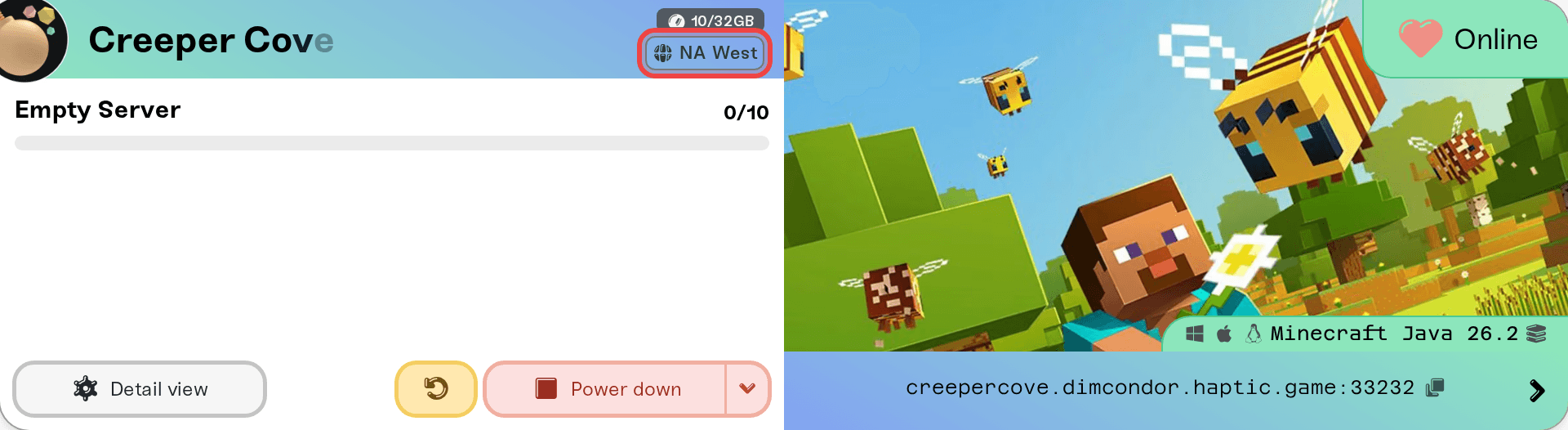
The chip on the card is read-only. Changing the region happens in Manage Servers, below.
The regions you can choose
Haptic currently runs three regions:
NA West: US West Coast
NA East: US East Coast and eastern Canada
EU West: central Europe
The region picker shows your live ping next to every option, so you never have to guess which one is closest.
How to change the region
Power your server down if it is running. The region picker stays locked while the server is Online. A Sleeping server on Wake & Play is already off, so you can skip this step. See How to start, stop, and restart your server.
Go to My Servers and select Manage at the top of the page (on mobile this opens the Manage Servers panel). Your server cards roll up into short rows, each with its memory controls and a region dropdown on the right. The picker only lives on these rolled-up rows, not in Detail view.
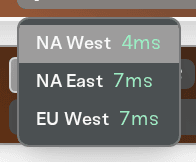
Open the region dropdown. Every region is listed with your live ping next to it.
Pick the new region. The dropdown now shows your new choice (the join address updates once you save, see below).
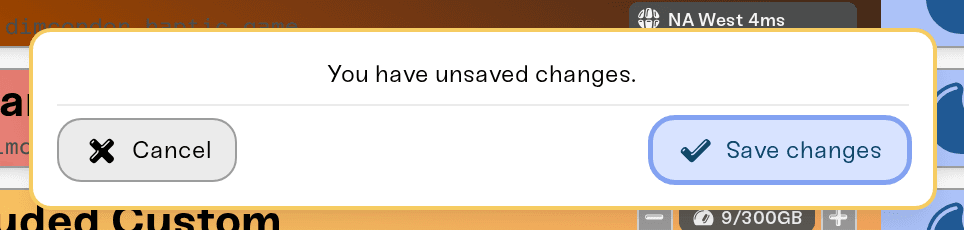
A You have unsaved changes. card pops up at the bottom of the page. Hit Save changes (or Cancel to back out). You will see a Region updated! confirmation.
Power the server back up. It starts in the new region. The first start after a move can take a little longer than usual while your world settles into its new home.
Your world moves with you
A region change moves everything: your world, settings, passwords, mods, admin lists, and backups. There is nothing to re-upload and nothing to reconfigure. We only move a server once its latest save has safely finished syncing to cloud backup, so you can never lose progress by changing region.
If your card says "Moving to EU West…"
That safety rule is also why a region change sometimes does not apply instantly. If your latest play session has not finished syncing to cloud backup yet, the change is queued instead: the card shows Moving to {region}… and the move applies automatically the moment your data finishes syncing. You do not need to do anything, and your server keeps working normally in its old region until then.
Changed your mind? Click the small X next to the chip and the queued move is withdrawn; you will see Queued region change cancelled.
Your join address after the move
Your hostname, the friendly part of the address like odin.vesta.haptic.game, never changes; it is yours across restarts, sleep, and region moves. The port number after the colon is what changes, because ports are assigned per region. That means the full join address your friends saved stops working after the move.
After the server starts in its new region, click the address on the server card to copy it, and send the fresh version to your friends so they can update their saved entry. See Invite players to your server for the easiest ways to share it.
Picking a region for your player group
Play alone or with nearby friends? Pick the region with the lowest ping in the dropdown. The numbers are measured from your device.
Friends spread across the country or the world? The ping numbers you see are yours, not theirs; a friend in another country will see different numbers from their side. Pick the region closest to the majority of your players.
Split between North America and Europe? NA East usually gives the fairest middle ground, since it is closer to Europe than NA West is.
Someone still lagging after the move? Distance is only one cause. My server is lagging walks through how to tell connection lag from server-side lag.
Moving is free and takes a couple of minutes, so it is fine to try a region and move back.
Need help?
Not sure which region fits your group, or a move seems stuck? Ping us on Discord or email support@haptic.gg with your server name and where your players are located, and we will point you to the best fit.
What are custom hostnames?: how your server's address is built.
How to change your server address: rename the hostname itself.



