Don't Starve Together: Caves on your server
 Don't Starve TogetherGuide
Every Don't Starve Together server on Haptic starts with caves turned on. The only control is the Enable Caves checkbox in your server's Details tab.…
Every Don't Starve Together server on Haptic starts with caves turned on. The only control is the Enable Caves checkbox in your server's Details tab. Turning caves off never deletes cave data: turn them back on later and your cave base is exactly where you left it. If the overworld works but sinkholes stop taking players down, restart the server.
How caves work here
Don't Starve Together runs caves as a second "shard": a separate game process with its own map, linked to the overworld. On most hosts that means a second server instance and hand-edited config files. On Haptic it is automatic. While Enable Caves is on, your server starts the overworld and the caves together and players drop through sinkholes as normal. Many items, bosses, and crafting recipes need cave access, which is why it is on by default.
Both halves are one world. Your cave saves sit next to your overworld saves, and every backup includes them.
Turn caves off or on
Open My Servers, click Detail view on your server, and pick the Details tab on the Overview card.
Find the Enable Caves toggle.
Switching it off opens a Warning! dialog: the caves shard stops, players who are in the caves respawn at the overworld portal, and your caves data is preserved. Click Disable Caves to confirm, or Cancel to keep them.
Click Save changes in the popup at the bottom of the page, then restart your server. The change applies the next time the server starts, not while it is running.
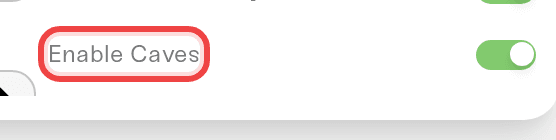
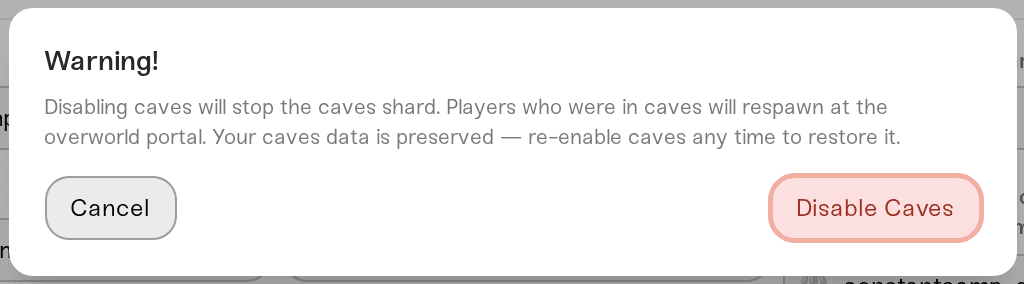
Turning caves back on is the same in reverse: switch it back on, save, restart.
If your world never had caves (you started with them off, or uploaded a world without a Caves folder), the game should generate a fresh cave map under your existing overworld on the next start, leaving the overworld as it is.
Cave world settings
While Enable Caves is on, the Details tab also carries a set of settings that only exist for the caves: cave size, branching and loops, the cave day cycle, Earthquakes, Cave Light, Nightmare Fissures, cave resources, creatures and monsters, and the Toadstool and Ancient Gateway bosses. They disappear from the tab when caves are off and come back when you re-enable them.
Sixteen of them share a name with an overworld setting, including World Size, Weather, Regrowth, Trees, Grass, and Spiders. Depending on how wide your window is, the pair may not sit next to each other, so hover the setting to tell them apart: every cave one has a description that mentions caves.
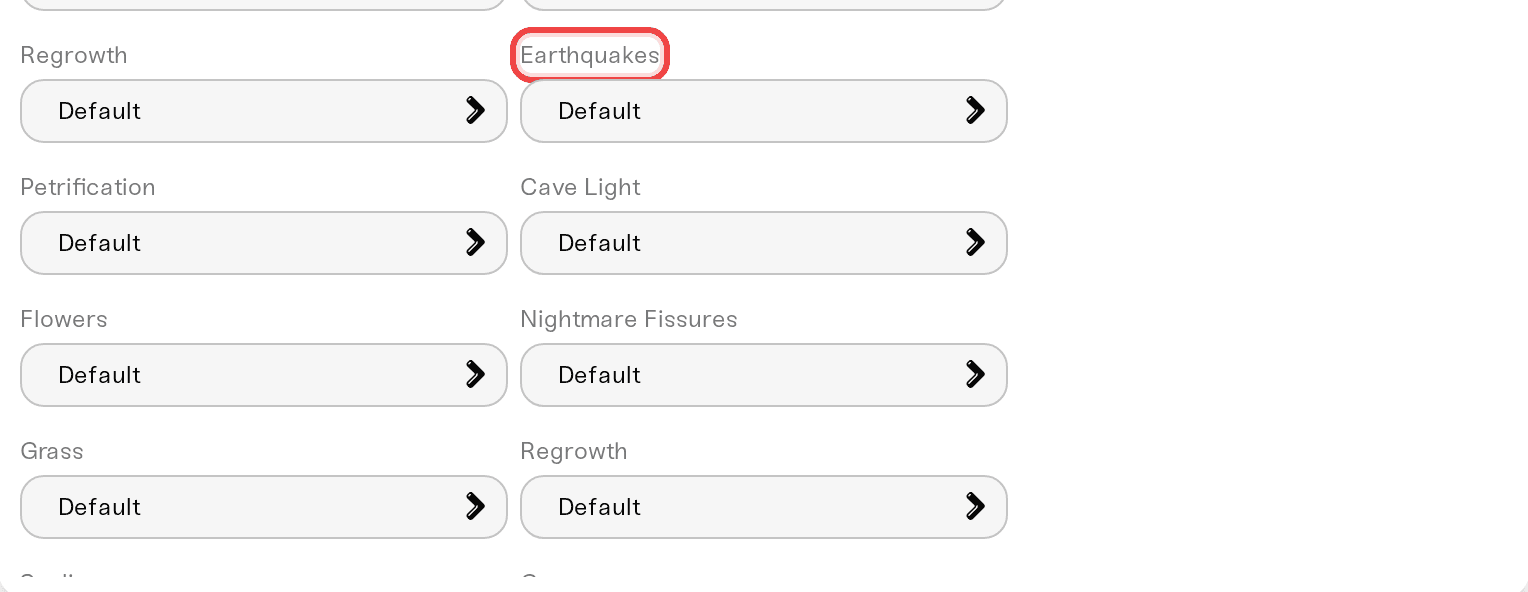
Like every Don't Starve Together world setting, these apply to newly generated worlds only. Changing Earthquakes on a world you already play changes nothing. To use new cave settings you need a fresh world via Reset your world, which regenerates the overworld and the caves together; there is no caves-only reset. That is how the game generates worlds, not something we control.
Sinkholes stopped working
If the overworld is fine but sinkholes no longer take anyone down, the caves process has most likely crashed. Your server restarts it automatically a few times. If it keeps failing, the overworld carries on by itself so nobody loses the session, but the caves stay unreachable until the server's next full start.
The fix is a normal Restart from your server card: both halves come back up together. If it happens again soon after, a recently added mod is the usual suspect, because mods load on both the overworld and the caves. Turn the newest one off in the Mods card and restart once more.
Caves and memory
Caves mean two game processes instead of one, so a server with caves uses noticeably more memory than the overworld alone would. If your server is running close to its memory limit, caves are a likely reason; see Understanding your memory budget to give it more. Turning caves off lowers memory use, at the cost of everything that lives underground.
Need help?
Message us in Discord or at support@haptic.gg. Include your server name and whether the problem is the checkbox, the cave settings, or sinkholes not working.


