Project Zomboid: Join Your Server (IP, Port, and Account Fields)
 Project ZomboidGuide
Your server card shows one address, like medic.squalltower.haptic.game:16261. Project Zomboid wants it in two boxes: everything before the colon goes in…
Your server card shows one address, like medic.squalltower.haptic.game:16261. Project Zomboid wants it in two boxes: everything before the colon goes in IP, the number after it goes in Port. The Account Username and Account Password on the join screen are a login each player invents for your server on their first join, nothing to do with Steam. Joining, and any password reset below, cannot harm your world.
Copy the address, then split it
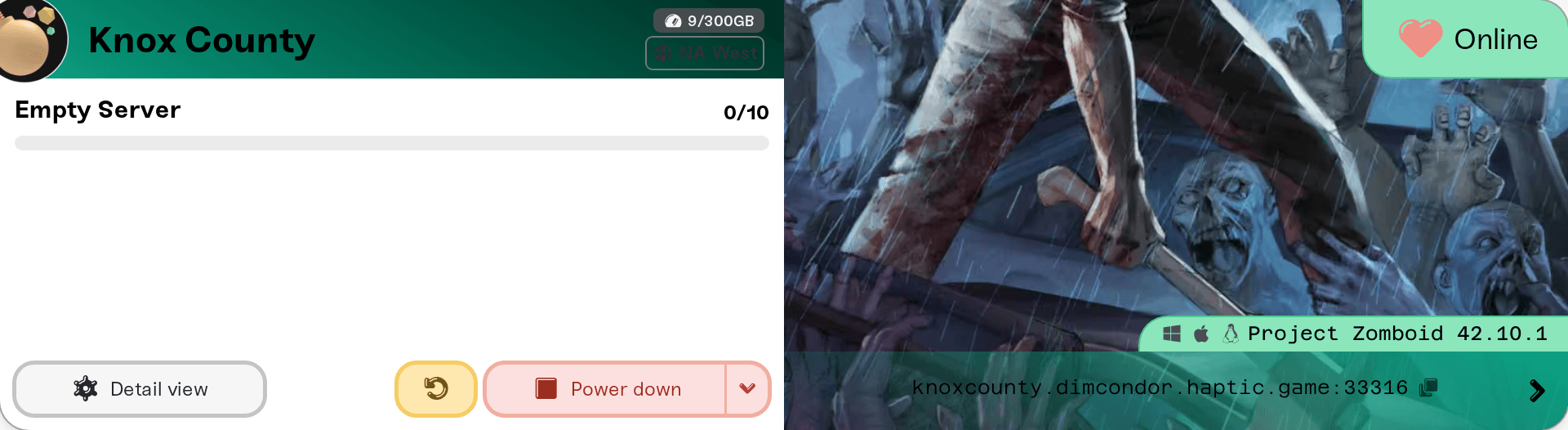
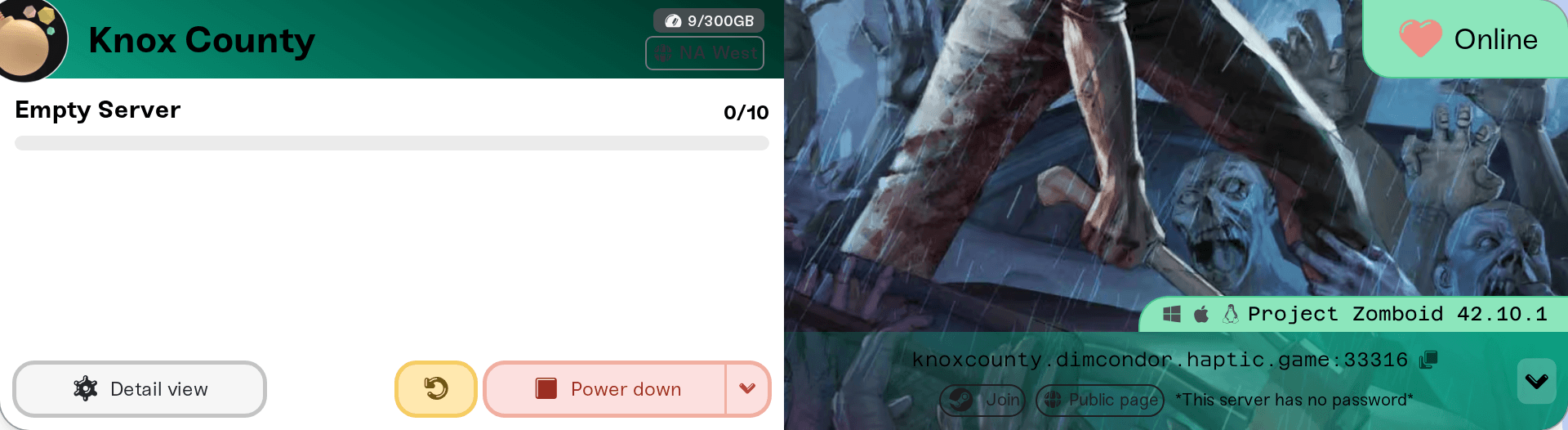
On My Servers, click the address on the colored strip at the bottom of your server card to copy it. The card needs to say Online; a sleeping or stopped server will not answer.
In Project Zomboid, open Join from the main menu and go to the Favorites tab, the direct-connect list.
Add an entry. Name is just a label, call it anything.
IP: paste the address, then delete the colon and the number after it so only the name is left (
medic.squalltower.haptic.game). The hostname belongs there, no numeric IP needed, and it keeps working if your server ever moves.Port: the number that came after the colon (
16261in the example).Server password: leave it empty unless you set one in the Server Password field in the Basic tab of your server settings. See Set or remove your server password.
Fill in Account Username and Account Password, then connect.
The Admin Password in the Details tab is a different password again: it belongs to the built-in admin login only. See Become an admin.
What the Account Username and Password are
Project Zomboid keeps its own player accounts on every server, separate from Steam. How players get one depends on the Open Server setting in the Details tab:
Open Server on (the default): a player types any username and password they like, and the account is created on their first join. That username is then theirs on your server, and their character is tied to it. A rejected login means the password is wrong, or someone else already took that name here, so pick another.
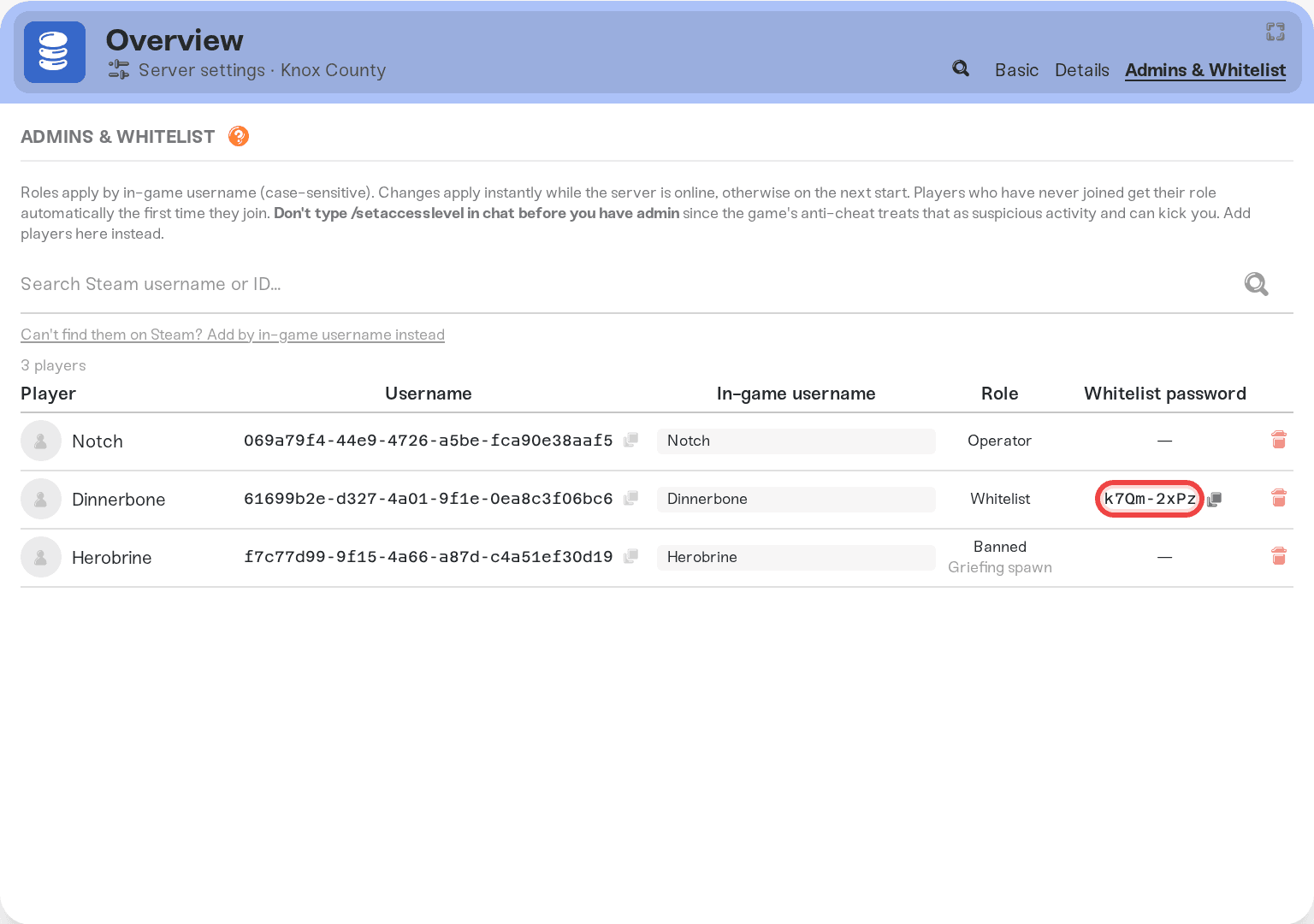
Open Server off: only whitelisted players can connect. Add them in the Admins & Whitelist tab with the Whitelist role, and the dashboard generates a Whitelist password with a copy button. Send them their in-game username exactly as shown, capitals included, plus that password.
Whitelist logins work with Open Server on too. Full roster flow: Manage admins, whitelist, and bans.
A player forgot their account password
Their character is safe. It lives in your world filed under the username, and resetting the password leaves it alone.
Accounts you created in the dashboard (Whitelist role): in the Admins & Whitelist tab, delete the player's row and save, then add them again with the exact same in-game username and the Whitelist role, and save. They get a fresh password, applied live if the server is running, otherwise on the next start.
Accounts players made themselves on first join are not in your dashboard list. Open your server's Console card and run
removeuserfromwhitelist "TheirName", thenadduser "TheirName" "NewPassword", quotes included. The same two commands work in in-game chat with a leading slash if you are logged in as an admin. See Use the server console.
Join through Steam from the dashboard
While your server is Online and you are on a desktop browser, click the arrow at the right end of the address strip to expand the shortcut row, then click the Join pill with the Steam logo. It launches the game through Steam pointed at your address, so you skip the Favorites entry. You still enter your account username and password to get in.
The server is not in the in-game browser
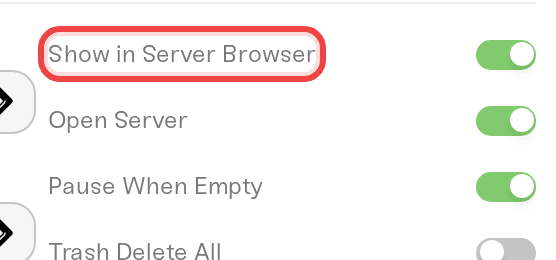
Show in Server Browser in the Details tab, on by default, controls whether your server appears in the game's Internet tab. Direct connect from Favorites works either way and is more reliable: only running servers are listed, and a new listing can take a while to show up.
Kicked with a version or file mismatch
Everyone's game and your server have to run the same Project Zomboid build and the same mod files. A mismatch ends the join with a clear kick, not a silent hang. Usual causes:
Steam updated the game and your server has not restarted onto the new build yet. Restart it: Game updates, builds, and your world.
A mod updated. Restart your server, and players pick the new files up on their next join. See Your players get the mods automatically.
A player's Steam copy is on a beta branch. Servers run the stable build, so have them set the game's Steam beta back to None.
Leave Verify Mod Files in the Details tab on unless a mod's own instructions say otherwise; it turns a quiet mod mismatch into a clear kick message.
Need help?
Ask in Discord or email support@haptic.gg. Include your server name, exactly what the player put in the IP and Port boxes, and a screenshot of the message they get.


