Upload your own mods
 HapticGuide
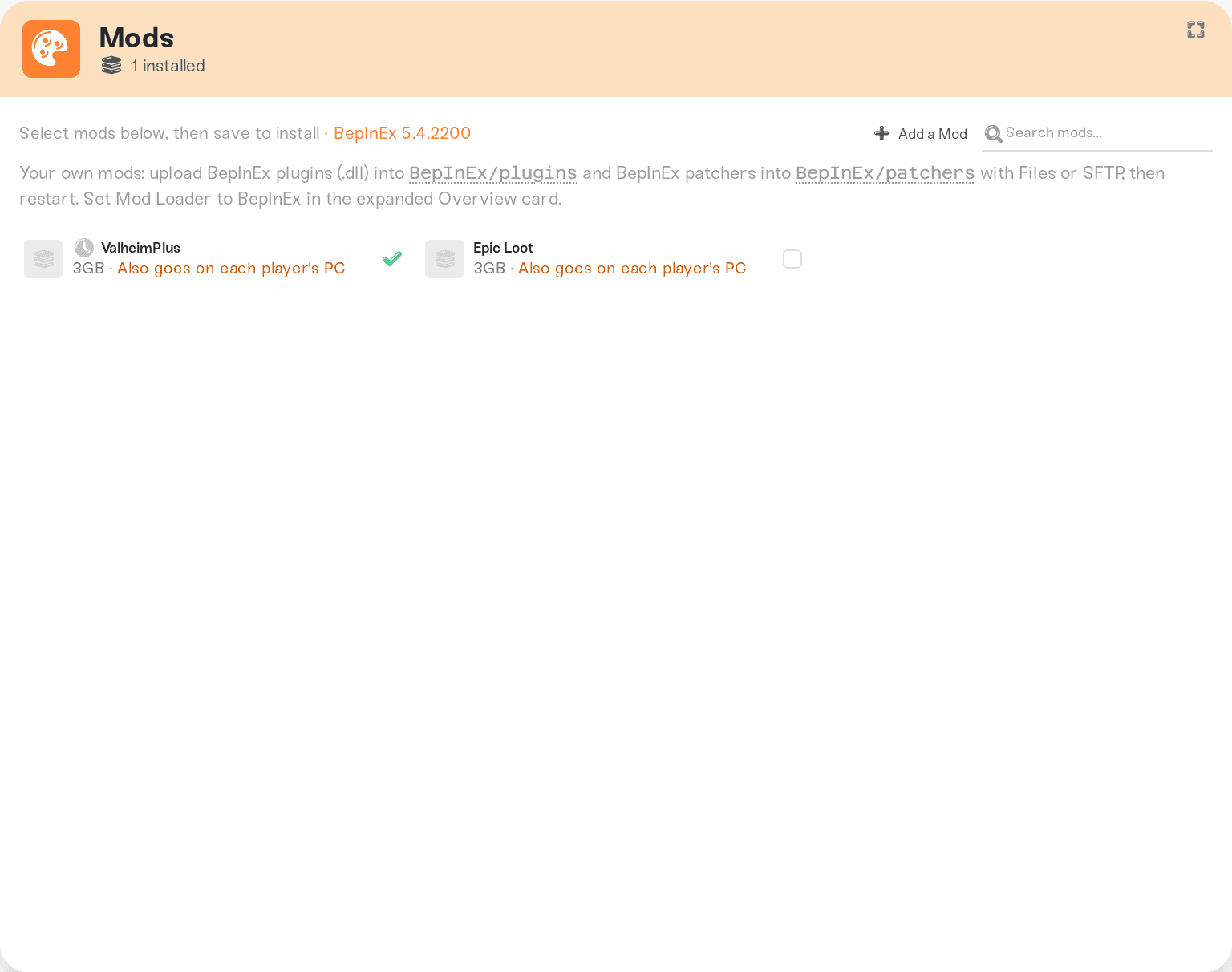
On most games, yes: you can run a mod that is not in our catalog, including one you are building yourself. Upload its files into your game's mod folder…
On most games, yes: you can run a mod that is not in our catalog, including one you are building yourself. Upload its files into your game's mod folder using the Files card or SFTP, restart, and it loads. Uploaded mods are yours: they survive restarts, server moves, and are included in your backups, and installing or removing catalog mods never touches them. A few games need one extra step, and two can't load your own mod files yet; both lists are below.
On most games with a mods folder, the Mods card says where your own mods go, and the Files card has a one-click shortcut to that folder. Core Keeper has no Mods card: use its folder from the table below.
How to upload
Stop your server (uploads mid-session can be picked up half-written).
Open the Files card on your server and drag the mod's files into the folder from the table below, or connect with SFTP if you prefer a desktop client. SFTP is the comfortable option while you are actively developing a mod and re-uploading often.
Start the server. Hand-placed mods load on start, never mid-session.
To remove a mod later, delete its files from the same folder and restart. Catalog mods stay managed from the Mods tab (Core Keeper has no Mods tab); the two never interfere with each other.
Where your mod goes
| Game | Upload to | Notes |
|---|---|---|
| Minecraft (Java) | /mods/ (Fabric, Forge, NeoForge) or /plugins/ (Paper, Purpur) | Drop the .jar in; it loads on the next start. |
| Minecraft (Bedrock) | /development_behavior_packs/ and /development_resource_packs/ | Needs one extra step, see below. |
| Project Zomboid | /Zomboid/mods/ | Upload the mod's Build 42 version: its folder has a 42 folder with the mod.info inside. Needs one extra step, see below. |
| DayZ | /@YourModName/ at the top level | We copy its key into keys/ for you. Every folder and file name inside the mod must be lowercase, or DayZ on Linux won't find them. |
| Valheim | /BepInEx/plugins/ (also /BepInEx/patchers/) | The BepInEx loader must be enabled on your server. |
| Rust | /install/rust/oxide/plugins/ | Drop .cs plugins in; the Oxide loader must be enabled. See Rust: Oxide plugins. |
| Palworld | /install/palworld/Pal/Content/Paks/~mods/ (.pak mods) | Blueprint mods (LogicMods .pak files) do not work on Haptic. Our Palworld servers run on Linux, and the Linux version of UE4SS can't load Blueprint mods, so the Mods tab refuses them and a Blueprint pak you place in /Paks/LogicMods/ by hand will not load either; ask the author for a Lua or regular .pak version. UE4SS Lua mods in /Pal/Binaries/Linux/Mods/ need the UE4SS loader from the Mods tab. |
| Terraria (tModLoader) | /.local/share/Terraria/tModLoader/Mods/ | The .tmod file's name must match the mod's internal name, and uploaded mods are always enabled: deleting the file is the off switch. |
| Factorio | /factorio/mods/ | Drop the name_version.zip in; Factorio discovers and enables it itself. |
| FiveM / RedM | /server-data/resources/ | Resources are found and started automatically on every boot. See FiveM: install custom scripts. |
| Satisfactory | /FactoryGame/Mods/ | Upload each mod's LinuxServer build from ficsit.app: its folder (with the .uplugin inside) or its .smod, which the server unpacks at the next start. The Satisfactory Mod Loader (SML) is added for you; don't upload it. |
| Counter-Strike 2 | /install/counter-strike-2/game/csgo/addons/counterstrikesharp/plugins/ | The CounterStrikeSharp loader must be enabled. |
| Core Keeper | /install/core-keeper/CoreKeeperServer_Data/StreamingAssets/Mods/ (one folder per mod, unzipped, with its ModManifest.json directly inside) | The game builds each mod's code at start; the console names any mod that fails to compile. See Core Keeper: add mods to your server. |
| Hytale | /mods/ | .zip and .jar mods load on the next start. |
| Windrose | /install/windrose/R5/Content/Paks/~mods/ (.pak mods) | Blueprint paks in /Paks/LogicMods/; UE4SS mods in /R5/Binaries/Win64/ue4ss/Mods/ need the UE4SS loader from the Mods tab. |
| Conan Exiles | /conan-mods/ (.pak mods) | They load after your Mods tab mods, in name order. Players don't get them automatically, so every player needs the same .pak. Not /ConanSandbox/Mods/, which is rebuilt on every start. |
| Don't Starve Together | /install/dont-starve-together/mods/ (one folder per mod, with modinfo.lua and modmain.lua inside) | Then turn it on by its folder name in modoverrides.lua (and Caves/modoverrides.lua). Don't name the folder workshop- plus a number: those are Steam downloads, replaced at every start. See Don't Starve Together: mods. |
| Icarus | /install/icarus/Icarus/Content/Paks/mods/ (.pak mods) | Upload the mod's _P.pak, or the IMM_Merged_Mod_P.pak the Icarus Mod Manager builds; .EXMODZ files only work through the Icarus Mod Manager. Every player needs the same files. See Icarus: install mods. |
| 7 Days to Die | /data/Mods/ (one folder per mod, with its ModInfo.xml at the top) | Not the Mods folder under /install/7-days-to-die/, which is read-only. Version 3 skips a mod whose ModInfo.xml is in the old format or has no DisplayName; the console says which. A mod that changes game data hides the server from PS5 and Xbox players; see 7 Days to Die: crossplay, Easy Anti-Cheat, and mods. |
| Enshrouded | /install/enshrouded/mods/ (one folder per EML mod, with its mod.json directly inside) | Your server runs the Enshrouded Mod Loader before each start, so no dbghelp.dll is needed; the Console lists what loaded. See Enshrouded: add mods to your server. |
Two games need one extra step
Project Zomboid loads only the mods named on the Mods= line of its config. After uploading your mod folder, open /Zomboid/Server/servertest.ini in the Files card and add your mod's ID to the Mods= line (the ID is the id= value in the mod.info file inside the mod's 42 folder, which is not always the folder name), then restart. Either ModID or \ModID works. A mod made only for Build 41 (its mod.info sits directly in the mod folder) is not found by the server, which starts without it. Mods installed from the Mods tab keep managing their own entries around yours. Full walkthrough in Project Zomboid: install a mod without the Workshop.
Minecraft Bedrock activates packs per world. After uploading the pack folder, add its pack_id and version (from the pack's manifest.json) to /worlds/<world>/world_behavior_packs.json (or world_resource_packs.json), then restart. Entries you add there are kept across restarts. Careful with the JSON: if the file isn't valid JSON the server refuses to start until you fix or delete it. Full walkthrough in Minecraft Bedrock: add-ons.
Games where this isn't possible yet
Soulmask loads only Steam Workshop mods: the server tells players which Workshop items to download, so a mod of your own has to be on the Workshop (visibility can be unlisted) and go through the Mods tab. On every game, the Files card and SFTP still reach all your configs and saves.
Good to know
Your uploads are safe. Hand-placed mod files ride your backups and survive restarts, updates, and moves between machines. Installing, updating, or removing catalog mods never deletes them.
Updating your mod is up to you. We auto-update Workshop and catalog mods, but a hand-placed mod stays at exactly the build you uploaded until you replace it.
Minecraft: client-only jars are set aside, not loaded. If an uploaded jar declares itself client-only (it would crash a dedicated server), the server moves it to
/mods/client-only-disabled/instead of loading it. Your file is kept there; fix its metadata and move it back.Loaders come from the Mods tab. On games with a mod loader (Oxide, BepInEx, UE4SS, CounterStrikeSharp), the loader is installed while it's enabled for your server. If you remove the last catalog mod that needs a loader, the loader goes with it and your hand-placed mods quietly stop loading; keep one installed. Satisfactory is the exception: the server adds SML at every start where a mod is in
/FactoryGame/Mods/, whether it came from the Mods tab or from you.
Need help?
Reach us on Discord or at support@haptic.gg. Include your server name, the game, the exact folder you uploaded to, and your server's log from the start where the mod didn't load.
Install mods on your server covers the dashboard catalog flow.
Add a mod we don't have yet for a public Workshop/CurseForge mod.
Server-side vs client-side mods explains who else needs to install what.
Per-game deep dives: Rust: Oxide plugins, Terraria: tModLoader mods, Minecraft Bedrock: add-ons, FiveM: install custom scripts.



