Project Zomboid: Let Players Sleep (or Make Them)
 Project ZomboidGuide
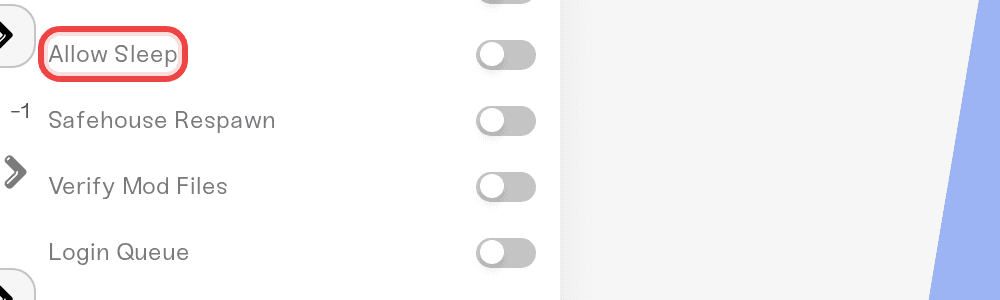
Two dashboard toggles control sleep: Allow Sleep (can players sleep at all) and Require Sleep (do characters get tired and need it). Change them freely;…
Two dashboard toggles control sleep: Allow Sleep (can players sleep at all) and Require Sleep (do characters get tired and need it). Change them freely; your world and characters are not affected by the toggle itself. Both apply on the next restart after you save. And the big multiplayer rule: time only skips forward when everyone online sleeps at the same time.
The two toggles
Open your server's settings and find the two sleep toggles, then pick your combination:
Allow Sleep off: nobody sleeps and nobody gets tired. Common for busy public servers.
Allow Sleep on, Require Sleep off: sleep is optional; tiredness never forces anyone to bed.
Allow Sleep on, Require Sleep on: full survival. Characters get tired and must sleep it off.
Save, then restart the server.
Require Sleep is ignored while Allow Sleep is off, so there is no combination that traps players with tiredness they cannot sleep away.
How sleeping works with friends online
This is the part that surprises people coming from single player: one player going to bed does not fast-forward the night. On a multiplayer server, time speeds up only while every online player is asleep at the same time. Get the whole group into beds and the night flies by; if one person keeps looting, everyone else just lies there in real time.
That is a Project Zomboid multiplayer rule, not a server problem. For groups that hate the coordination, the usual answer is Require Sleep off, so nobody is forced to bed, plus everyone agreeing to sleep together when they want to skip a night.
Things that will NOT fix "time won't skip"
Better beds, more pillows, or sleeping pills. The skip is gated on everyone sleeping, not on bed quality.
Leaving one AFK player standing around. They count as awake. Everyone online must be in bed at the same time.
Restarting without saving. Settings apply on restart, but only after you hit Save.
Need help?
Ping us on Discord or open a ticket and tell us how your group plays; we will suggest the right pair of toggles.
Nights feel too long? Day length is its own setting: see "Project Zomboid: Set the Day Length and Start Date".
Nightmare wake-ups during sleep are a separate sandbox option (off by default), available through Sandbox Overrides: see "Project Zomboid: Change Any Sandbox Setting".


