A friend gets a brand new character on your server
 PalworldTroubleshooting
Their character came over with your world, saved under their old co-op identity. Match them from your dashboard and one restart brings back pals, party, and guild access.
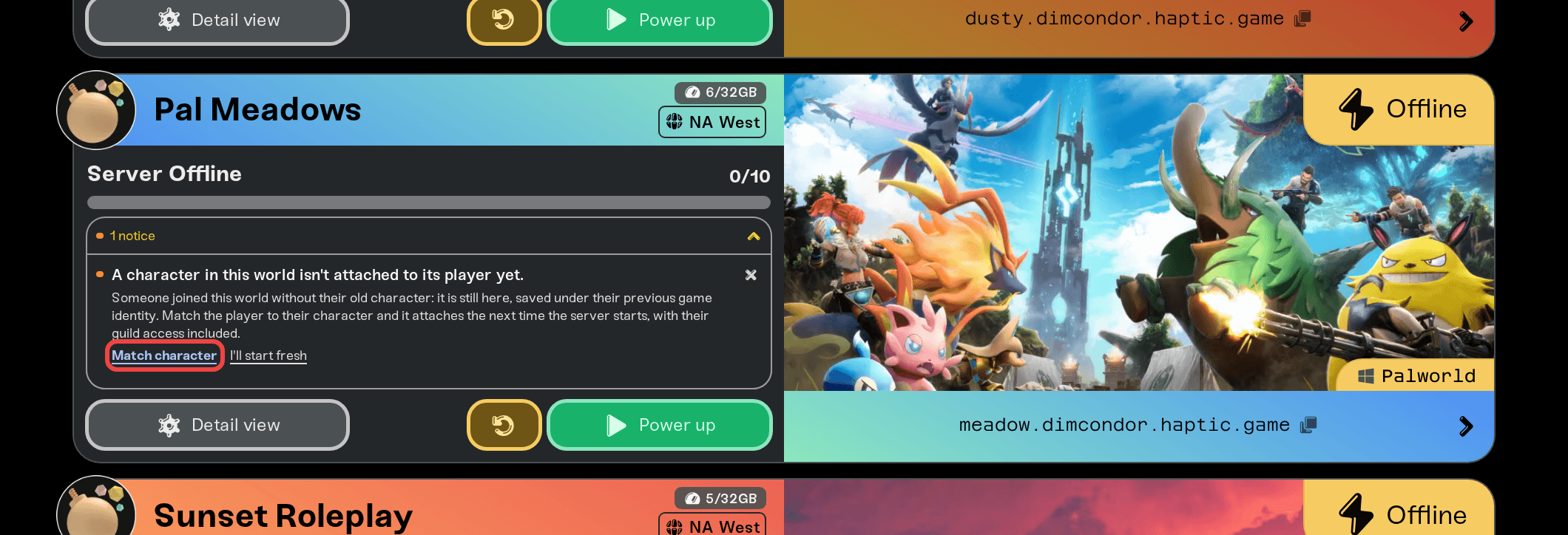
Your friend's character is not lost. It came over with your world and is sitting in the world files, saved under the identity their old co-op session used. The server just could not tell that the person joining is the same player, so it handed them a fresh character. Your dashboard shows a Match character prompt on the server's card: pick their old character, pick your friend, restart once, and they are back with their pals, party, storage, and guild access. Nobody else's progress is touched.
Why this happens
Palworld identifies players differently in co-op and on dedicated servers, and differently again across platforms. Friends who play on Steam usually carry straight over. Friends on Xbox, PlayStation, Game Pass, or Mac often come out with a different identity than the one their character was saved under in co-op. The server sees an account it does not recognize, so it does what Palworld always does for a new player: it creates a brand new character.
That is a Palworld identity rule, not data loss. The old character, with its levels, gear, pals, and guild membership, is still in your world. It just needs to be matched to your friend's account.
How to match them back
Have your friend join once
Open the Match character prompt
Pick the character and the player
Confirm the replacement
Restart the server
Have them join again
If the notice is not on the card yet, restart the server and have your friend join once more. It appears whenever someone joins while an unmatched character is still in the world. The notice also looks after itself: it clears on its own once that player joins with their character, and if everyone already has their character, you can dismiss it instead of matching anything.
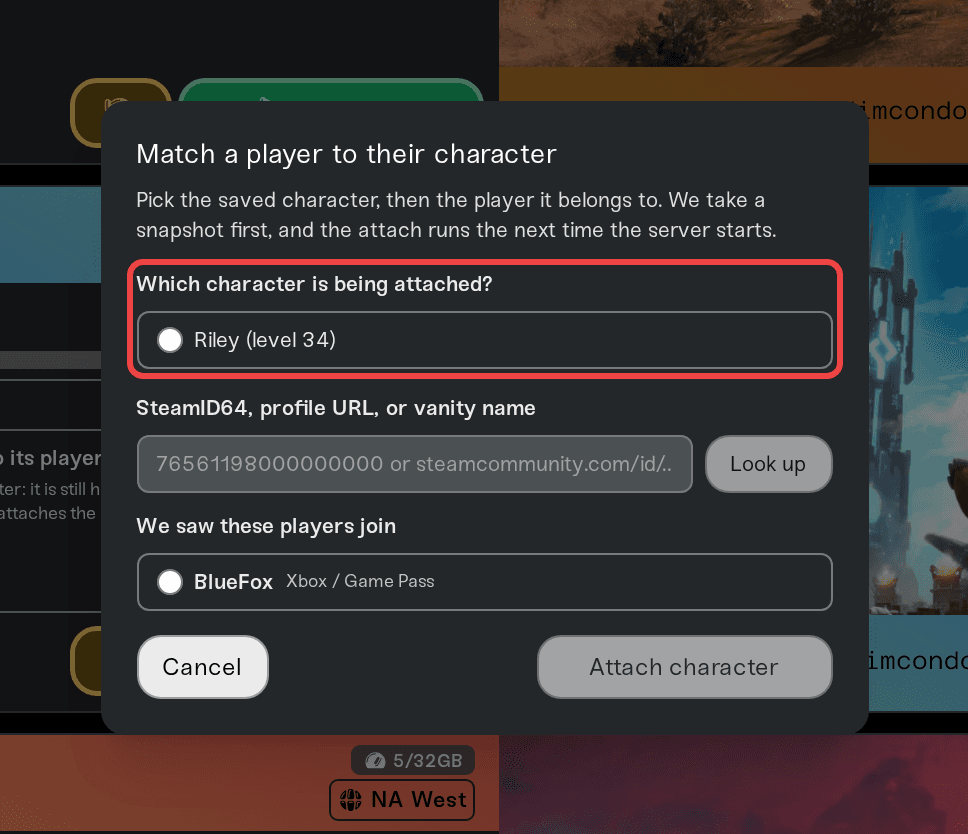
Matches run one at a time, each on its own restart. After one match applies, the prompt comes back for the next friend the next time they join.
Your safety net
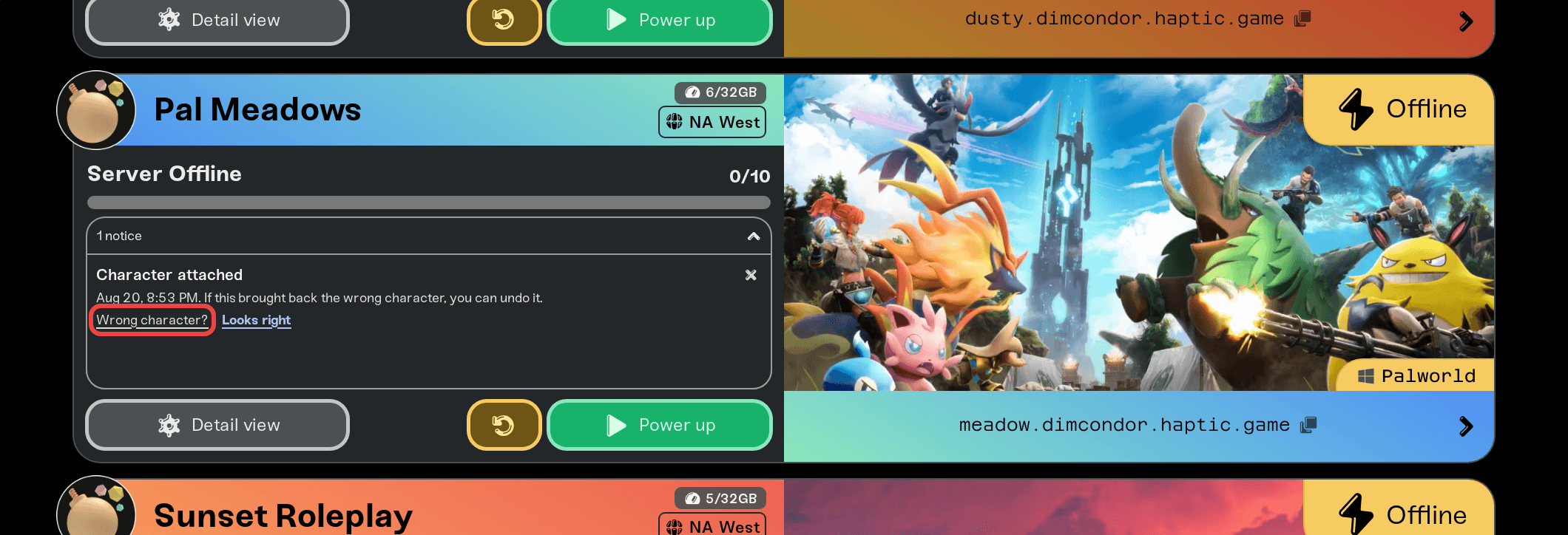
Every match starts with an automatic snapshot of the world exactly as it was. After it applies, the server card shows Character attached with a Wrong character? option for seven days; that restores the snapshot. This works per match, so matching a second friend never costs you the undo for the first.
Things that will not fix it
Restoring a backup from before your friend joined. It works, but it rewinds everyone on the server to that moment. The match does the same job without touching anyone else's progress.
Your friend re-creating a character with the same name. Names are not identities in Palworld; the server still treats them as a new player.
Deleting the new character's file by hand. The world remembers the identity either way, and hand-editing server files risks the save. The match handles the replacement cleanly, snapshot included.
One thing that stays personal
If your friend's map looks unexplored after the match, that is a separate Palworld quirk: map exploration is stored on each player's own device, not in the world. Their fast travel points come back with their character; the fog fills in as they play. See Black map or locked fast travel after moving your world.
Need help?
Ping us on Discord or send a ticket from your dashboard. Include your server name, your friend's in-game character name, and the platform they play on (Steam, Xbox, PlayStation, Game Pass, or Mac), and we will match them from our side.
Attach your co-op character, or unlink it again: the same idea for the host's own character.
Move your co-op or single-player world to your server: the full moving guide.
Steam friends whose characters carried over automatically need none of this; the match is only for identities the server could not connect on its own.


