Project Zomboid: Speed Up Leveling With the XP Multiplier
 Project ZomboidGuide
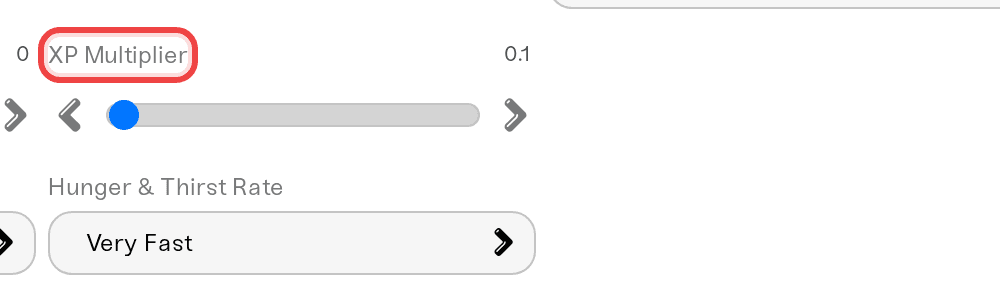
Skill leveling speed is one slider on your dashboard: XP Multiplier. Set it anywhere from 0.1 to 20, hit Save, and it applies on the next restart. Nobody…
Skill leveling speed is one slider on your dashboard: XP Multiplier. Set it anywhere from 0.1 to 20, hit Save, and it applies on the next restart. Nobody loses anything: every point of XP your players already earned stays exactly where it is.
Set the multiplier
The multiplier applies to all skills, and it changes the rate going forward. It does not recalculate past XP in either direction, so you can experiment freely.
Open your server's settings
On your server's page in the dashboard, open the settings and find XP Multiplier.
Pick a value
Anything from 0.1 to 20. 1 is the normal game rate, 2 doubles all XP gains, 0.5 halves them. Most multiplayer servers run between 1.5 and 3, since vanilla leveling is slow for groups that only play a few evenings a week.
Save and restart
Hit Save, then restart the server. The new rate is active as soon as the server is back up.
Different rates for different skills
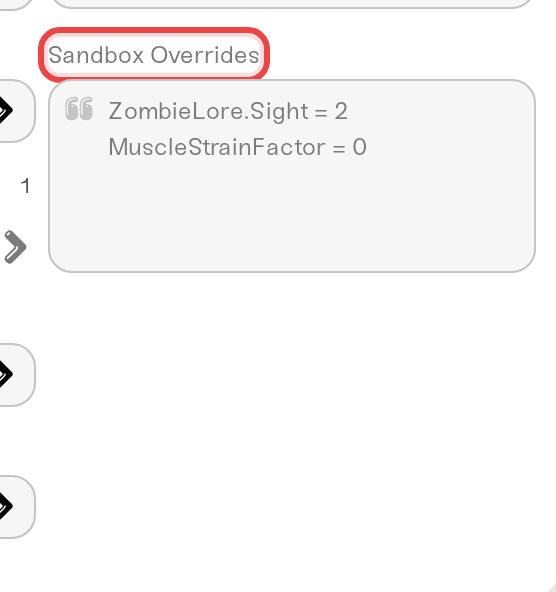
Want 3x Cooking but normal everything else? Project Zomboid keeps all XP rates in one group of settings. Your dashboard slider sets the global rate, and the game's global toggle is on, which makes every skill use that one rate. To set per-skill rates instead, add two lines to the Sandbox Overrides box at the bottom of your settings:
MultiplierConfig.GlobalToggle = falseMultiplierConfig.Cooking = 3.0
A per-skill line on its own does nothing: while the global toggle is on, the game ignores per-skill rates. That is a Project Zomboid rule, not something we control.
With the toggle off, the XP Multiplier slider no longer applies. Each skill uses its own rate: normal speed unless you add a line for it. Add one line per skill you want to change, using the skill's exact in-game name (Cooking, Aiming, Fitness, Strength, and so on). The full override syntax is covered in Change Any Project Zomboid Sandbox Setting.
Things that will NOT fix it
Making a new character. The XP rate is server-wide, not per character. A fresh character levels at the same rate as everyone else.
Expecting existing skills to jump. The multiplier speeds up XP from now on; it does not retroactively re-award anything.
Restarting without saving. Settings apply on restart, but only after you hit Save.
Need help?
Ping us on Discord or email support@haptic.gg and tell us the feel you want ("we play two evenings a week and want to see progress"), and we will suggest a value.
Want more build points at character creation instead? The Free Trait Points setting (-100 to 100) adds trait points when a character is created, so it affects new characters, not existing ones.


