Choose which emails Haptic sends you
 HapticGuide
Every optional email Haptic sends has a switch. Open Dashboard > Account > Settings and find the Email Notifications section: five main toggles cover the…
Every optional email Haptic sends has a switch. Open Dashboard > Account > Settings and find the Email Notifications section: five main toggles cover the common cases, and Fine-tune email types opens individual switches for all ten email types. Changes save the moment you flip a toggle. A few emails always send no matter what: account and security emails and payment-problem notices.
Where the switches live
Sign in at haptic.gg and open your Dashboard.
Open Account, then the Settings tab.
Scroll to Email Notifications in the left column, under your profile details.
If you bookmarked the old Notifications page, don't worry: it now takes you straight to Settings. Everything described here lives on this one page.
There is no Save button. Each toggle saves as soon as you flip it, and you'll see an error message if a change doesn't stick.
The main toggles
The section starts with five switches. Some control a single email type, others a small group of related ones:
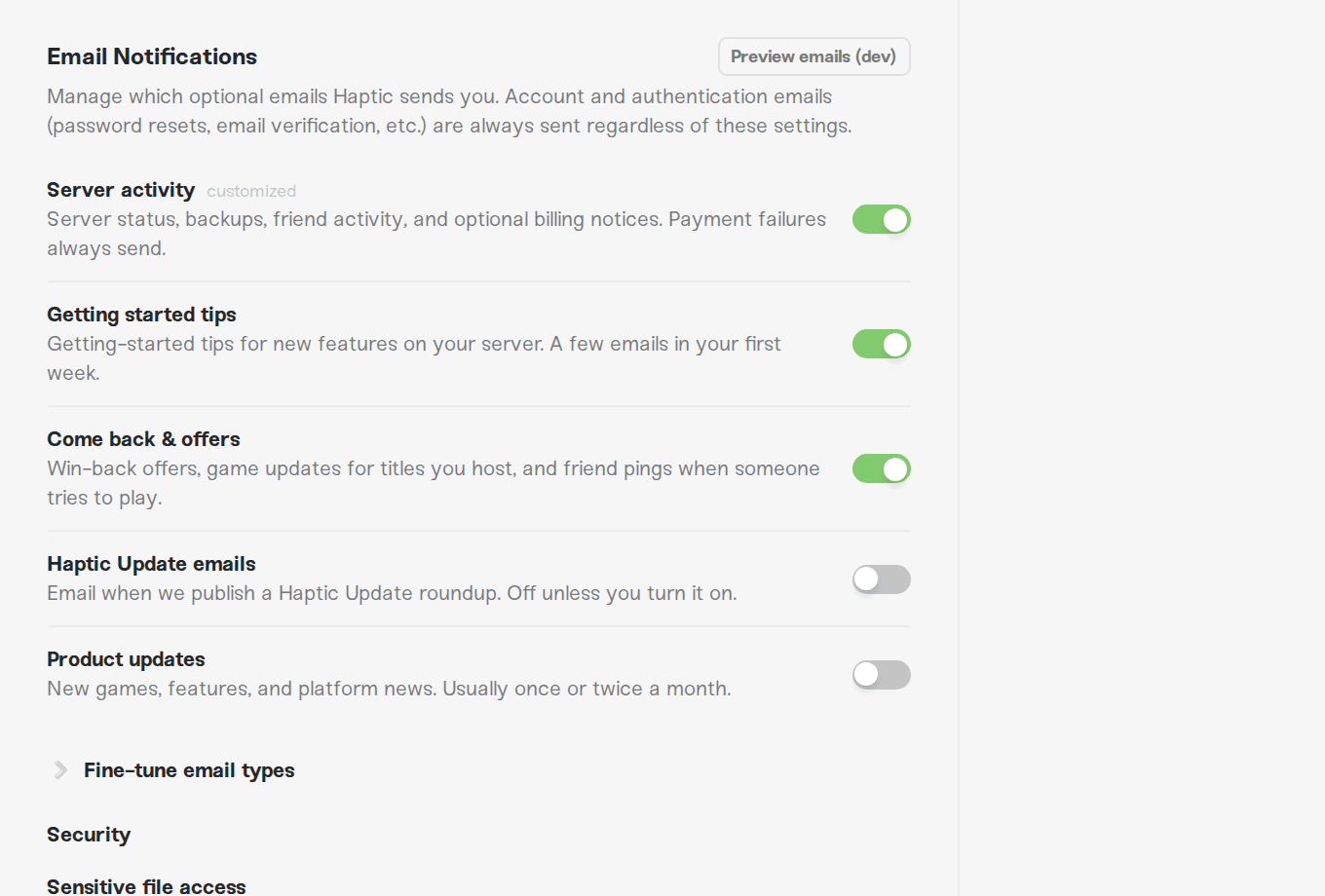
Server activity: "Server status, backups, friend activity, and optional billing notices. Payment failures always send." One switch for the four emails about your own server and billing reminders.
Getting started tips: "Getting-started tips for new features on your server. A few emails in your first week."
Come back & offers: "Win-back offers and game updates for titles you host."
Haptic Update emails: "Email when we publish a Haptic Update roundup. Off unless you turn it on."
Product updates: "New games, features, and platform news. Usually once or twice a month."
Turning a grouped switch off turns off every email type inside it; turning it on turns them all on. If the types inside a group are set differently (say, server status on but backup emails off), the group shows as on with a small customized tag next to its name, and your individual choices are what actually apply. Flipping a customized group once turns everything in it off together.
These are our changelog roundups covering what shipped on the platform. Nobody is subscribed automatically, not even when you sign up. If you want them, this switch is the only way in; flip it on and you're set. The same goes for Product updates: off until you say otherwise.
Fine-tune individual email types
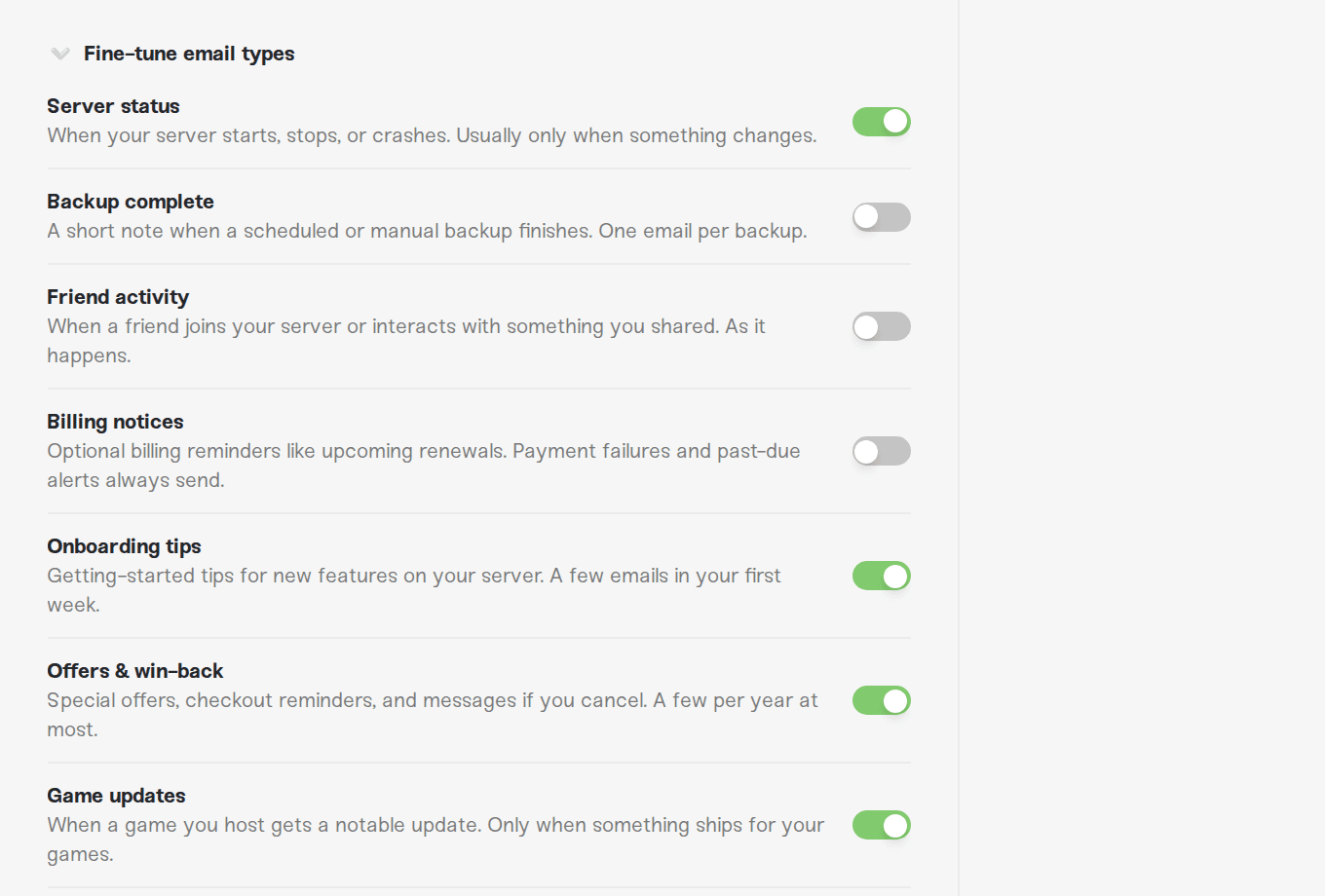
Click Fine-tune email types to expand the full list of ten switches, one per email type:
| Email type | What it covers | Default |
|---|---|---|
| Server status | Your server starts, stops, or crashes | On |
| Backup complete | A short note when a backup finishes | On |
| Friend activity | A friend joins your server or uses something you shared | Off |
| Billing notices | Optional reminders like upcoming renewals | On |
| Onboarding tips | Getting-started tips in your first week | On |
| Offers & win-back | Special offers, checkout reminders, messages if you cancel | On |
| Game updates | A game you host gets a notable update | On |
| Haptic Update emails | Changelog roundups when we publish one | Off |
| Product updates | New games, features, and platform news | Off |
These are the same email types the main toggles control, just individually. Mix and match however you like; the main toggle above simply reflects what you chose.
If friends play on a Wake & Play server, they can wake it themselves without you: see Let friends wake your server.
Emails we always send
Right above the toggles, the section itself tells you the rule: "Account and authentication emails (password resets, email verification, etc.) are always sent regardless of these settings."
In practice, the emails that always send are the ones you'd genuinely need even after unsubscribing from everything:
Account and security: password resets, confirmations when your password or email changes, and warnings before an account deletion.
Subscription changes: the confirmation notices when you cancel or pause your plan.
Payment problems: failed payments, past-due alerts, and a heads-up when your card is about to expire. The Billing notices toggle only controls optional extras like renewal reminders; it never silences a payment failure. This is deliberate, because a missed payment email can end with a stopped server.
Things you or others directly set in motion: for example, a server share invitation, or the email letting you know someone chipped in on your server.
Your invoices are always available to view and download through Manage Billing on your plan page, whether or not a payment receipt lands in your inbox.
So if you turned everything off and still got an email about a failed payment, that's working as intended, not a bug.
The security alert toggle
Below the fine-tune list, under a separate Security heading, there is one more switch: Sensitive file access. Its description reads: "Email me when someone other than me opens a sensitive file (passwords, admin lists, etc.) on one of my servers."
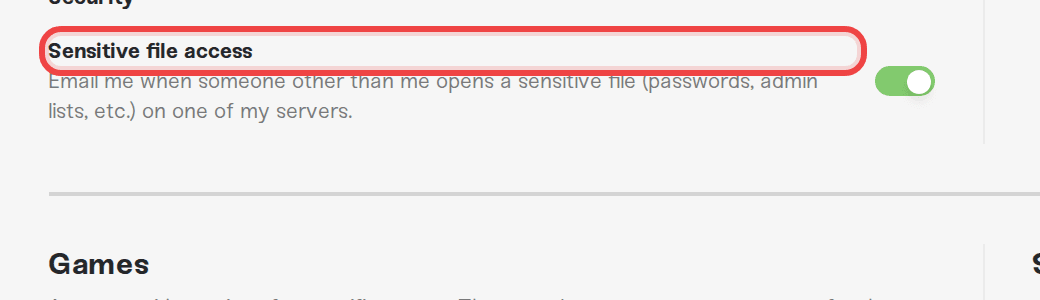
It's on by default, and we recommend leaving it on if you share server access with friends: it's how you find out that someone else looked at a file containing passwords or admin lists. You can see the same events any time in your account's Activity tab.
The unsubscribe link does the same thing
Every optional email we send has an unsubscribe link at the bottom. It takes you to a preference page where one click turns off that email type, and you can adjust the rest of your email types there too. It flips the exact same switches described above, so whichever route you take, your dashboard settings always show the current truth.
Need help?
If an email keeps arriving after you turned its toggle off, or you're not sure which toggle covers the email in your inbox, message us on Discord or email support@haptic.gg. Forward the email or send a screenshot of it, and we'll point at the right switch or fix it on our end.



