DayZ mods: install them and get your players in
 DayZGuide
Every mod on a DayZ server must also be on every player's PC, at the same version, with nothing extra loaded. That is a DayZ rule, not a Haptic setting:…
Every mod on a DayZ server must also be on every player's PC, at the same version, with nothing extra loaded. That is a DayZ rule, not a Haptic setting: the game checks each joining player's mod files against the server's, and the kick "Client contains PBO which is not part of server data" means one player's list does not match. The easiest way in for players is the official DayZ Launcher, which shows your server's mod list and downloads what they are missing. Signing keys are handled for you, and installing a mod never touches your world.
Install mods from the Steam Workshop
Open your server's Detail view and expand the Mods card. There are two ways to add a mod, and both need a restart afterwards.
Check it in the list. If the mod is already listed, check its box, then press Save changes in the popup at the bottom of the page.
Paste a Workshop link. Press Add a Mod and paste a Steam Workshop mod or collection link. Pasted links skip the testing queue: the preview reads "Selected mods install directly on this server. No testing queue wait.", and the items you pick install straight onto your server, with no Save changes popup to press. Searching by name instead goes through the testing queue, and you get an email when the mod is available.
Then restart your server. Mods only load on a start.
Full install and remove steps: Install mods on your server. Removing a mod that has already put items into your world takes an automatic safety backup first, and the popup tells you before you save.
Keys are automatic. Your server copies each installed mod's .bikey signing key into its keys/ folder on start and removes it when you remove the mod. There is nothing to upload, and keys/ is not editable in Files.
Frameworks load first. Some mods are built on top of a framework, most commonly Community Framework (CF), and have to load after it. The Mods card does not know DayZ mod dependencies yet, so set the order yourself: with two or more mods enabled, press Load order at the top of the card, drag CF (and any other framework) to the top, then Save order. It applies on the next restart. More in Mod load order and toggles.
What your players need
Every player needs the same mods as your server, at the same versions, with no extra mods loaded. DayZ mod rows do not yet show "who needs this" labels, so treat every mod you install as one your players need too.
The easy route is the official DayZ Launcher, which opens when you start DayZ from Steam:
Players find your server by name on the launcher's Servers tab. Ports and direct connect are covered in Join your DayZ server.
Selecting a modded server shows its mod list and offers to download anything missing from the Steam Workshop.
When the downloads finish, they join with exactly that mod set loaded.
The community DZSA Launcher works the same way, but only once you have listed your server there (Join your DayZ server has the listing step). Subscribing on the Workshop by hand works too, but then it is on the player to enable exactly your list and nothing else, which is the usual cause of the kick below.
"Client contains PBO which is not part of server data"
This kick means the joining player has a mod file (a PBO) loaded that your server does not run: an extra mod, an outdated copy, or a broken download. Nothing is broken on your server or your world, and everyone already connected stays in. Work through it in this order with the player who is kicked:
Extra mods. In the launcher, turn off every mod that is not on your server's list. A mod setup left over from another server is the most common cause.
Outdated or broken copy. Update or repair the mod in the DayZ Launcher's mod list, or unsubscribe and resubscribe on the Workshop so it downloads fresh.
Mod updated, server not restarted yet. When an author publishes an update, players get it right away and we fetch it in the background; the mod's row then shows a clock icon reading Pending restart. Restart your server so it runs the version your players already have.
Things that will not fix it
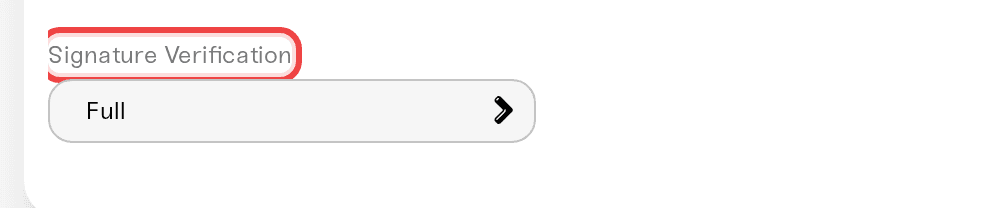
Turning down Signature Verification. Leave it on Full (the default, Overview card, Details tab). Workshop mods are signed and work fine on Full, and BattlEye needs Full to work properly. Relaxed only checks a signature when the mod has one, so BattlEye can still kick players with heavily modified clients, and Off drops the check entirely and opens your server to modified game files.
Re-uploading the mod's files by hand. Keys are placed for you, including for mod folders you upload yourself, and a second hand-uploaded copy of a Workshop mod your server already runs only risks the version mismatch causing the kick. (Uploading a mod of your own is a different, supported thing: see Upload your own mods.)
Reinstalling the mod on the server. If one player is kicked and others are connected, the server's copy is not the problem.
Where mod settings live
Mods with their own settings (Expansion is a common example) write them into your server's logs/ folder, which is DayZ's profiles folder. Open it in the Files card, edit, save, and restart to apply. Those files are included in your backups. See Edit config files.
Need help?
Reach us on Discord or at support@haptic.gg. Include your server name, the exact kick message, and a screenshot of the enabled mods in the kicked player's launcher.


