DayZ: Join Your Server (Browser, Launcher, and Ports)
 DayZGuide
While your server is online, its card shows an IP address and port, like 203.0.113.10:2302. In the DayZ Launcher, open Servers, click Direct Connect, and…
While your server is online, its card shows an IP address and port, like 203.0.113.10:2302. In the DayZ Launcher, open Servers, click Direct Connect, and put the part before the colon in the address box and the number after it in the port box. Steam's Favorites list and the DZSA Launcher want the same IP with the port plus one (:2303 in the example). Use the numbers, not a name: DayZ ignores a hostname. If your server runs mods, have players join through the DayZ Launcher or DZSA so the mods download first. Joining never touches your world.
Your address and the two ports
On My Servers, click the address at the bottom of your server card to copy it. It flashes Copied address!. The address only shows while the card says Online; while the server is asleep or starting it says Address appears when the server is online.
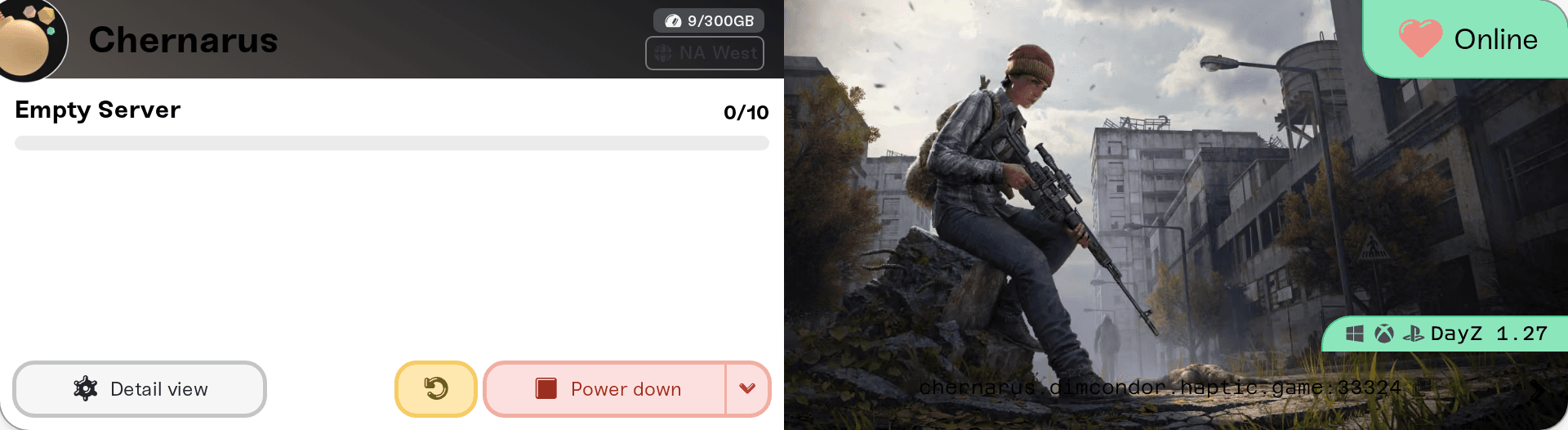
Two of your server's ports matter for joining:
Game port: the number on your card. Direct Connect and the dashboard Join button use it.
Query port: the game port plus one. Steam's Game Servers window and the DZSA server check use it, because that is the port server lists ask for player counts and names.
Mixing those two up is the usual reason a server "isn't showing up".
The IP can change when your server wakes up on a different machine. If a saved favorite stops finding the server, copy the address from your card again.
Join with Direct Connect
Start DayZ from Steam. The DayZ Launcher opens.
Open the Servers tab and click Direct Connect (bottom right).
Enter the address from your card: the IP (the part before the colon) in the address box, the number after it in the port box. A name like
something.haptic.gamedoes not work here: the launcher just does nothing.If you set a Server Password (Basic tab of your server's settings), type it when asked.
Join from Steam's Favorites
In Steam, open View, then Game Servers, then the Favorites tab, and click +.
Enter the IP with the query port, your card's port plus one.
The server then also appears under Favorites in DayZ's in-game browser.
If Steam says the server is not responding, you almost certainly used the game port. Add one and try again.
Join through the DayZ Launcher or DZSA
On the DayZ Launcher's Servers tab you can also search for your server's name. If your server runs Workshop mods, the launcher offers to download and enable them before connecting, which is the easiest path for a modded server. A server that just woke up can take a few minutes to appear in the list; Direct Connect and Favorites find it sooner.
The community DZSA Launcher (dayzsalauncher.com) works the same way; to get listed there, submit your IP with the query port on its Server Check page. Either way, every player needs exactly your server's mod set: see DayZ mods: install them and get your players in.
The Join button on your dashboard
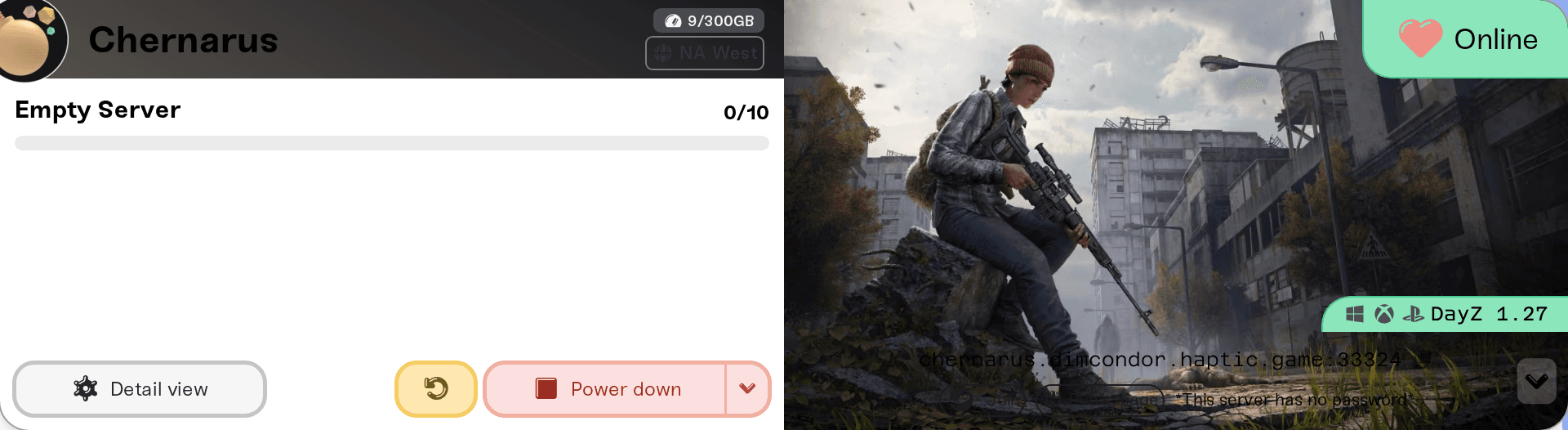
On a desktop browser, while your server is Online, click the small arrow at the right end of the address strip. The Join pill in the row that opens launches DayZ through Steam with your IP and port already filled in.
If nobody can join
The server is not Online yet. A brand new server's first start takes longer than later ones, because DayZ builds its world cache once. If the card says Sleeping, press Wake up and join when it says Online. See What is Wake and Play?.
DayZ just updated. Steam updates players within minutes, while your server moves to the new build on its next restart. Until then Require Matching Game Version (on by default, Details tab) turns every join away. Restart your server rather than switching that setting off.
Your map is Sakhal. Sakhal is DayZ's paid Frostline DLC, and every player must own it to join. Chernarus and Livonia need no DLC. That is a DayZ rule, not something we control.
The launcher says "sakhal" is required on a Chernarus or Livonia server. That was a problem on our side, now fixed. Restart your server once (or wake it, if it is sleeping) and players without Frostline can join.
Experimental Branch is on. A stable DayZ client cannot join an experimental server, so every player has to run the same experimental build. The dashboard points them at Steam, DayZ, Properties, Betas, experimental_public; if no such branch is listed there, they need DayZ Experimental, the separate free entry in their Steam library. Turning the toggle off and restarting puts your server back on stable.
Whitelist is on. Only players listed in your whitelist file get in: DayZ: become admin, kick, ban, and whitelist players.
Kicked with "Client contains PBO which is not part of server data". That player's mods do not match the server's, and the mods article above has the fix.
The player is on Xbox or PlayStation. They cannot join a Haptic DayZ server, and no setting changes that: DayZ: can Xbox or PlayStation players join my server?.
Need help?
Ask in Discord or email support@haptic.gg. Include your server name, which join route the player used, and a screenshot of the message they get.


