Minecraft Bedrock: Add-ons, Behavior Packs, and Experiments
 Minecraft BedrockGuide
Add-ons and texture packs install from your server's Mods card like mods on any other game: check the add-on, press Save changes, restart. You never edit…
Add-ons and texture packs install from your server's Mods card like mods on any other game: check the add-on, press Save changes, restart. You never edit world_behavior_packs.json, and if the add-on needs the Beta APIs experiment, we switch it on for you when you save. Nothing in your world is deleted, though switching an experiment on can make chunks you already explored behave oddly (newly generated chunks are fine). One limit applies on every host, not just here: Marketplace add-ons cannot run on a dedicated server.
Behavior packs, resource packs, and what your players do
An add-on is a .mcaddon file bundling one or more packs (a .mcpack is a single pack). There are two kinds:
A behavior pack is the game logic: new mobs, items, recipes, rules. It runs on the server.
A resource pack is the visuals: textures, models, sounds. The server offers it to each player when they join and Minecraft downloads it for them.
Your players install nothing by hand, on any device. If you want everyone on the resource pack rather than allowed to decline it, turn on Require Resource Pack in your server's Details settings (players who decline are disconnected).
Install an add-on
Open your server under My Servers and expand the Mods card. On a Bedrock server the whole catalog is add-ons, so there are no tabs.
Check the add-on you want.
Press Save changes in the popup at the bottom of the page, then restart your server. Add-ons only load on a server start.
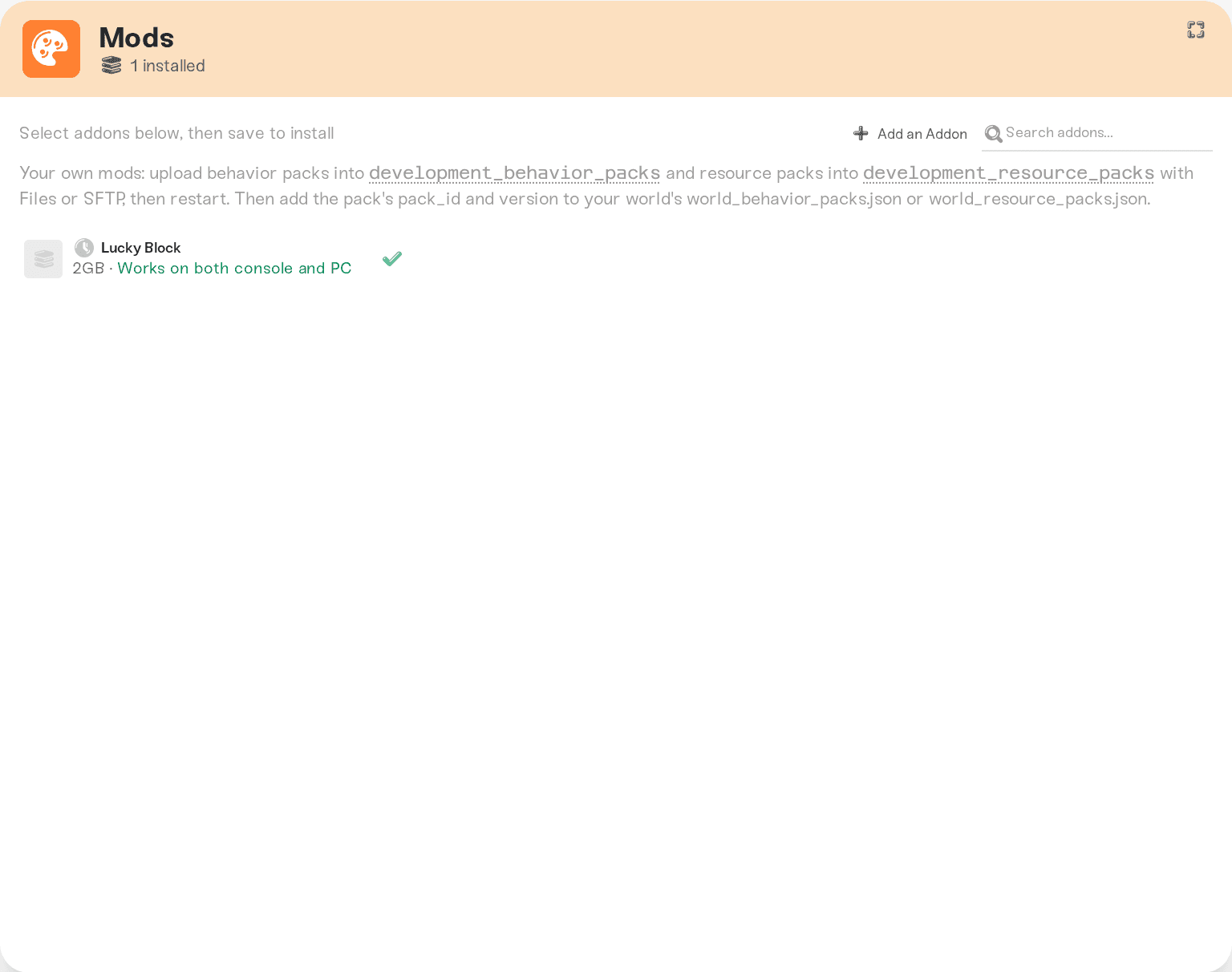
Not in the catalog? Type its name into the search box anyway: when the catalog has no match, the card searches CurseForge's Addons and Texture Packs categories for you and lists what it finds under Available to add. Press Add next to one to pick its version, or Search more to see every result. You can also press Add an Addon in the card's title row to search yourself. We test each one on a real server first, usually within a few minutes, then it appears in your catalog; the flow is the same as for any game: Add a mod we don't have yet. Only add-ons and texture packs published on CurseForge can be added; for your own pack, see the hand-install section below.
Removing is the reverse: uncheck, Save changes, restart. The pack's content stops loading once it is gone. If the add-on has already been part of your world, the dashboard takes a safety backup automatically before it saves the removal, so you have a restore point without doing anything.
Texture packs
Texture packs from CurseForge's Texture Packs category are requested and installed exactly like add-ons: search for the pack's name after pressing Add an Addon, pick it, and once it passes testing it appears in your catalog. A texture pack is a resource pack, so the server offers it to each player when they join and Minecraft downloads it for them; nobody installs anything by hand. Players can decline it unless you turn on Require Resource Pack in your server's Details settings, and then anyone who declines is disconnected.
Three CurseForge categories can't be requested, and pasting a link to one tells you why:
Maps are whole worlds, not packs. Download the map and upload it as your world instead.
Skins are chosen by each player in Minecraft, so there is nothing to install on the server.
Scripts and anything else outside Addons and Texture Packs can't be requested either.
Experiments and Beta APIs
Some behavior packs are built against Minecraft's beta scripting APIs, and those only run while the Beta APIs experiment is on. With it off, the server starts fine and the add-on silently does nothing, which is the usual cause of "I installed it and nothing happened" on other hosts. Packs built against the stable scripting APIs need no experiment at all.
That one is handled for you: when an add-on is imported we check whether its packs depend on a beta scripting API, and if they do, saving the install switches Beta APIs on. The restart applies both at once.
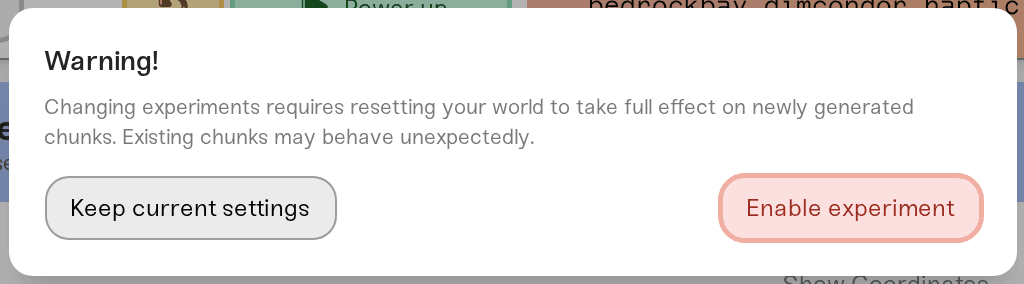
The other experiments are not automatic. If an add-on's page says it needs Upcoming Creator Features, Furnace Recipe Book, Creator Camera, Voxel Shapes, or Custom Projectiles, turn that one on yourself: expand the Overview card, open Details, and use the checkboxes with the small wand icon. Same place if you ever want to turn Beta APIs on or off by hand; it shows a warning with an Enable experiment button, so confirm, then Save changes and restart.
Two honest notes:
Experiments take full effect in newly generated chunks. Chunks you already explored may behave unexpectedly after an experiment changes, including when we switch Beta APIs on for an install. Nothing is deleted, but if the add-on is the reason for the world, starting fresh is cleanest: Reset your world.
On a brand-new world, the first start after adding an add-on that needs experiments takes a little longer: the server generates the world, applies the experiments, and relaunches once on its own. Nothing to do on your side.
You do not need to edit JSON files
Guides for other hosts tell you to upload pack folders and then add entries to world_behavior_packs.json and world_resource_packs.json. Skip all of that for anything installed from the Mods card: the dashboard copies the packs and registers them with your world on every start.
The hand way still works for a pack that is not on CurseForge (one you made, for example). With the server stopped, connect over SFTP and:
Put the pack folder (the one containing
manifest.json) in/development_behavior_packs/or/development_resource_packs/at the server root.Add it to
/worlds/<your world>/world_behavior_packs.json(orworld_resource_packs.json) using theuuidandversionfrom itsmanifest.json:
[{ "pack_id": "00000000-0000-0000-0000-000000000000", "version": [1, 0, 0] }]Start the server.
Packs and entries you add by hand are yours: installing or removing catalog add-ons never touches them. Experiments for hand-installed packs you turn on yourself, as above.
Marketplace add-ons cannot run on a server
Add-ons bought in the Minecraft Marketplace are licensed to the account that bought them and are not handed out as pack files, so no dedicated server, ours included, can load them. That is a Minecraft rule, not something we control. Use add-ons distributed as .mcaddon or .mcpack files instead; that is what the catalog carries, and CurseForge has plenty more.
Also worth knowing: add-ons are for Bedrock servers only. A Java server with Bedrock Crossplay turned on is still a Java server: it runs plugins, not add-ons, and your Bedrock friends join the Java game. See Playing together from Bedrock and Java.
Need help?
Reach us on Discord or at support@haptic.gg. Include your server name, the add-on's name, and what happens after the restart (a screenshot of the Mods card, or of the red triangle's tooltip if one appears).


