Stop your server from going to sleep
 HapticGuide
On a Wake & Play plan, your server goes to sleep after about 1 hour with nobody connected. That is the plan working as designed, and nothing is lost:…
On a Wake & Play plan, your server goes to sleep after about 1 hour with nobody connected. That is the plan working as designed, and nothing is lost: sleeping is a clean shutdown with a fresh backup, and your world comes back exactly as you left it. The sleep timer is not adjustable. If you want your server running 24/7, switch your plan to Always On from your Account page; everything else about your server stays the same.
Why your server goes to sleep
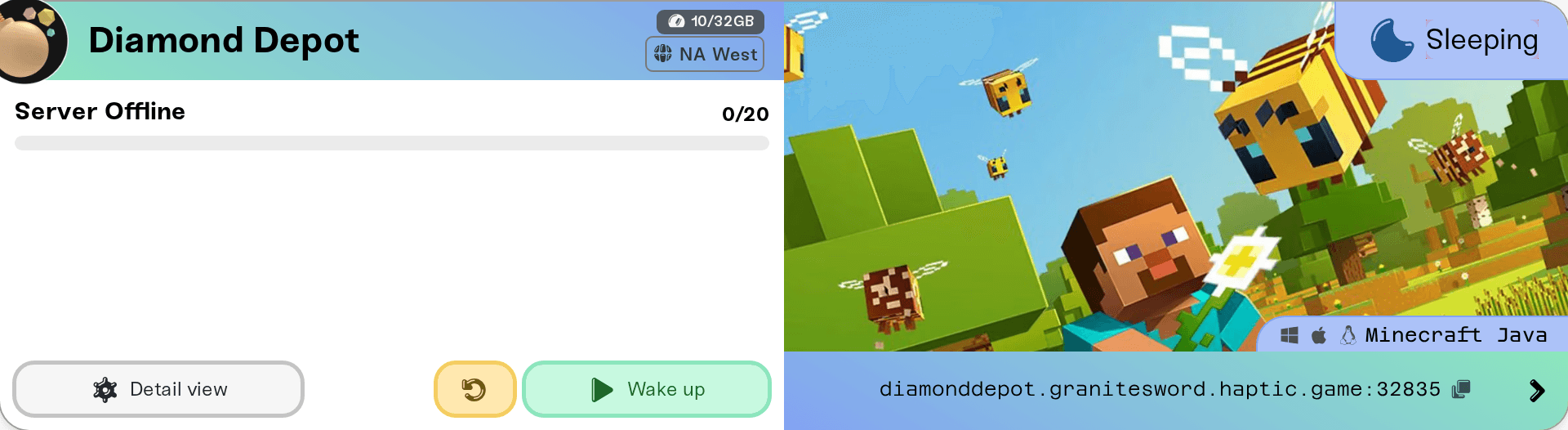
Wake & Play costs less than Always On for exactly one reason: your server does not run while nobody is playing. When the last player disconnects, an idle countdown starts. If nobody connects for about an hour, the server shuts down gracefully, takes a backup of your world, and its card shows a blue Sleeping badge with a moon icon.
You can watch the countdown yourself: hover the status badge on any Wake & Play server and the tooltip shows Wake & Play · Sleeps after 1 hour idle. While the server is online and empty, it becomes a live countdown, Sleeping in X minutes, then Sleeping soon in the final minute. The tooltip also has an Upgrade to Always On link if you decide an hour is not enough.
The first time one of your servers sleeps, the dashboard shows a one-time note explaining what happened, with the same reassurance this article gives you: your world is safe and everything is backed up.
What counts as idle
The timer only cares about one thing: whether anyone is connected to the server. Not mouse movement, not what is happening in the game.
A player who is connected but AFK keeps the server awake. We never put a server to sleep while anyone is on it.
Sitting in the game's own title screen or menus does not count as connected. If your whole group is browsing menus instead of being in the world, the server is empty and the countdown is running.
The countdown resets the moment anyone connects, even briefly.
Nothing is lost while it sleeps
Sleeping is not a risky state. Every sleep ends with a backup, your world files do not change while the server is off, in-game time does not pass, and your server address stays the same, so friends can keep it saved. The full rundown is in What is Wake and Play?
Every way to wake it
You: press the green Wake up button on the server's card in your dashboard. This works from a phone browser too.
Friends you share dashboard access with: your server shows up on their own dashboard, and every access role can start it (on their side the button may read Power up instead of Wake up). See Share server access with friends.
Anyone with your public page link and share password: they press Wake server on your server's public page, no Haptic account needed. Setup takes a minute: Let friends wake your server.
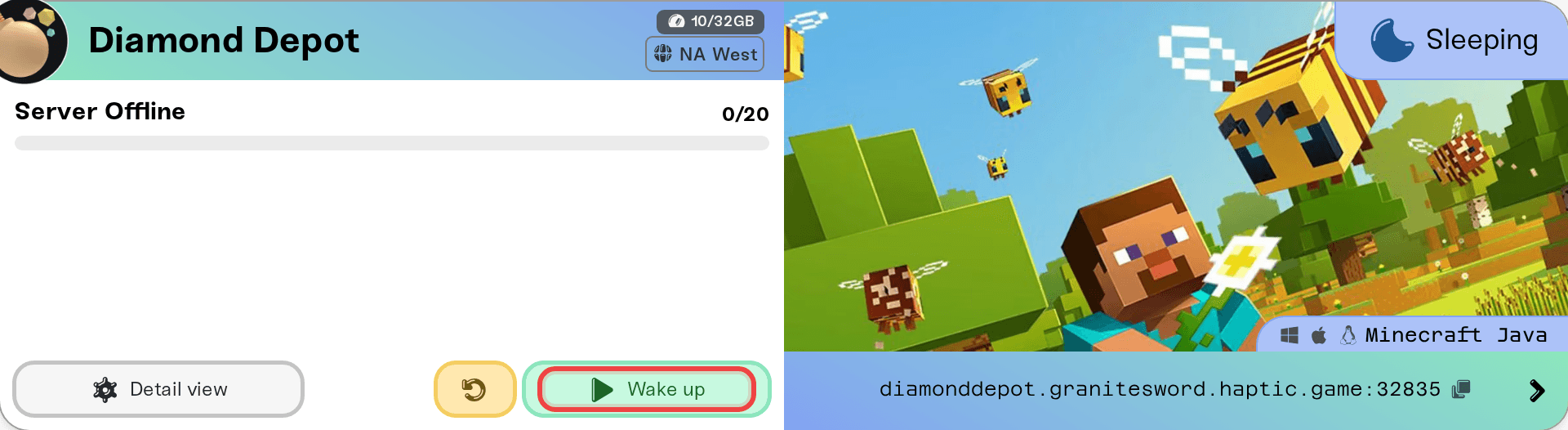
One thing that does not wake it: trying to join from inside the game. A sleeping server is not reachable until someone starts it from the dashboard or the public page, so wake it first, then join.
Can I change the sleep timer?
No. The idle window is the same for every Wake & Play server, roughly an hour, and there is no per-server setting to lengthen it. That is what keeps the plan's price low: the discount comes entirely from servers not running while they are empty.
If your group regularly needs the server up for longer than the timer allows, or you just do not want to think about waking it, that is exactly what Always On is for.
Keep it running 24/7: switch to Always On
Switching plan type takes a minute and does not touch your servers, worlds, or settings.
Open your plan page
Sign in and go to Account in your dashboard. The Your Haptic Plan tab shows your current plan, including the Wake & Play label.
Press Change Plan
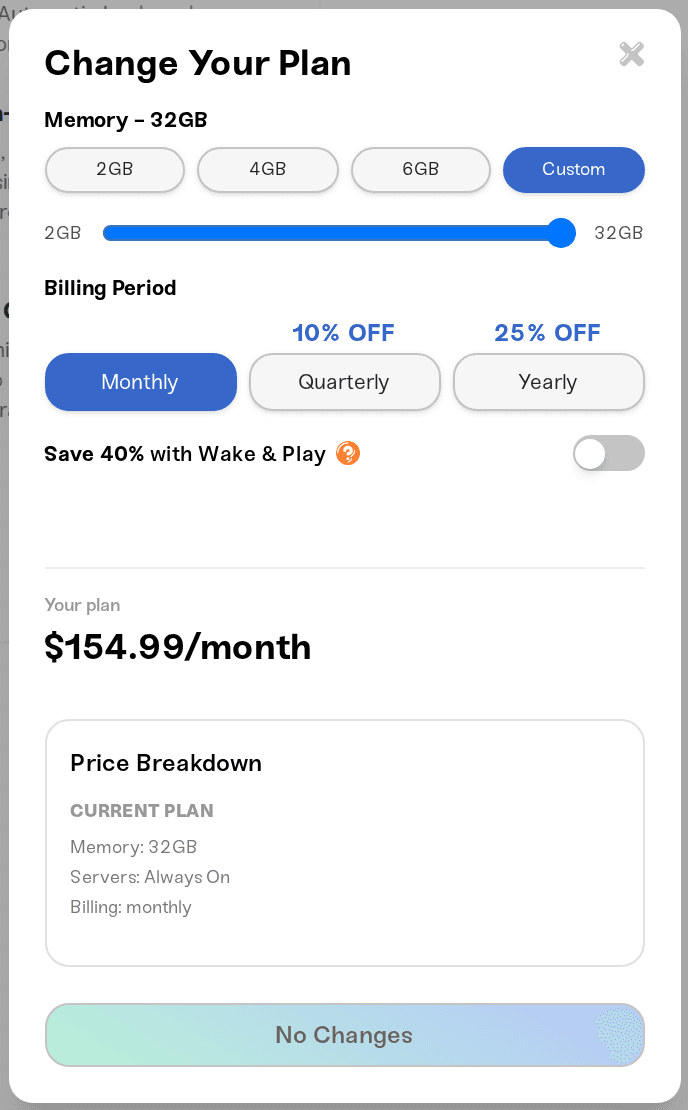
In the plan editor, turn off the Save 40% with Wake & Play toggle. Your new plan becomes Always On; the price breakdown updates so you can see the difference before you commit.
Confirm
Review the summary and confirm. Upgrades apply right away. For pricing details and how mid-cycle changes are billed, see How to upgrade or change my plan.
After the switch, your servers never sleep: an offline server shows Offline instead of Sleeping, the button reads Power up instead of Wake up, and the server only stops when you stop it. You can switch back to Wake & Play later the same way.
Things that will not stop the sleeping
Server settings or config files. There is no idle timeout setting anywhere in your server's configuration, so nothing in Settings or the config files can change it.
Enabling the public page. That adds a way to wake the server; it does not keep it awake.
Restarting the server before you log off. The countdown starts as soon as the server is empty again after the restart.
Leaving your game open on the title screen. You are not connected to the server, so the timer keeps running.
Need help?
If your server went to sleep while people were actively playing on it, that is not normal and we want to know. Message us on Discord or at support@haptic.gg with the server name and roughly when it happened, and we will dig into it with you.



