Minecraft: Run a Modpack Server (CurseForge & Modrinth)
 Minecraft JavaGuide
On a Minecraft Java server, expand the Mods card, switch to the Modpacks tab, check the pack, save, and restart. Server software and game version are set…
On a Minecraft Java server, expand the Mods card, switch to the Modpacks tab, check the pack, save, and restart. Server software and game version are set for you. If the pack isn't listed, press Add a Modpack to search CurseForge or Modrinth, or paste a share link from the CurseForge app. Two things cause most tickets: big packs need enough memory (many packs don't state how much), and every player must run the same pack on their own PC to join.
Install a pack from the catalog
Open your server's Mods card and click the card header (the hint reads Expand Mods).
Switch to the Modpacks tab.
Check the pack you want.
Press Save changes in the popup at the bottom of the page, then restart your server.
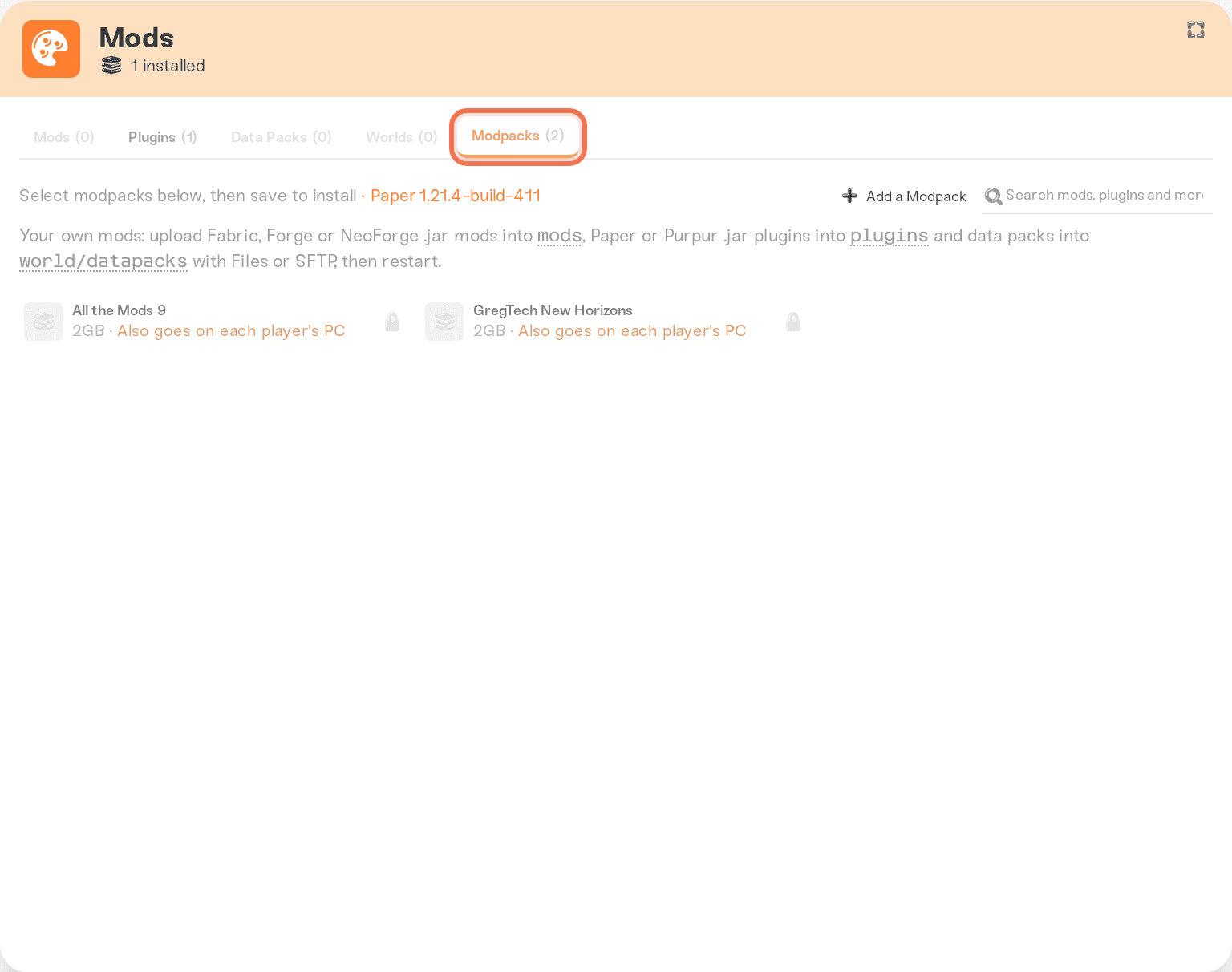
What happens for you automatically:
Server software. Picking a pack on a vanilla server switches your Server Software to the loader the pack needs (almost always Forge, Fabric, or NeoForge) as soon as you check it; the change is committed when you save. If your server already runs something the pack can't use, such as Paper plugins or a different loader, the row shows a padlock and its tooltip names the conflict. Plugins, mods, and switching Server Software covers the way out.
Game version. The pack pins your server to the Minecraft version it supports; you'll see it next to a small lock icon in the Mods card header. Versions and updates explains the lock.
First start. Your server downloads every mod in the pack before it boots, so the first start after installing a big pack takes noticeably longer than usual. Your world is safe while it works.
Click a pack's row before installing to see its Recommended Memory and its Included Mods list. Neither is guaranteed: memory can read Not specified, and the mod list is empty for packs whose contents we don't have.
Host a pack made in the CurseForge app
If you or a friend built a custom profile in the CurseForge desktop app, you can host that exact profile. Share the profile from the app to get a link like https://www.curseforge.com/minecraft/share/AbC123.
On your server, expand the Mods card, switch to the Modpacks tab, and press Add a Modpack (on the Mods tab the same button reads Add a Mod). Paste the link into the search box and press Open. You get a preview of the pack: version, author, Minecraft version, loader, and mod count. Press Add pack.
Worth knowing:
Share links expire after about 7 days, but that doesn't matter here. We save a copy the moment you submit, so the link can expire afterwards. If it has already expired when you paste it, the dashboard says so; ask whoever shared it to generate a fresh link from the CurseForge app.
Your pack stays unlisted. Only you and people with the link can see it on Haptic.
Client-only content is skipped. Resource packs and shaders in the profile aren't installed on the server; players add those on their own PCs.
Share links only work on Minecraft Java servers, and the code is case sensitive, so copy the link instead of retyping it.
Submitted packs go through the same automated testing as any mod request and show up under Recent adds at the top of the Mods card. Once a pack passes, its pill reads Ready to install and the pack appears in your Modpacks tab: check it, save, and restart like any catalog pack. It is never installed for you. Add a mod we don't have yet explains the status pills.
How much memory does a modpack need?
Only packs that state a memory requirement are gated: if your server has less than the pack asks for, its row is padlocked with a message like Requires 8GB memory (server has 6GB available), and the detail panel shows an Upgrade your plan to get more memory link. Plenty of packs list no requirement at all, so an unlocked row is not a promise the pack fits in your memory.
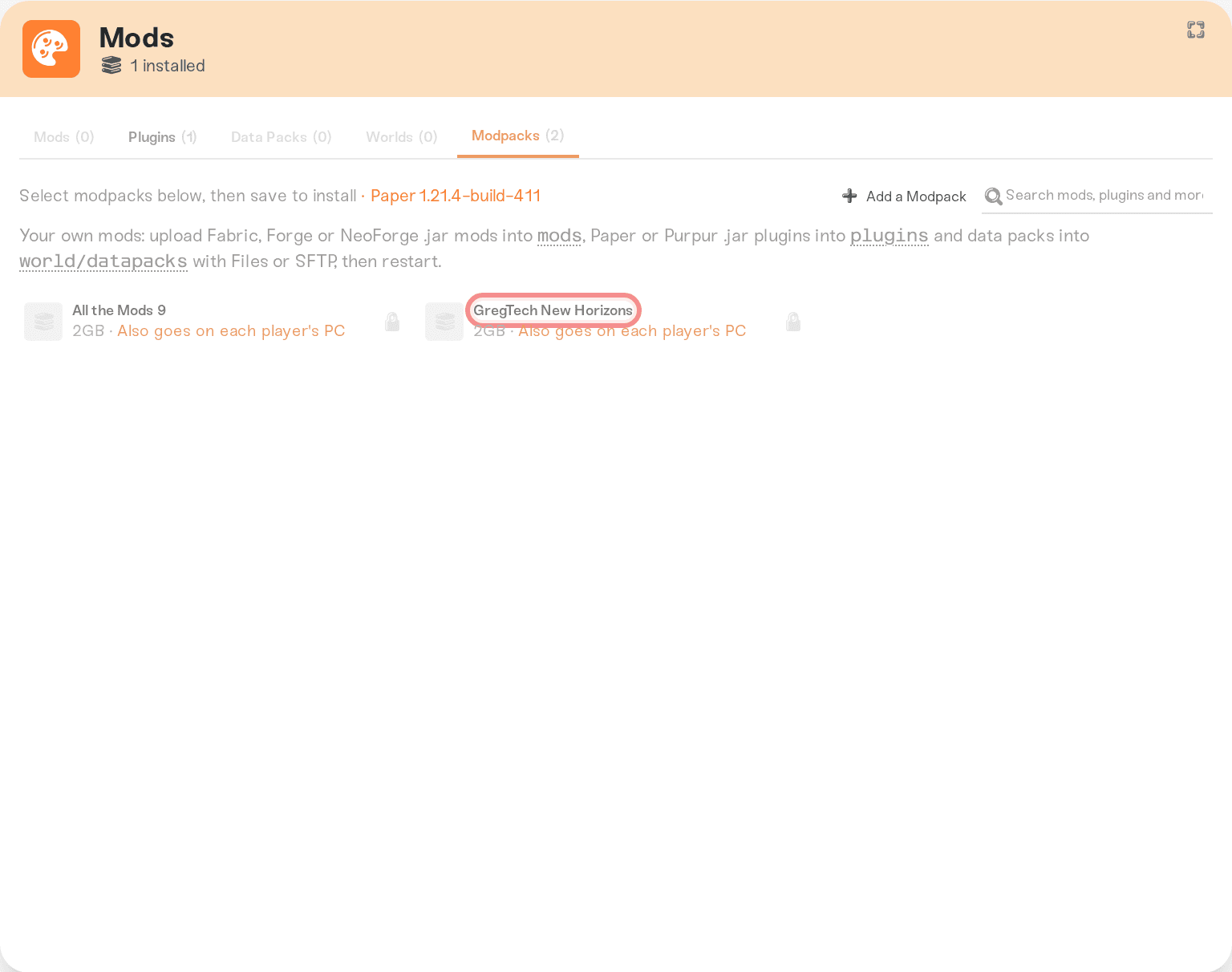
Your plan's memory is one pool shared across your servers, so you can also move gigabytes from another server instead of upgrading; Understanding your memory budget shows how. If a pack installs fine but the server stutters once friends join, more memory is usually the first fix.
Your friends need the same pack
A modpack server only accepts players whose game runs the matching mods. Someone joining from the plain vanilla launcher is refused or kicked with a mod-mismatch error. That's how modded Minecraft works, not something we control.
Catalog packs: each player installs the same pack, same version, through the CurseForge app or the Modrinth app, then joins from the profile it creates.
Shared custom packs: send friends the same share link; the CurseForge app installs the identical profile from it.
If players who could join suddenly get kicked, the versions drifted: the server's pack updated but their clients didn't, or the other way around. Get everyone back on the same pack version.
One limitation: Bedrock and console players can't join a modpack server. Almost every pack runs on Fabric, Forge, or NeoForge, while Bedrock crossplay requires Paper, so the two can't be combined.
Need help?
Reach us on Discord or support@haptic.gg. Include your server name, the pack's name and version, and the exact error your players see.


