Run multiple worlds on your Hytale server
 HytaleGuide
Yes, a Hytale server can run several worlds, and it runs them all at the same time. They live in the Worlds tab of your server's Overview card, where you…
Yes, a Hytale server can run several worlds, and it runs them all at the same time. They live in the Worlds tab of your server's Overview card, where you create and delete worlds, choose which one new players spawn in, and give each world its own PvP and NPC rules. In game, an operator moves between them with /tp world <name>. Nothing here touches your other worlds, except Delete World, which is permanent.
How worlds work in Hytale
Hytale is not one-world-per-server. Every world on your server is loaded and ticking at once, so you can keep a survival world, a creative build world and an arena on a single server, and players hop between them without anyone changing servers.
Moving between worlds is an in-game command, not a dashboard button. An Operator types /tp world <name> to jump. Regular players cannot, unless you make them Operators. If you need the exact names, run world list from your server's Console card.
Where the Worlds tab is
Open My Servers, press Detail view on your Hytale server's card, and open the Worlds tab on the Overview card. Each world is a card showing its name, its current rules, and a Spawn badge on the default one.
If the tab shows only the Create World tile, your server has never started. Start it once and your default world appears there.
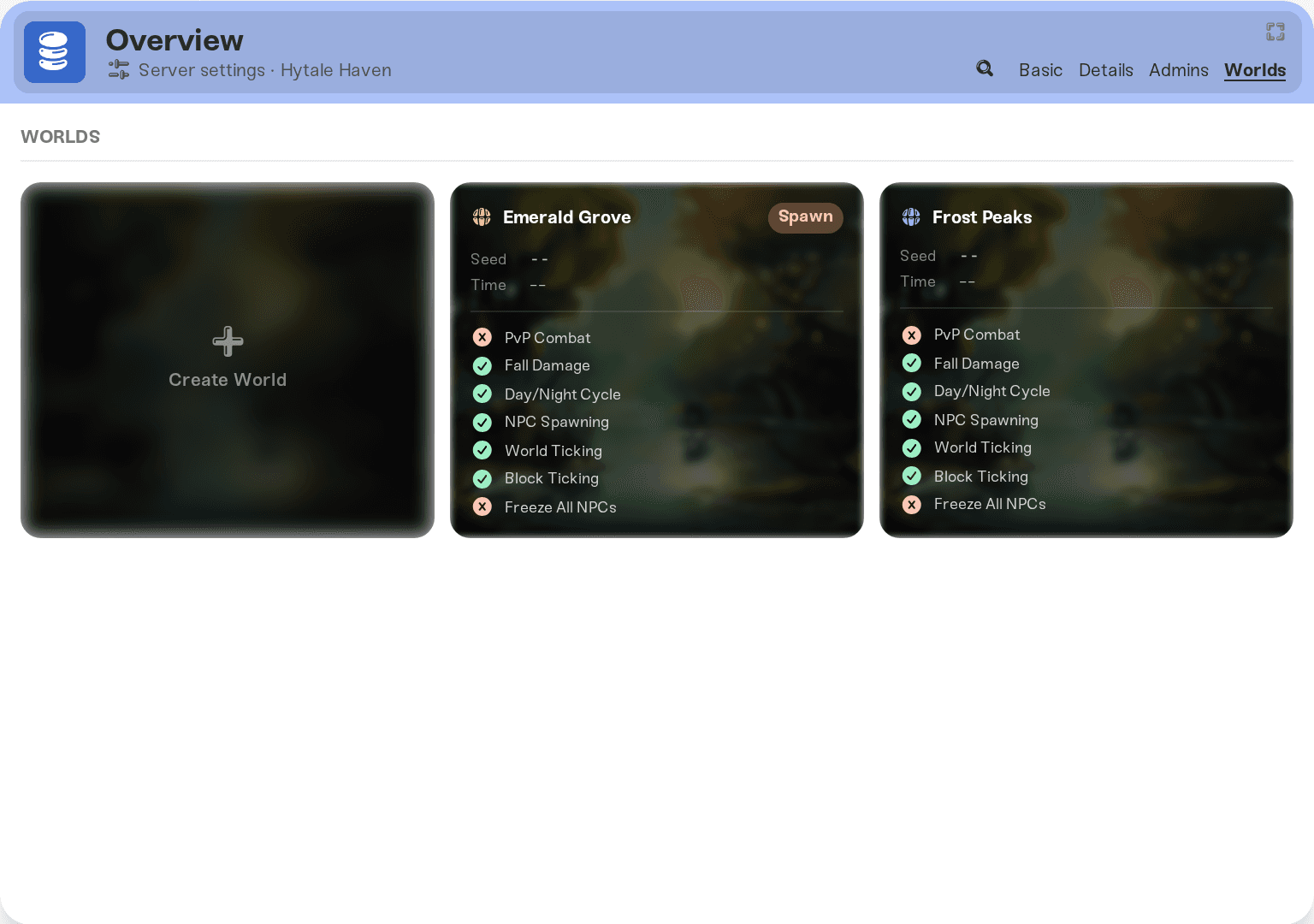
Create a world
Press Create World
It is the first tile in the Worlds tab.
Name it
Up to 32 characters, no slashes, and not a name you already use. Survival, Creative and Arena are typical.
Restart your server
The world is generated on the server's next start, as the confirmation message says. Until then it is only a card in your dashboard.
New worlds copy your server's current PvP, fall damage and NPC spawning values, which start out as PvP off, fall damage on and NPC spawning on. You can change all three per world afterwards.
Give each world its own rules
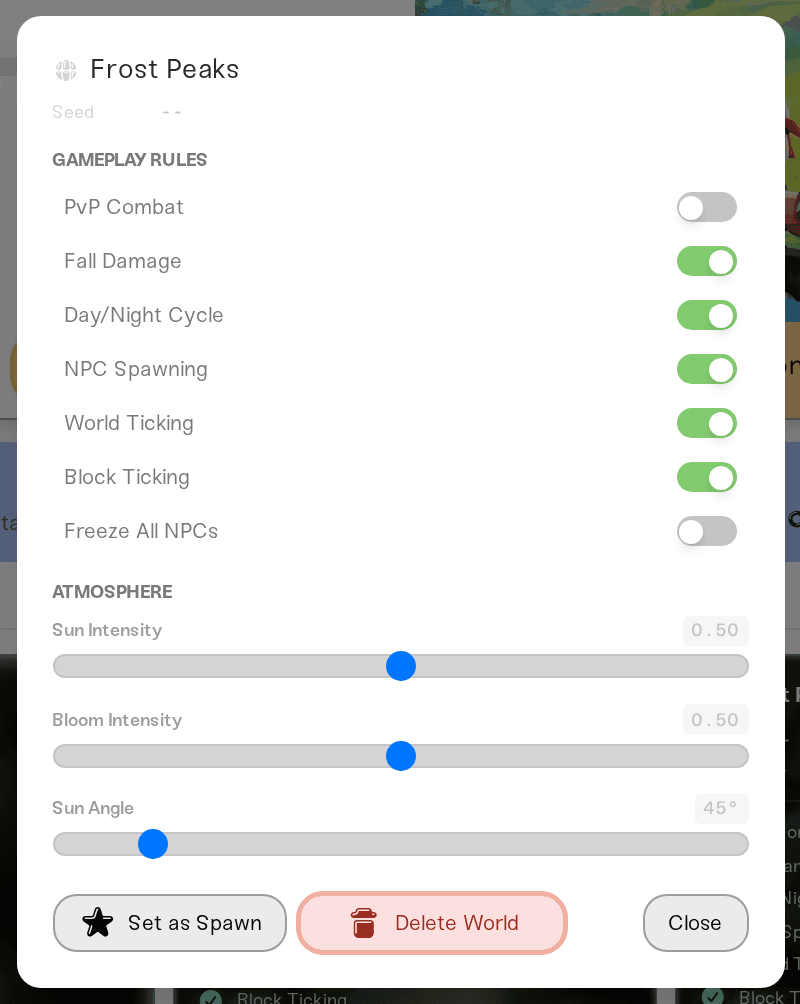
Click any world card to open it. Under Gameplay Rules you get toggles for PvP Combat, Fall Damage, Day/Night Cycle, NPC Spawning, World Ticking, Block Ticking and Freeze All NPCs, and under Atmosphere there are sliders for Sun Intensity, Bloom Intensity and Sun Angle.
This is how you get PvP in the arena only, no fall damage in a parkour world, or a permanently sunny build world with the clock stopped. World Ticking and Block Ticking stop a world simulating at all, useful for a showcase world you want frozen as it is.
These toggles are settings like any other: press Save changes in the popup at the bottom of the page, then restart your server to apply them. See changing your server settings.
Change the spawn world
The world carrying the orange Spawn badge is where players land when they join for the first time. Open the world you want and press Set as Spawn. That one saves right away and applies on the next start.
Delete a world
Stop your server before deleting: Haptic refuses the delete while the server is running.
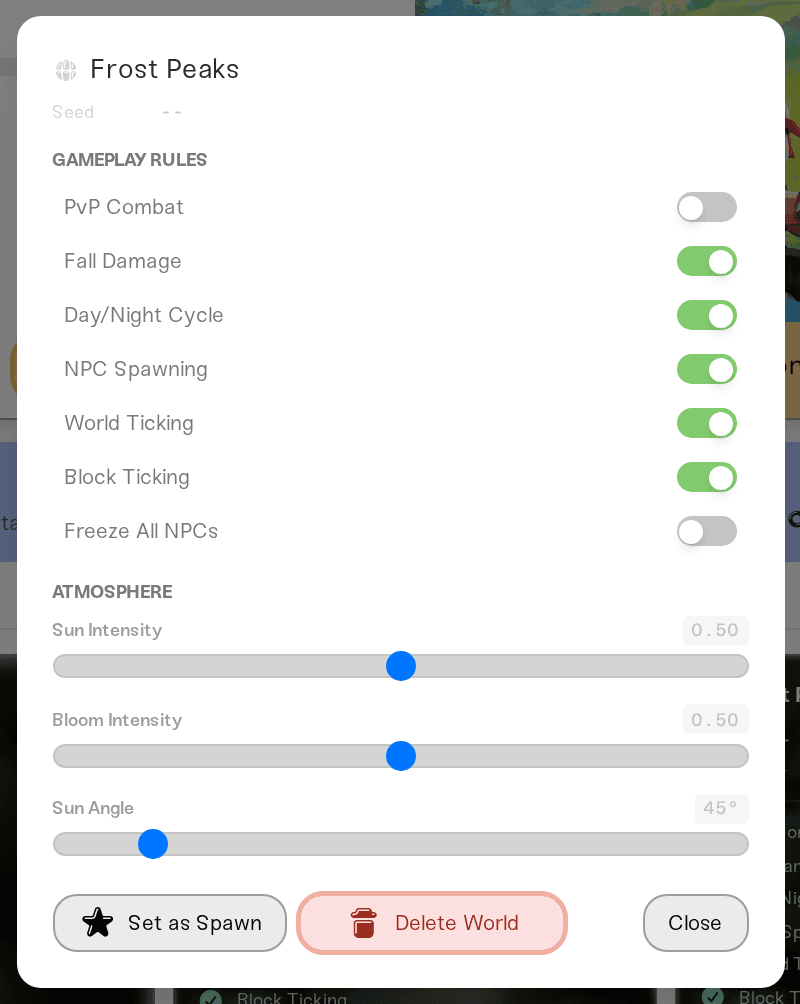
Delete World is in the world's own panel and removes that one world, permanently, including its copy in your cloud world storage. There is no undo, so if there is any doubt, download your world first: see download your world. Your last remaining world cannot be deleted at all; the button tells you "Cannot delete the last world."
Delete World removes one world. Reset World, in the Backups card, wipes your entire Hytale universe: every world, plus every player's inventory and progression, which Hytale stores outside of any single world. Haptic saves a Reset world backup right before it runs, so it can be restored, but if you only want one world gone, use Delete World.
Things the dashboard will not do
Pick a seed. Hytale generates the seed when it creates the world. Your dashboard shows it as read-only text with a copy button, next to the world's UUID and WorldGen, but there is no seed picker. That is a Hytale rule, not something we control.
Accept hand-made world folders. Do not create or edit
universe/worlds/<name>/config.jsonover SFTP. Hytale writes the full world config itself on first start, and partial files crash the server. Create worlds in the Worlds tab instead.Upload a world into a live server. The Upload World button that other games have is deliberately hidden on Hytale, because an import replaces the whole universe and would take all your other worlds with it. Upload your world when you create a server: drag your world's save folder straight into the upload box, no ZIP needed (its universe folder on its own works too). To find it, open Worlds in Hytale, pick the world and choose Open Folder, or press Win+R and paste
%APPDATA%\Hytale\UserData\Saves. Every world in it comes across, with your players and their Memories. See upload your world.
Need help?
Reach us in Discord or at support@haptic.gg. Include your server name, the world name, and a screenshot of the Worlds tab.


