Palworld: Bases Stop Producing When Nobody Is Online
 PalworldTroubleshooting
Your world and pals are safe, and your Always On server really is staying online. Palworld itself winds down offline base work the longer the server has…
Your world and pals are safe, and your Always On server really is staying online. Palworld itself winds down offline base work the longer the server has been running: right after a restart everything works, after about a day only built workstations keep going, and after about two days most base work stops until someone logs back in. The fix is a routine, not a setting: set Auto Restart to Every 24 hours (daily), restart when you sit down to play, and swing by each base once after a restart so Palworld wakes it up.
The longer the server runs, the less gets done
Offline base production is not simply on or off. It decays with the server's uptime, meaning the time since its last restart. Verified on live servers:
Right after a restart (once someone has logged in and visited the bases): everything works while the server sits empty, including natural ore nodes in the base a player logged out in.
After about a day of uptime: built workstations (lumbering sites, stone pits, ranches, incubators) still progress, but natural ore, coal, sulfur, and quartz nodes produce little or nothing.
After about two days of uptime: most production stops everywhere, even lumbering camps, while the world clock and food spoilage keep ticking. Pals may look starved or depressed when you return even though the feed box had food.
Logging out while standing inside a base helps keep that base active a little longer, but it does not stop the overall decay.
The same behavior shows up on self-hosted dedicated servers and on other hosts. Nothing about your world or pals is being lost.
A restart alone does not restart automation
After any restart, manual or automatic, base work stays paused until a player logs in and physically visits each base. Palworld only wakes up a base when someone gets near it.
This means an automatic restart that fires overnight with nobody online does not buy you anything by itself: the server comes back fresh, but every base sits idle until the next visit. Pair restarts with a quick tour of your bases and you get the best offline production Palworld can offer.
What keeps working and what stalls first
For roughly the first day after a restart, with bases visited, this is the usual split:
Keeps progressing offline: egg incubator timers, food consumption from feed boxes, built workstations (lumbering sites, stone pits, ranches), and many crafting-style production buildings.
Stalls first: natural ore, coal, sulfur, and quartz nodes, plus the Pal pathing and hauling needed to mine them.
Past the one-day mark, the first list starts stalling too. A useful real-world check: compare a backup from about 24 hours earlier. If eggs advanced and food went down but chests barely moved, you are seeing this decay, not a stuck server.
Why this happens
Always On keeps the server process running 24/7. That is different from fully simulating every Pal and every resource node with zero players nearby.
Timers and built stations can update in the background, but the engine winds this down as uptime grows.
Natural resource nodes need live Pal AI (path to the rock, hit it, haul the drops). When nobody is near the base, that AI unloads or freezes.
After a restart, bases start unloaded and stay that way until a player comes near them. Nothing simulates in an unloaded base.
Always On means the world stays up for friends to join at any time. It does not mean every base system farms at full speed on an empty server. That is a Palworld rule, not something we control.
The routine that works
Set Auto Restart to daily
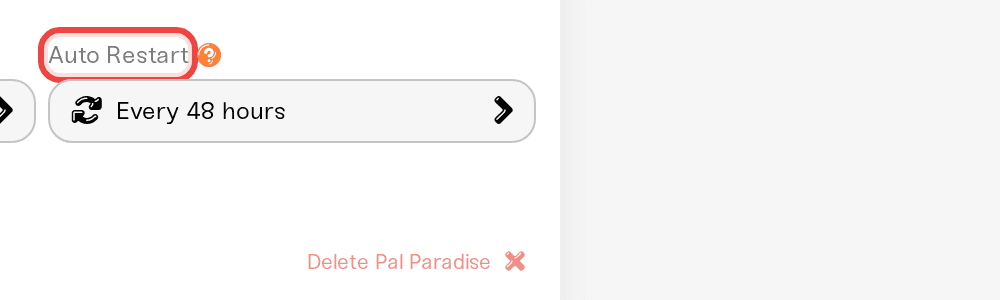
In your server's settings, set Auto Restart to Every 24 hours (daily). This keeps uptime from ever reaching the two-day stall. Auto Restart never kicks anyone: when the scheduled time arrives, the server waits until everyone has left and the world has been empty for 15 minutes, and the countdown starts over if someone joins during that window.
Restart at the start of your play session
Press the Restart button on your server card when you sit down to play. A fresh process gives you the best automation for the next day or so. Restarting at session start beats restarting overnight, because someone is about to log in and wake the bases.
Visit each base once after the restart
Log in and swing by each of your bases so Palworld wakes them up. Then play normally and log out; production keeps running for roughly a day.
Box your base Pals before a long logout
Especially on hardcore, put base Pals in the Palbox before a long break. Boxed Pals do not starve or pick up depression while you are away. You trade offline work for healthier Pals when you return.
Optionally turn off Offline Hunger
In the Overview card's Details tab, turn off Offline Hunger. This stops Pals from getting hungry, sick, or depressed while nobody is logged in. It helps with overnight sickness; it does not restore production.

Settings that do not fix it
These are common suggestions. Worth knowing, but they will not reliably restore offline production:
Sleep After Logout: leaves your character body in the world. Risky on hardcore or permadeath servers, and not a dependable fix.
Offline Hunger: turning it off reduces sick and depressed Pals while nobody is online. It does not make Pals work while a base is unloaded. If you toggle it and things seem better, remember the change only takes effect through a restart, and the restart itself is usually what helped for a while.
Pal hunger: lowering it softens starvation fallout, not output.
More memory, or switching between Wake & Play and Always On: does not change this Palworld behavior.
Auto Restart on its own: a restart with no follow-up visit leaves every base paused (see above).
Mods: community chunk-loader mods exist to keep bases loaded. They are third-party and experimental, not something Haptic ships or supports by default.
On hardcore servers, leaving a character logged in or enabling Sleep After Logout is usually a bad workaround; the body can die or get raided. Prefer boxing Pals, restarting at session start, and accepting that natural ore nodes need a player nearby.
Need help?
If eggs, lumbering, and the whole server freeze together right after a fresh restart and a base visit, or your dashboard shows the server Offline when it should be running, that is a different issue. Message us in Discord or email support@haptic.gg and we will take a look. Telling us your server's last restart time and when someone last logged in helps us rule this behavior out quickly.
Palworld: difficulty presets and world settings, including the Offline Hunger checkbox.


