Minecraft: Plugins, Mods, and Switching Server Software
 Minecraft JavaGuide
Your Java server's Server Software setting decides what it can run: Paper runs plugins, while Fabric, Forge, and NeoForge each run their own family of…
Your Java server's Server Software setting decides what it can run: Paper runs plugins, while Fabric, Forge, and NeoForge each run their own family of mods. None of the server software we offer loads plugins and mods at the same time. Switching is safe: the save popup lists exactly what the new software cannot run before you commit, and your world comes along, Nether and End included.
Which software runs what
Expand your server's Overview card to find Server Software (it is also in the Add Server form):
| Option | Runs |
|---|---|
| Vanilla | The official server. Data packs, but no plugins or mods. |
| Paper | Plugins (Bukkit, Spigot, and Paper plugins) and data packs. Required for Bedrock crossplay. |
| Fabric | Fabric mods. |
| Forge | Forge mods. |
| NeoForge | NeoForge mods. |
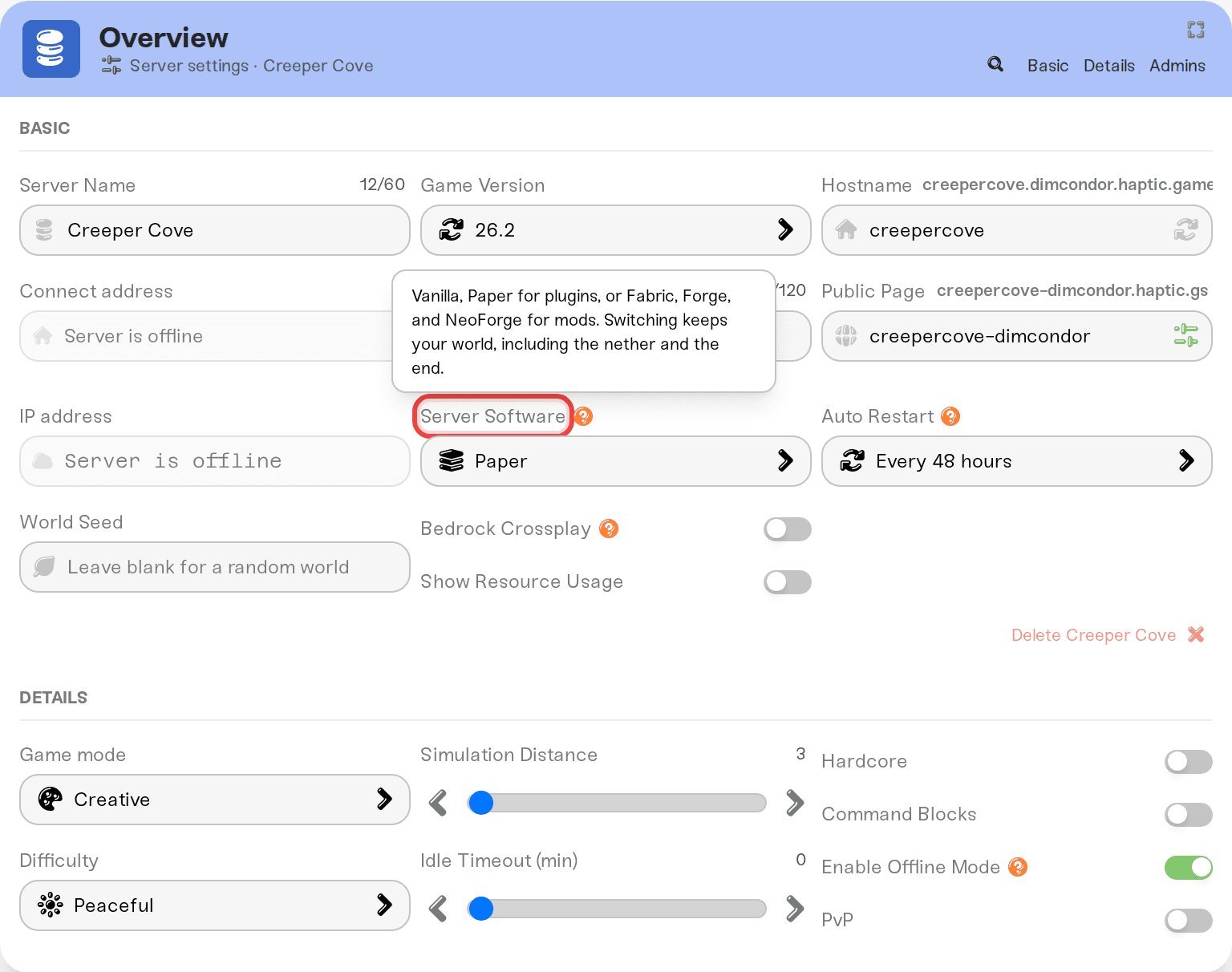
Two rules explain most surprises:
Plugins and mods do not mix. A plugin server cannot load mods, and a mod server cannot load plugins. None of the software we offer does both. The dashboard also keeps catalog data packs to Vanilla and Paper.
Mod families do not mix either. A Forge mod will not load on Fabric, and the other way around. In the Mods card, anything your current software cannot run is locked, and the tooltip says which loader it needs ("This mod requires forge, but your server uses fabric"), so pick the software your must-have mods are built for.
Installing plugins (EssentialsX, LuckPerms, and friends)
Open the Mods card and pick the Plugins tab. Search for the plugin and check it to install. If it is not in the catalog yet, press Add a Plugin.
On a Vanilla server, checking a plugin switches the Server Software picker to Paper for you; it takes effect when you save. On Fabric, Forge, or NeoForge, plugin rows are locked and the tooltip tells you to switch software first (next section).
Press Save changes, then restart. Plugins only load on a server start.
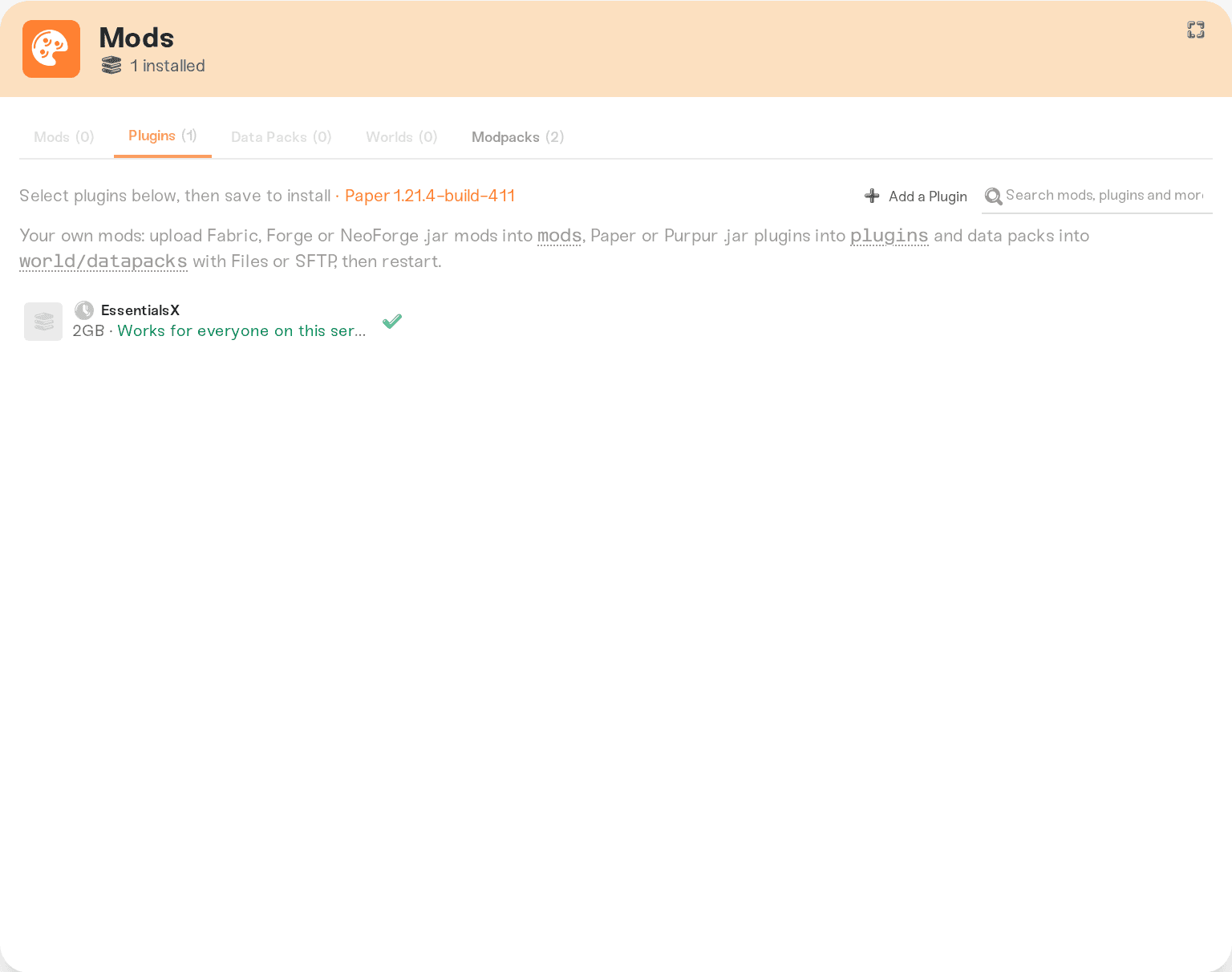
Mods work the same way from the Mods tab: on a Vanilla server the first mod picks its loader for you. Plugins and mods both pin your Game Version until you remove the version-specific ones; Minecraft: Versions, Updates, and "Outdated Server" Errors covers that lock. The full flow (pending-restart icons, memory checks, removal backups) is in Install mods on your server. For whole packs, see Minecraft: run a modpack server.
Switching software
Expand the Overview card and pick the new Server Software.
The Save changes popup shows a banner ("Switching server software from Paper to Fabric") that lists, by name, every installed plugin, mod, or data pack the new software cannot run. Those are removed when you save, and when the switch removes anything, a safety backup of your save data is taken first (on a brand new server with no save data yet, there is nothing to back up and the save just goes through).
Press Save changes, then restart. The change applies on the next start.
Your world is kept, including the Nether and the End. Plugin servers and mod servers store those dimensions in different folders, and we convert the layout automatically when the server starts.
Two things to know:
If the same save also queues a new install the new software cannot run, the banner turns red and saving is blocked until you drop that install or keep the old software.
Removing your last mod does not switch you back to Vanilla; your software stays as it is. Pick Vanilla in the Overview card if you want the plain server back.
Changed your mind? Switch back the same way, then re-check the plugins or mods you want in the Mods card. They are not restored for you, and a backup restore will not bring them back either; the safety backup exists to protect the world data those plugins and mods wrote.
Bedrock crossplay locks you to Paper
Crossplay runs as Paper plugins, so while Bedrock Crossplay is on, the other options are locked with "Bedrock crossplay needs Paper. Turn off Bedrock crossplay to switch." Turning crossplay on from other software shows the switch to Paper in the crossplay window first, naming any installed mods that can't run on Paper; they come off after a safety backup when you choose Turn on crossplay. A modded crossplay server is not possible. Details in Minecraft: Java and Bedrock Crossplay on Your Server.
Dropping in your own files
Have a jar the catalog does not carry? Upload it in the Files card or over SFTP, then restart:
Plugins go in /plugins/ (Paper).
Mods go in /mods/ (Fabric, Forge, NeoForge).
Data packs go in /world/datapacks/.
One thing to know before switching: after a software switch, the folder the new software does not use (/plugins/ on a mod server, /mods/ on Paper) is cleared, and its jars come back if you switch back. The switch preview only knows about catalog content, so take a New Backup in the Backups card before switching if you have hand-uploaded files you care about.
Need help?
Reach us on Discord or support@haptic.gg. Include your server name, which software you are switching from and to, and a screenshot of the save popup.


