Palworld: nobody can join after a game update
 PalworldTroubleshooting
When Palworld ships a patch, Steam updates your game within minutes, but your server keeps running the old build until it restarts. In that window, joins…
When Palworld ships a patch, Steam updates your game within minutes, but your server keeps running the old build until it restarts. In that window, joins fail for everyone who already updated. The fix is one Restart from your dashboard: your server downloads the new build on its own during startup. Your world is untouched, and there is no SteamCMD or reinstall involved.
Why patch day locks everyone out
Palworld requires your game and the server to run the same build. When Pocketpair releases an update, Steam pushes it to players right away, but a running server stays on its current build until it restarts. Until then, updated players cannot join. This happens on every host and on self-hosted servers too.
The exact error wording on screen changes from patch to patch, so do not go by the message. If joins started failing right after a Palworld update, treat it as a version mismatch first.
The fix: restart once
When a newer build exists than the one your server is running, your server card shows an orange warning triangle next to the status. Hover it and it reads: New update available. Restart your server to apply the latest patch.
Press and hold the yellow Restart button on your server card until the ring completes (a quick click does nothing on purpose, so a stray click cannot restart a full server). During startup the server installs the latest Palworld build, and your world, characters, and Pals are exactly as you left them. The new build has to download fresh on that first start, so give it a few extra minutes.
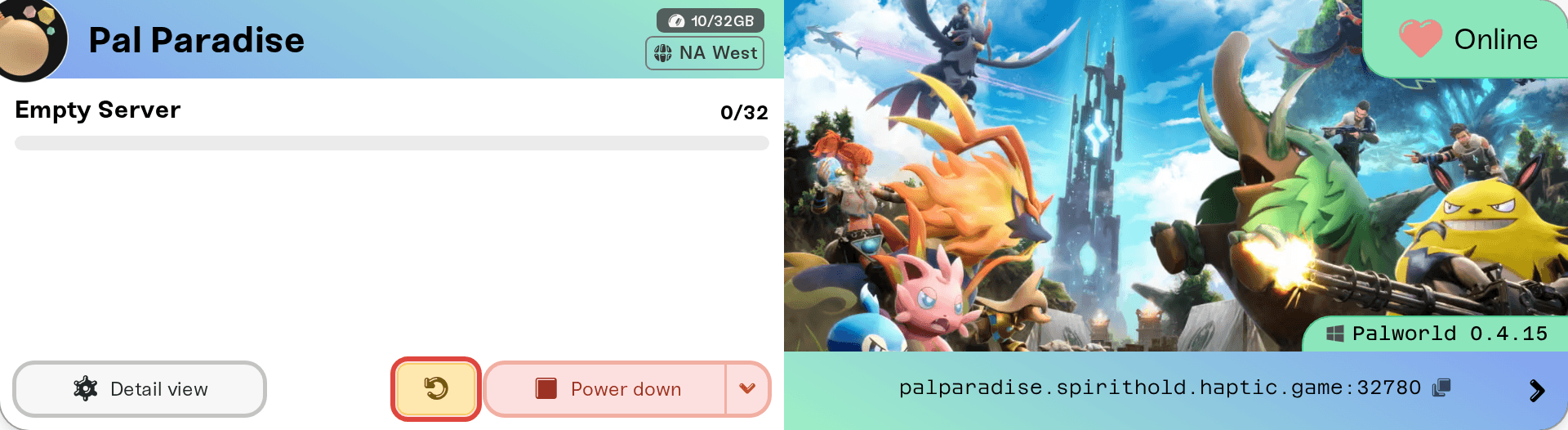
Updates apply on every start, not just restarts. A server that was stopped or sleeping comes back already on the latest build, which is why the triangle only appears while the server is up.
One player still can't join
If everyone got back in except one person, the mismatch is usually on their side: their own copy of Palworld has not updated yet.
Steam: quit and restart Steam to force the update through, then launch Palworld again.
Xbox, PlayStation, and Mac: install the pending Palworld update from the store the game was bought through, then relaunch it.
Matching versions is a Palworld rule, not something we control, so there is no server setting that lets an outdated player in.
Stay current automatically
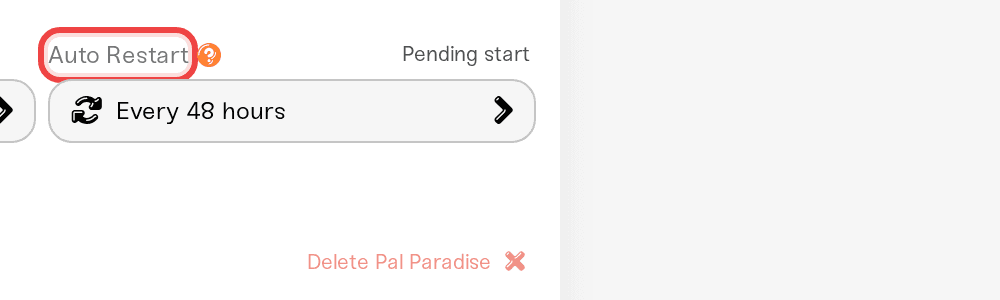
Auto Restart (in the expanded Overview card's Basic tab) doubles as set-and-forget updating. New Palworld servers come with it set to Every 48 hours; switch it to Every 24 hours (daily) and it aims to restart every day, applying whatever patch has shipped. A scheduled restart backs up your world first and waits for the world to be empty for 15 minutes straight, so it lands as soon as things are quiet rather than exactly on the clock, and nobody gets kicked. Details in Automatic server restarts.
After a big patch, check your mods
Workshop mods are tested before they install and re-tested in the background, and after a major Palworld patch some mods take a few days to catch up. If your modded server misbehaves after an update, open the Mods panel: a mod flagged Re-test failed may crash the server on its next start, so disable it with its Enabled switch until the author ships a fix. Disabling keeps the mod and its settings; see Mod load order and on/off toggles.
No version pinning or rollback
Palworld servers on Haptic always track the latest build. There is no way to pin an older version or roll the server back after a patch. Backups protect your world, not the game binary, so restoring a backup does not return the server to an older patch either.
Need help?
Reach us on Discord or at support@haptic.gg. Include your server name and a screenshot of the error the affected player sees.


