Hytale updated and nobody can join
 HytaleTroubleshooting
Hytale only lets you join a server running the exact same game version as your client. When Hytale ships an update, the Hytale Launcher updates players…
Hytale only lets you join a server running the exact same game version as your client. When Hytale ships an update, the Hytale Launcher updates players right away, but your server keeps its current build until it restarts. Haptic restarts your server onto the new build on its own once nobody is on it, or you can do it right away with one Restart from your dashboard: the server installs the new build during startup. Your worlds are untouched. Players on Hytale's pre-release branch cannot join at all; Haptic runs the stable release only.
Why joins break after an update
Hytale versions are numbers such as 0.6.8, and game and server must match exactly. The launcher updates the game on its own, so right after a patch your friends are on the new version while your running server is still on the old one. Until the server restarts, every join fails. This is true on every host, and for self-hosted servers too.
The error wording changes between patches, so don't go by the message. If joins started failing right after a Hytale update, treat it as a version mismatch first.
The fix: restart once
Press and hold Restart on your server card until the ring completes. During startup the server pulls the newest build on its own: nothing for you to download, no reinstall, and your worlds, characters, and settings stay exactly as you left them. The first start after a large update can take a few extra minutes while the new files come down.
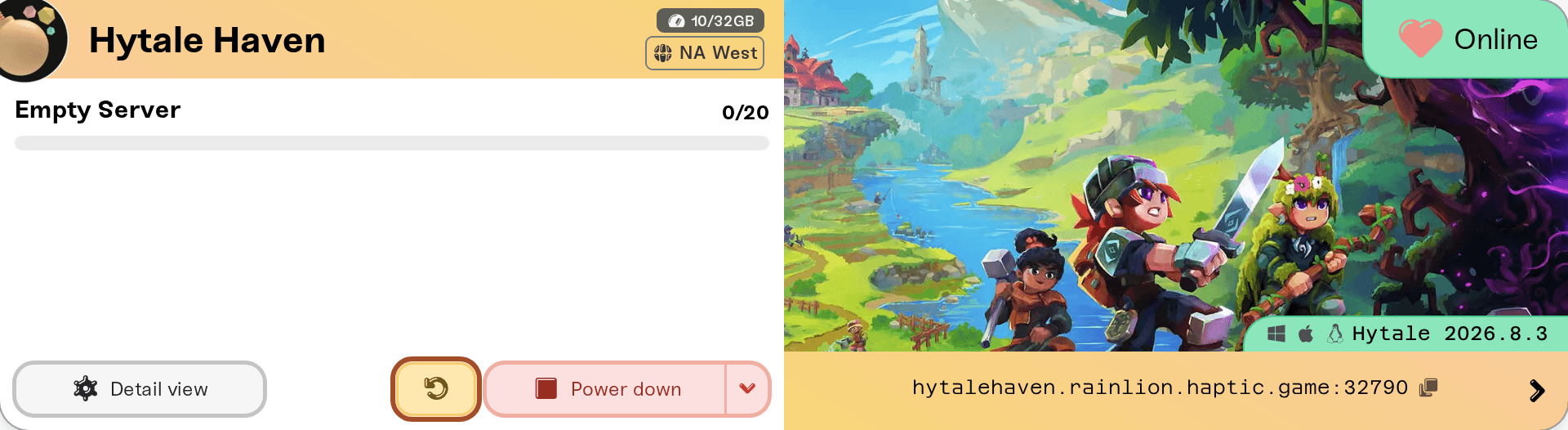
The update lands on any start, not just a restart, so a server that was stopped or sleeping comes back already on the latest build.
When a newer Hytale build is out and your server has not restarted onto it yet, your server card shows an orange New update available warning next to the status. The version itself is your other check: your server card shows the game name and the running version, just above the address strip. After the restart it should show the newer version, for example 0.6.8 changing to the new number.
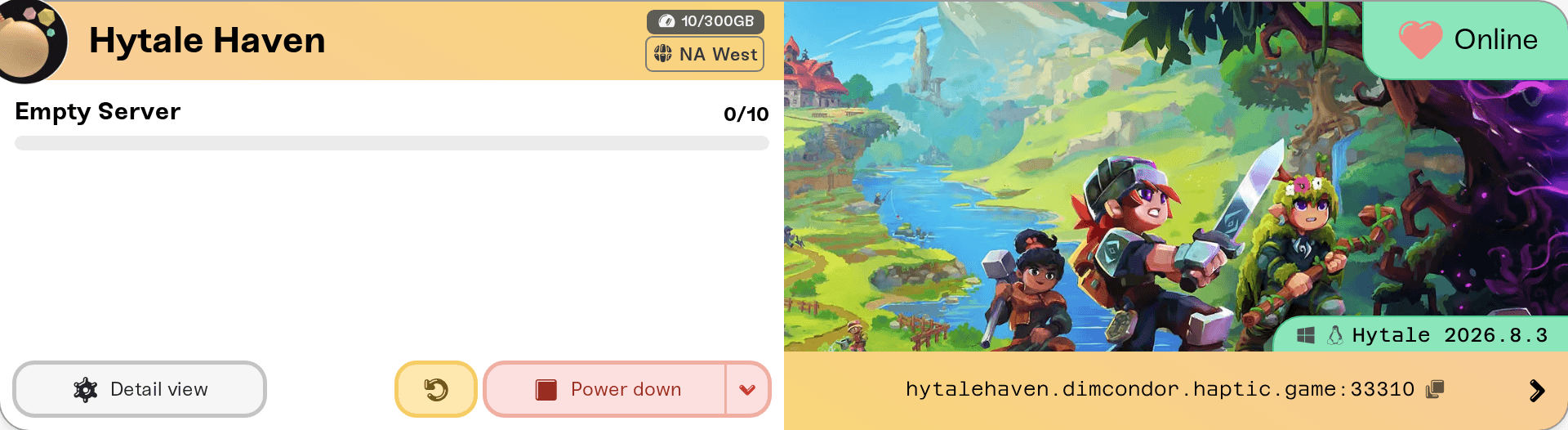
Haptic checks for new Hytale server builds every 5 minutes. If the version didn't change and the patch is less than 15 minutes old, the new build is probably still rolling out. Wait a few minutes and restart again.
One player still can't join
If everyone got back in except one person, the mismatch is on their side.
Their game hasn't updated yet. Have them fully close Hytale and the Hytale Launcher, reopen the launcher, and let it finish updating before launching the game.
They're on the pre-release branch. Hytale tests upcoming updates on an opt-in pre-release branch in the launcher. Pre-release clients run a different version and cannot join stable servers. They need to switch back to the regular release. There is no pre-release option for Haptic servers.
Matching versions is a Hytale rule, not something we control, so no server setting will let an outdated or pre-release player in.
Modded server still failing after an update
After a game update, an outdated mod is the next most common reason a Hytale server won't start or won't accept players; mod authors need time to catch up after each patch. Turn that mod's Enabled switch off in the Mods card until the author ships a fix, then restart: see mod load order and on/off toggles. Your players install nothing either way, because Hytale mods are server-side.
Stay current automatically
You don't have to do anything. When a new Hytale build is ready, a running server backs up and restarts onto it by itself once it has been empty for 15 minutes; it never restarts with players on it. A stopped or sleeping server starts on the new build next time. Press Restart yourself only to skip the wait.
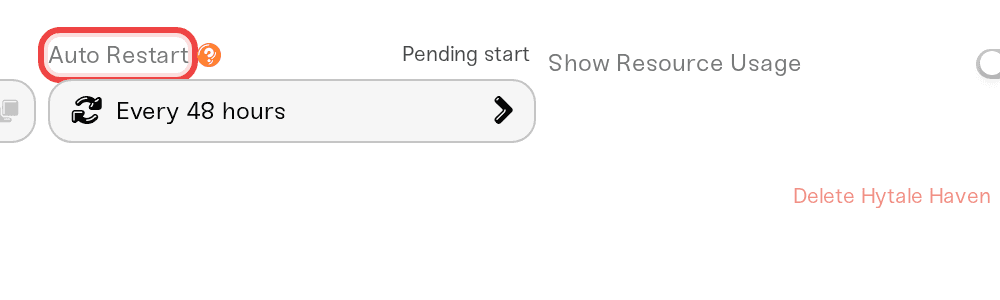
Auto Restart (in your server's expanded Overview settings, under Basic) is a separate, regular restart on a schedule. New servers come with it set to Every 48 hours; you can change it to Every 24 hours (daily), then click Save changes in the save popup: the dropdown alone doesn't stick if you navigate away. Scheduled restarts back the server up first and wait until the world has been empty for 15 minutes, so a busy server can run past its scheduled time. Details in automatic server restarts.
No version picker, no rollback
Hytale servers on Haptic always track the latest stable release: there is no version dropdown and no way to pin an older build. Backups protect your worlds, not the game files, so restoring a backup won't put the server back on an older patch either.
Need help?
Reach us on Discord or at support@haptic.gg. Include your server name, the version shown on your server card, and a screenshot of the message the affected player sees.


