Windrose: UE4SS mods on your server (and on your PC)
 WindroseGuide
Windrose mods on Haptic come from CurseForge and run through UE4SS, the community mod loader for Unreal Engine games. You never install UE4SS on the…
Windrose mods on Haptic come from CurseForge and run through UE4SS, the community mod loader for Unreal Engine games. You never install UE4SS on the server: checking your first mod in the Mods card switches the server to UE4SS for you, on a current UE4SS build. Some mods also need UE4SS and the mod itself on every player's PC; the label on each mod's row tells you which. Installing a mod never touches your world. Removing a mod your server has already run with deletes that mod's content from your world, and we take a safety backup first.
What UE4SS is, and why your server switched to it
Windrose has no built-in mod system. UE4SS is the loader that makes mods possible in Unreal Engine 5 games. CurseForge lists Windrose mods in two sections, Mods (pak and blueprint mods) and UE4SS Mods (Lua and C++ mods); your Mods card searches both.
Your server's loader shows in the Overview card: expand it, open the Basic tab, and Mod Loader reads either Vanilla or UE4SS with its version. You never need to touch it. Installing a mod flips it to UE4SS for you, and while mods are installed the picker is locked ("Locked by installed mods. Remove all mods to change."). Remove every mod and the picker unlocks and flips itself back to Vanilla.
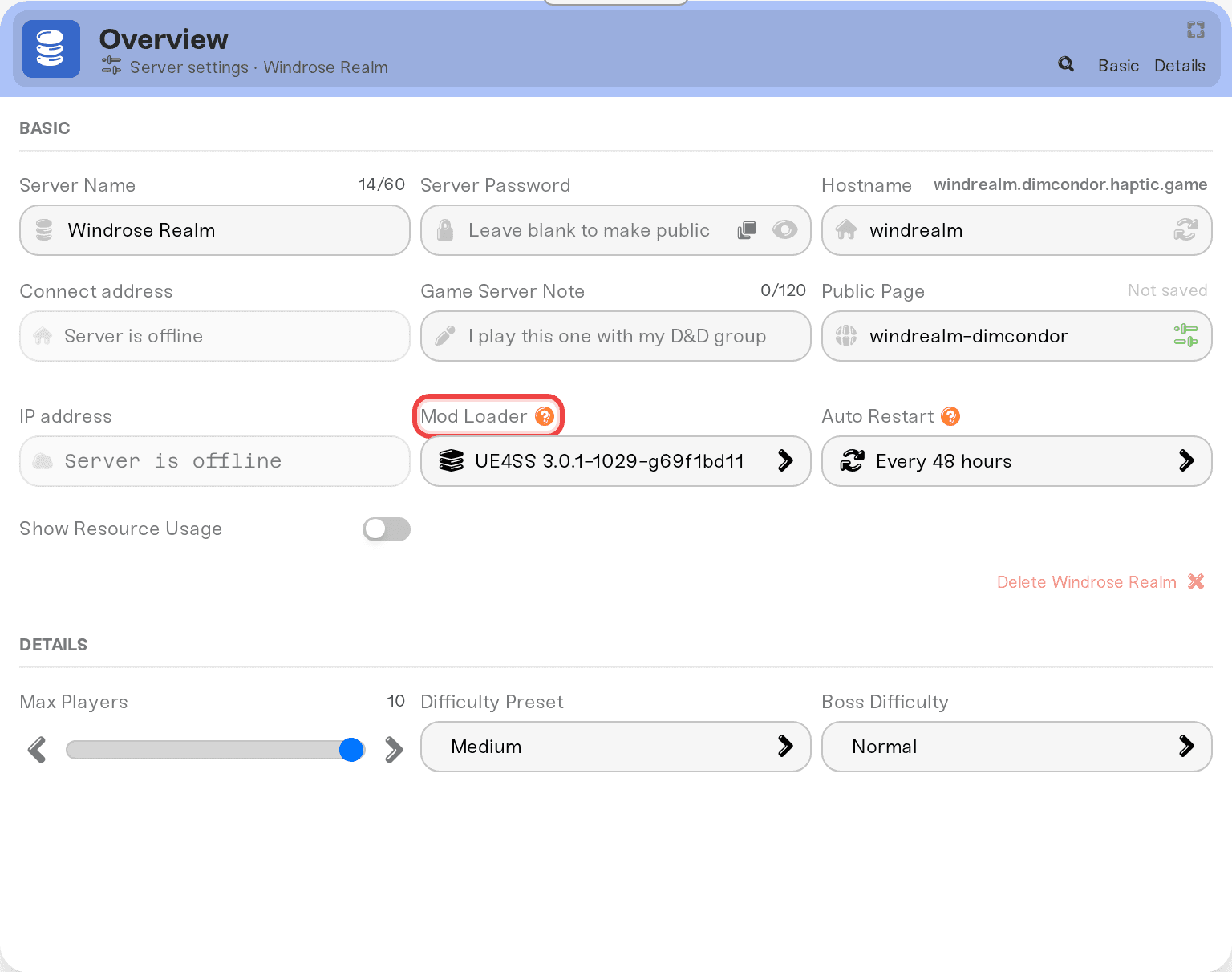
Plain .pak mods (asset and visual packs) and UE4SS mods run side by side on one server; we sort each into the right folder.
Install a mod
Open your server's Detail view and expand the Mods card.
Check the mod, press Save changes in the popup at the bottom of the page, then restart your server. Mods only load on a server start, so a new mod shows a small clock (Pending restart) until then.
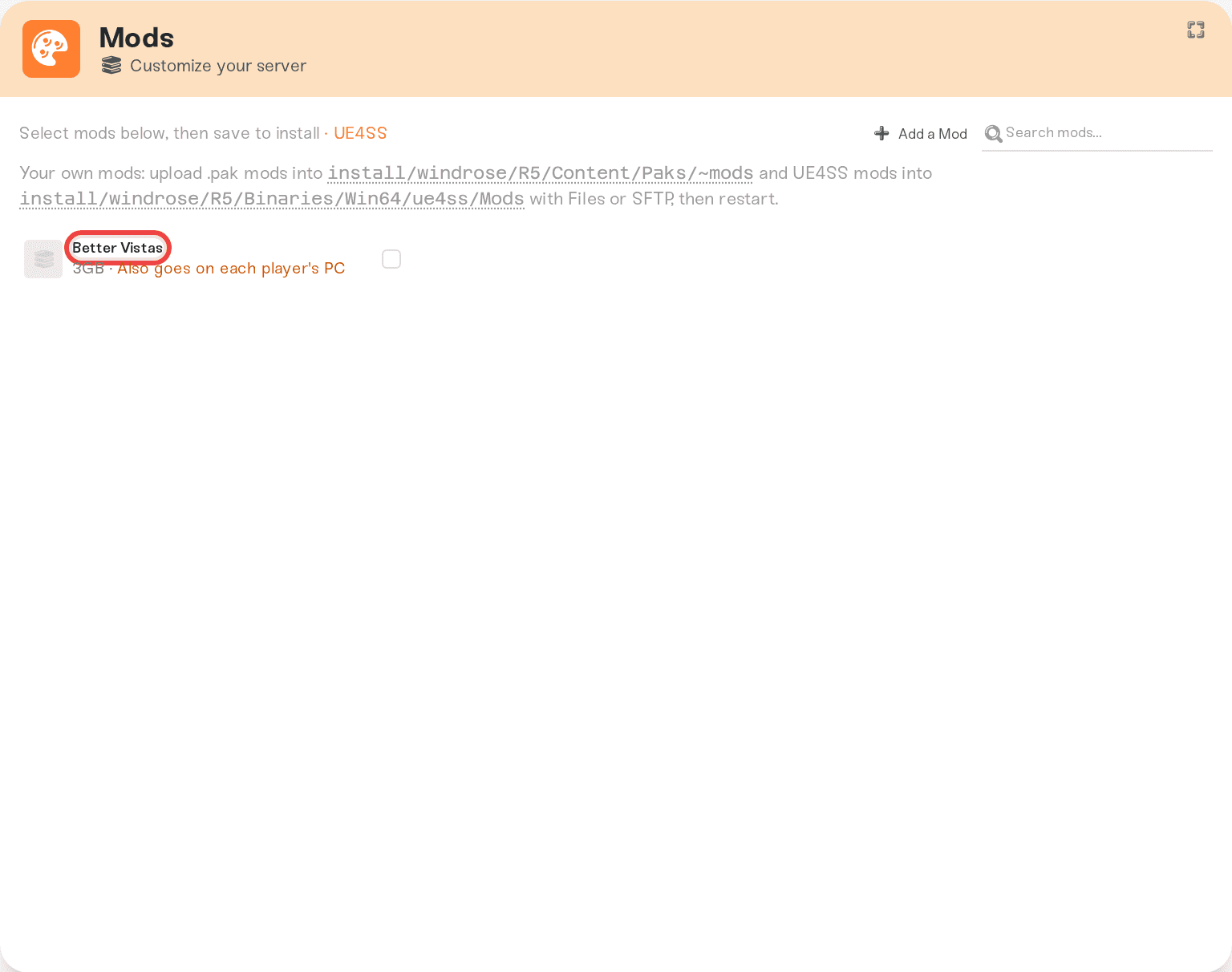
Can't find a mod? Add a Mod in the card header searches CurseForge (single mods only, no modpacks). Status icons, the padlock, and removal are in Install mods on your server.
Do your friends need the mod too?
Often, yes. Windrose has no auto-delivery, so when a mod needs a copy on the player's side, each player installs it by hand. Every mod row carries a plain-language label (also shown as Who Gets It in the mod's detail panel) that answers this:
Works for everyone on this server or Works from the server. A PC copy adds extras: friends install nothing.
Also goes on each player's PC and Required on every player's PC to join: both sides. Every player installs UE4SS plus the mod, using the steps below. With the second label, the server turns away anyone who doesn't have it.
Shows only for players who install it: a visual
.pakmod. Everyone can play; only players who install it see the change. Client-side only. Doesn't work on servers means what it says: installing it here does nothing.Compatibility not verified yet: nobody has checked this mod's sides yet. Install it and restart; if nothing changes in game, treat it as a both-sides mod and run the PC steps below.
The full label glossary is in Which mods your friends need to install. Windrose servers are PC only, so there is no console case to worry about.
Install UE4SS and a mod on a player's PC
Each player does this once per mod, and again whenever that mod's version changes on the server.
Open the game's executable folder. In Steam: right-click Windrose, choose Manage, then Browse local files. In the Epic Games launcher: open your library, click the three dots on Windrose, choose Manage, then Browse local files. From there, open
R5\Binaries\Win64.Install UE4SS. If the mod's page names a UE4SS build, use that one; otherwise take the latest release from the UE4SS project. Extract its contents straight into that
Win64folder, not into a subfolder of its own. You should end up withdwmapi.dllnext to the game's executable and aue4ssfolder containing aModsfolder. The UE4SS installation guide has the details.Add the mod. Download the same version the server runs. A UE4SS mod's folder goes into that
Modsfolder; a.pakfile goes where its page says (usuallyR5\Content\Paks\~mods).Enable it. UE4SS only loads a mod that is switched on. Some mods ship with an enable file inside their own folder and need nothing more; others have to be listed in
mods.txtin theModsfolder. The mod's page and the UE4SS installation guide say which applies.Start Windrose and join. UE4SS writes a
UE4SS.loginside theue4ssfolder; a fresh log means the loader started.
To play unmodded again, rename dwmapi.dll to anything else. Windrose then starts without UE4SS, and renaming it back undoes that.
Installed a mod but nothing changed in game?
Check in this order:
Has the server restarted since you saved? Mods only load on a start.
Does the mod need a PC copy? Check its label above and run the PC steps if so.
Red triangle on the mod? It failed to install on the last start; hover it for the error. Turn the mod off and restart to get the server back (Turn mods on or off).
If a mod update replaced files you edited
If you edited a mod's own files (a config, say) and later got a newer version of that mod, your edits aren't lost. They move to a folder named <Mod>.haptic-backup-<old version> next to the mod, and a notice in the Files card points you at it. UE4SS mods live under install/windrose/R5/Binaries/Win64/ue4ss/Mods/, which you can edit straight from the Files card or over SFTP.
Need help?
Reach us on Discord or at support@haptic.gg. Include your server name, the mod's name, and the label it shows in the Mods card.


