Project Zomboid: Control Food Spoilage and Refrigeration
 Project ZomboidGuide
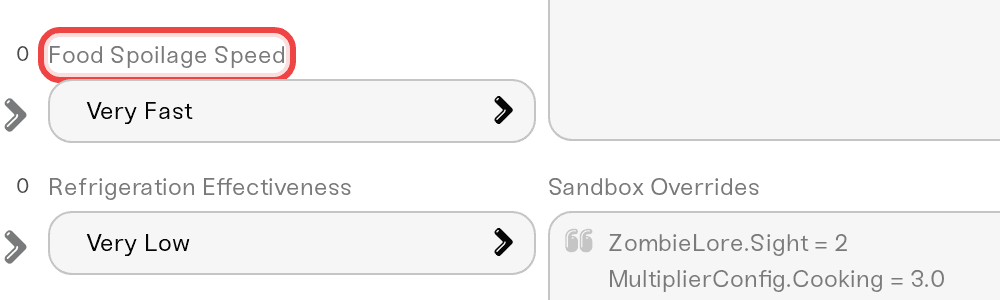
Four dashboard settings control the whole food game: Food Spoilage Speed, Refrigeration Effectiveness, the Nutrition System toggle, and Rotten Food Removal…
Four dashboard settings control the whole food game: Food Spoilage Speed, Refrigeration Effectiveness, the Nutrition System toggle, and Rotten Food Removal (days). Changing them is safe for your world and your players' inventories. They apply on the next restart after you save. Already-rotten food stays rotten, though; the settings change what happens from now on.
The four settings
Open your server's settings and find the food group.
Set the dials:
Food Spoilage Speed (Very Fast, Fast, Normal, Slow, Very Slow): how fast food spoils, inside or outside a fridge.
Refrigeration Effectiveness (Very Low, Low, Normal, High, Very High, No Decay): how much a powered fridge slows spoilage. No Decay means refrigerated food keeps forever.
Nutrition System (on or off): off stops characters gaining or losing weight from what they eat.
Rotten Food Removal (days) (a number of days, or -1): rotten items are cleaned off the map after this many in-game days. -1 keeps rotten food forever.
Save, then restart the server.
Spoilage runs on in-game time. If your complaint is really "our evenings are too short to deal with food", consider a longer Day Length instead; it stretches every in-game day across more real time.
The fridge only helps while it has power
Refrigeration Effectiveness applies to powered fridges and freezers. Once the world's electricity shuts off, fridges stop working unless a generator powers them, and food spoils at the normal rate again. That is the game's survival arc, not a bug. If your group wants fridges forever, keep electricity on (see the utilities article below) or plan for generators.
Things that will NOT fix it
Turning spoilage down to un-rot food. Rotten is rotten; the settings shape the future, not the past. Rotten Food Removal (days) will at least clean the mess up.
Raising Refrigeration Effectiveness after the power shut off. A fridge without power is a cupboard. Bring power back or hook up a generator.
Restarting without saving. Settings apply on restart, but only after you hit Save.
Need help?
Ping us on Discord or open a ticket. Tell us how long your group wants fresh food to matter and we will suggest a combination.
Keep the power on longer, or bring it back: see "Project Zomboid: Choose When Water and Electricity Shut Off".
Day length changes how much real time one in-game day takes: see "Project Zomboid: Set the Day Length and Start Date".
Every sandbox setting from the dashboard: see "Project Zomboid: Change Any Sandbox Setting".


