Set up automatic server restarts
 HapticGuide
Every Haptic server can restart itself on a schedule, and most come with Auto Restart already set to Every 48 hours. Scheduled restarts never interrupt…
Every Haptic server can restart itself on a schedule, and most come with Auto Restart already set to Every 48 hours. Scheduled restarts never interrupt anyone: the server waits until the world has been empty for 15 straight minutes, and a player joining cancels the restart until the next quiet moment. Each restart backs up your world first and the server comes back online by itself. You can change the interval, or turn it off, in your server's expanded Overview settings.
Why game servers like a fresh start
Long-running game servers slowly get worse at their job. Many games leak a little memory over days of uptime, and some wind down background work the longer they run (Palworld's offline base production is the famous example). If your server feels snappy right after a restart and sluggish a day later, that is what you are seeing; it is also step one in My server is lagging.
A restart is also when pending changes actually land. Game patches, updated mods, and any settings you saved with a "next time this server powers up" notice all take effect on the next boot. A regular schedule keeps all of that from piling up.
So if your server restarted overnight with nobody on it, nothing is wrong. That was Auto Restart doing its job, and your world was backed up in the process.
Change or turn off the schedule
Open your server's settings
Go to My Servers in your dashboard and click Detail view on your server's card.
Expand the Overview card
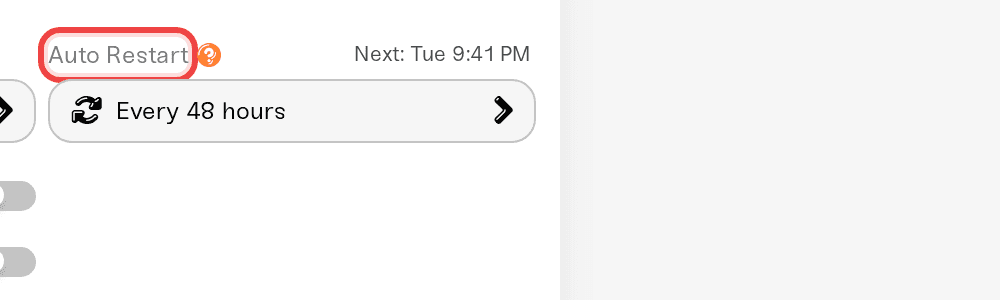
The Auto Restart field only appears in the expanded view. Click the Overview card's title bar (the hover hint says Expand Overview) to open it up, then look in the Basic section.
Pick an interval
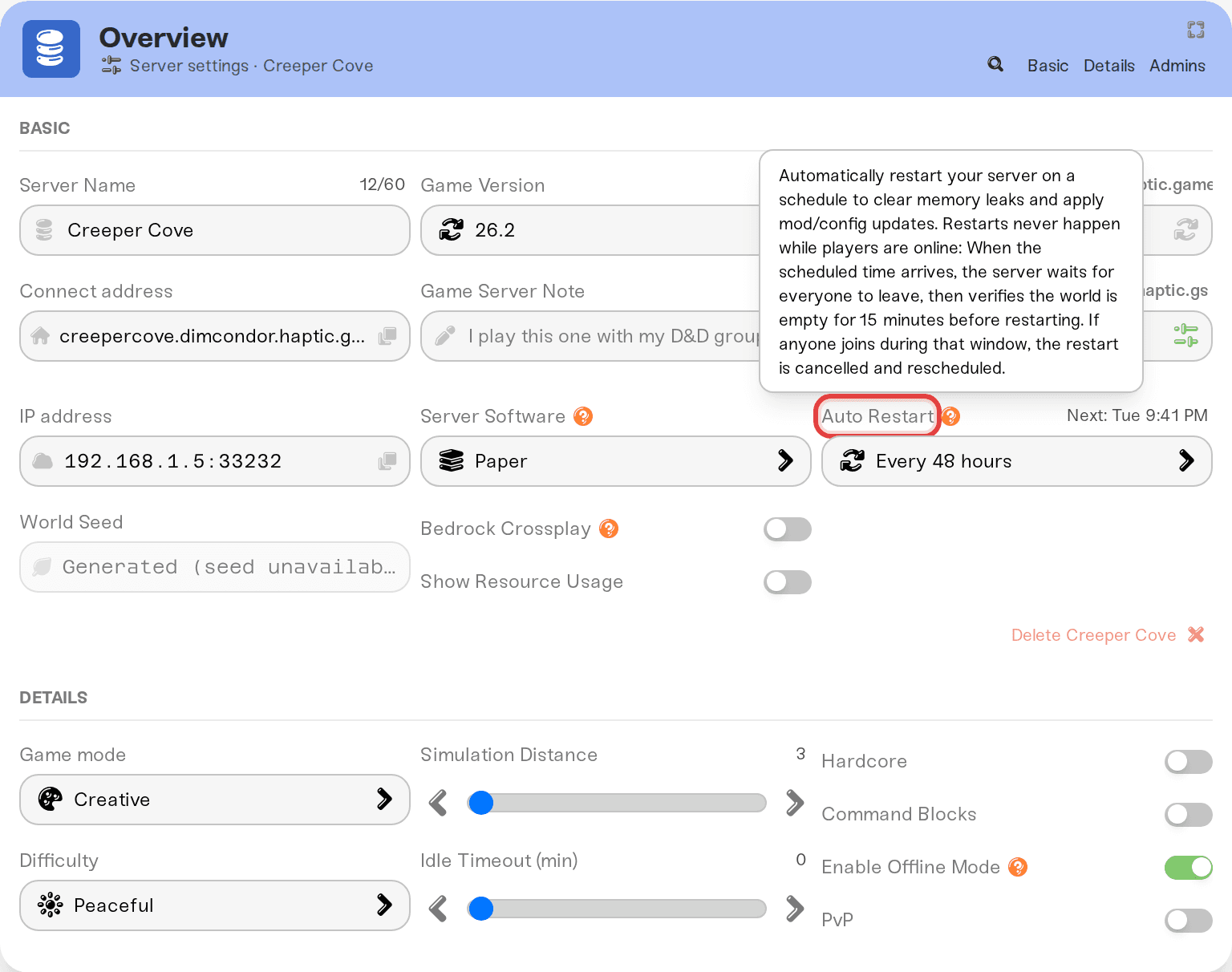
The Auto Restart dropdown offers Off, short intervals of 1, 2, 3, 4, 6, 8, or 12 hours, then Every 24 hours (daily), Every 48 hours, Every 72 hours, and Every 7 days (weekly).
Most servers start out on Every 48 hours. Rust, FiveM, and RedM start with it Off instead: those games are sensitive to unbroken uptime (Rust's server rankings and FiveM's long-running scripts both prefer it), so restarts are left for you to run by hand.
Save, and restart once if the server is running
Click Save changes. Like most settings, the schedule takes effect the next time the server starts, so if your server is running right now, give it one manual restart to switch to the new schedule. If it is off or asleep, you are done; the schedule arms on the next power up.
Fastest route: the magnifying-glass button in the Overview card's title bar searches every setting. Type "auto restart" and jump straight to the field.
How a scheduled restart actually runs
The schedule is an interval from the server's last start, not a clock time. Set Every 24 hours (daily) and the server aims to restart 24 hours after it last powered up; the hint next to the dropdown shows the exact moment, like Next: 4:50 PM.
When that time arrives, the restart is deliberately patient:
Players online? Nothing happens yet. The hint changes to Once empty for 15m and the server waits for everyone to leave.
World empty? A 15-minute countdown starts, shown live as Restarting in: 12:34. If anyone joins during the countdown, the restart is cancelled and the server waits for the next quiet window.
Countdown done? The server shuts down cleanly, backs up your world, and powers itself back up. Nobody has to press anything, and the restart usually takes a few minutes.
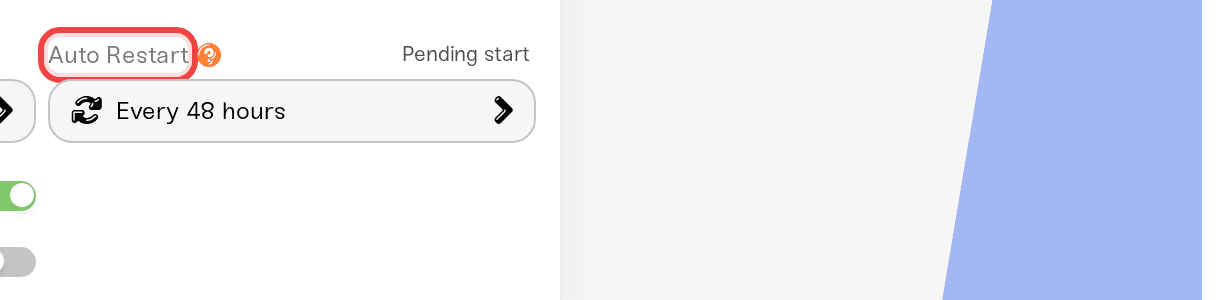
Hover the hint at any time to see when the schedule last fired, for example Last auto-restart: today at 4:50 PM.
Two things reset the timer: any manual restart, and any power cycle. So if you want your daily restart to land around a certain time of day, restart the server manually at that time once and the daily schedule will stay close to it from then on. If players keep the server busy at the scheduled moment, the restart simply slides later until the world goes quiet.
Scheduled restarts never kick anyone. The Restart button on your server card is the immediate one; see How to start, stop, and restart your server.
Auto Restart and Wake & Play sleep
On a Wake & Play plan, your server goes to sleep after roughly an hour with nobody playing, and waking it starts a completely fresh server process. That means every sleep-and-wake cycle already gives you everything a scheduled restart would: memory cleared, patches and mod updates loaded, saved settings applied.
The two features stay out of each other's way:
A sleeping server is never woken just to restart. If the scheduled time passes while your server is asleep, nothing happens. The timer starts fresh the next time it wakes.
After a scheduled restart, sleep works as normal. The server comes back online, and if nobody joins, Wake & Play puts it back to sleep about an hour later.
In practice, Auto Restart earns its keep on Always On servers and on Wake & Play servers busy enough that they rarely sleep. A server that naps every night is getting fresh starts for free.
Restart automatically when mods update
For Project Zomboid, Terraria, and Conan Exiles, Haptic downloads Steam Workshop mod updates automatically, but your server keeps running the old versions until it restarts. A separate Restart on mod updates dropdown sits right below Auto Restart and decides what happens when an update arrives:
Off, just notify me: the default. You get a dashboard notice and restart when it suits you.
When the server is empty: the restart waits until nobody is online.
After a 5-minute warning: players get in-game warnings 5 minutes and 1 minute ahead, then the server restarts.
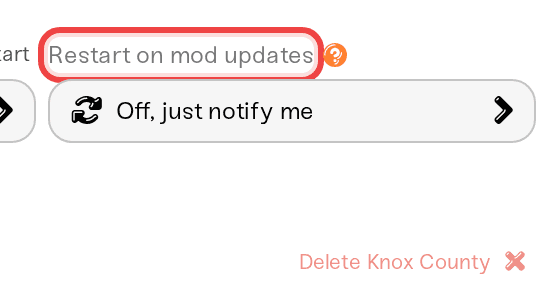
Unlike the schedule, this setting applies as soon as you save it; no restart needed. For the full story on how mod updates reach your players, see Project Zomboid: your players get the mods automatically.
Need help?
If a scheduled restart never seems to fire, the usual reasons are players keeping the world busy or the server being asleep or off at the scheduled time. Still looks wrong? Ping us on Discord or email support@haptic.gg with your server name and what the hover hint says under Last auto-restart, and we will take a look together.



