Enshrouded: Add Mods to Your Server
 EnshroudedGuide
Enshrouded mods are EML mods (Enshrouded Mod Loader). Your server runs the mod loader for you: upload each mod's folder, with its mod.json directly inside,…
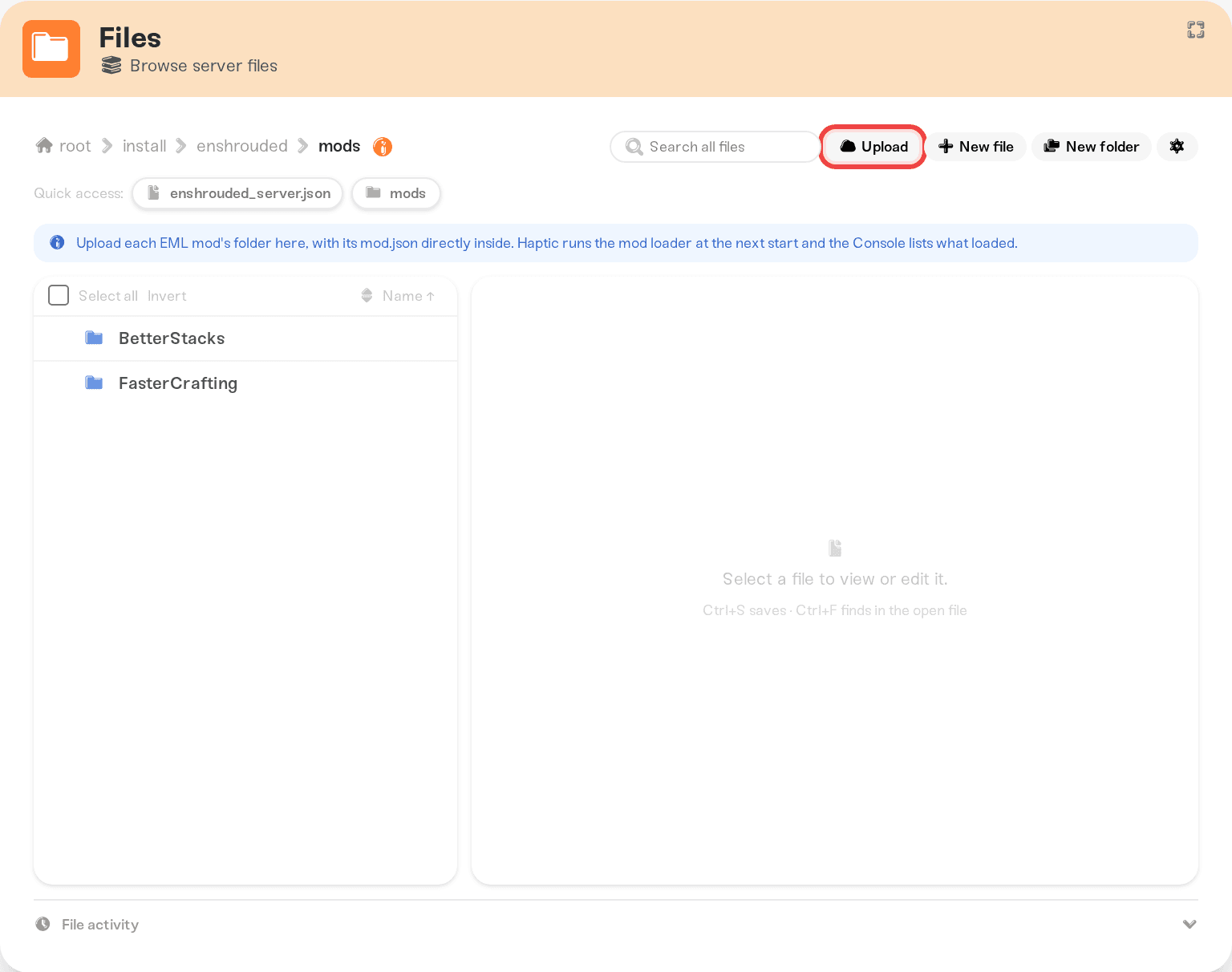
Enshrouded mods are EML mods (Enshrouded Mod Loader). Your server runs the mod loader for you: upload each mod's folder, with its mod.json directly inside, into install/enshrouded/mods with the Files card or SFTP, then restart. The Console lists the mods that loaded. There is no mod browser, because Enshrouded mods are on Nexus Mods, so you download them yourself. A mod can stop working until its author updates it, because many were made before Enshrouded 1.0.
Add a mod
Get the mod's folder
Download the mod (most Enshrouded mods are on Nexus Mods; look for "EML" in the name or description) and unzip it until you see a folder that has a file called mod.json directly inside it, usually next to a src folder. That folder is the mod.
A mod that comes as a .zip with mod.json at the top of the zip also works as it is.
Upload it
Open the Files card and browse to install/enshrouded/mods. Drop the mod's folder in, so you end up with install/enshrouded/mods/<mod name>/mod.json. Uploading works with the server running or stopped. Add as many mods as you like, each in its own folder.
Over SFTP the path is the same: connect to your server with SFTP.
Restart
Restart the server from the dashboard. Before Enshrouded starts, your server runs the mod loader on your mods. Then open the Console: a line starting with Enshrouded mods: EML loaded lists every mod that loaded, by name and version.
To remove a mod, delete its folder from install/enshrouded/mods and restart.
Change a mod's settings
Some mods have a settings file in their folder, often config.txt. Edit it in the Files card and restart; the mod reads it at the next start.
Things worth knowing
No DLL needed. Guides for other hosts tell you to put
dbghelp.dlloremm.exein the game folder. On Haptic you skip that step: your server runs the mod loader itself, so neither file does anything there (the game folder refusesdbghelp.dll).Most mods change game data on the server. A mod's page says if players need it too; then each player installs EML and the same mod on their PC.
A broken mod does not stop the server. If a mod's script fails, that mod is turned off for that start and the others still load. The Console says which mod it was and why.
After an Enshrouded update. A mod can stop working until its author updates it, and many Nexus mods were made before 1.0. If the mod loader cannot apply your mods to the new game version, the server starts without mods and the Console says so. Check the mod pages for updates, then restart.
Your mods stay. They survive restarts, game updates, Wake & Play and moves to another machine.
The full mod loader output is in
logs/eml.login the Files card, if a mod's author asks for it.
Things that will not fix it
Uploading the files inside the mod's folder straight into
mods. Each mod needs its own folder. The Console says "mod.json is directly in mods" when this happens.A folder inside a folder. If you see
mods/<name>/<name>/mod.json, the mod still loads, and the Console suggests moving the inner folder up one level.Shroudtopia or ShroudForge DLL mods. They do not run on Haptic servers. Shroudtopia's mods stopped working on current versions of the game, and ShroudForge is made for the game on your PC.
Patched game files (
enshrouded_server.kfcand friends from a download). They only work on one game version and break at the next update, so the game folder refuses them. Use the EML version of the mod instead.
Need help?
Ask in Discord or email support@haptic.gg with the mod's name, where you downloaded it, and the Enshrouded mods: lines from your Console. We will check what the mod loader saw at startup.


