Icarus: Install Mods
 IcarusGuide
Icarus mods are .pak files, and every player needs the same mods on their PC. Install them from the Mods card, which searches Project Daedalus (the mod…
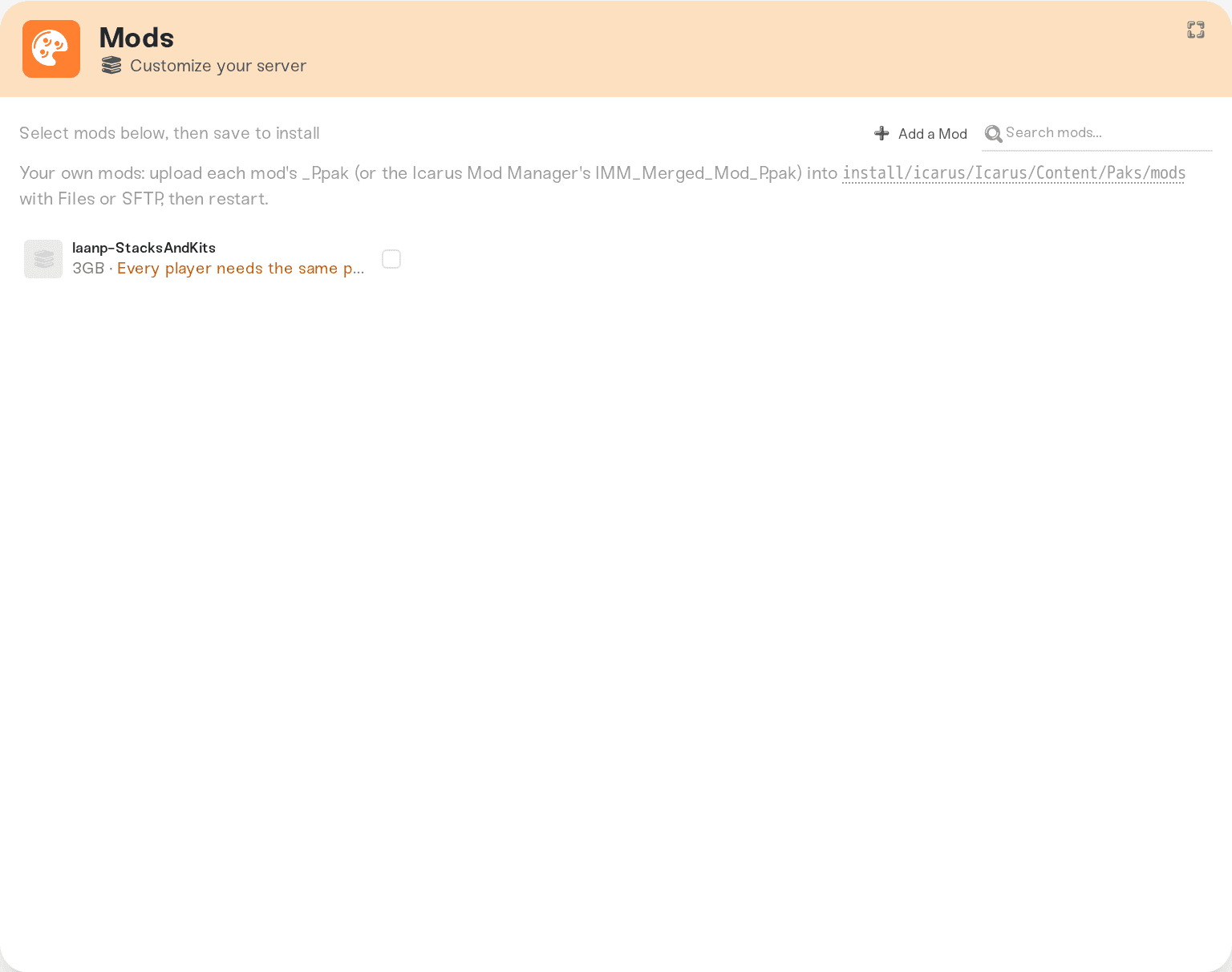
Icarus mods are .pak files, and every player needs the same mods on their PC. Install them from the Mods card, which searches Project Daedalus (the mod list the Icarus Mod Manager uses) and installs the one you pick on the next restart, or upload a .pak yourself into install/icarus/Icarus/Content/Paks/mods with the Files card or SFTP, then restart. Using the Icarus Mod Manager? Upload the IMM_Merged_Mod_P.pak it builds. Your mods survive restarts and game updates.
Install a mod from the Mods card
Open your server's Mods card and search for the mod. The list shows mods from Project Daedalus, each with the game week it was made for. Pick a mod and install it, then restart the server. Before a mod is offered, we install it on a test server and check that Icarus loads it.
Some mods are listed as .EXMODZ data patches only. A server cannot load those on its own: merge them with the Icarus Mod Manager on your PC and upload the pak it builds (see below).
To remove a catalog mod, remove it on the Mods card and restart. The server deletes exactly that mod's file and leaves anything you uploaded yourself alone.
Install a mod by hand
Get the pak
Download the mod's .pak from wherever its author publishes it (Project Daedalus, Nexus Mods, a modder's GitHub). Mod paks usually end in _P.pak; keep the author's file name.
If you use the Icarus Mod Manager, it merges your chosen mods into one file, IMM_Merged_Mod_P.pak, in your game's Icarus/Content/Paks/mods folder on your PC. That one file is what the server needs.
Upload it
Open the Files card and click mods in the Quick access row, or browse to install/icarus/Icarus/Content/Paks/mods. Drop the .pak in. Uploading works with the server running or stopped.
Over SFTP the path is the same: connect to your server with SFTP.
Restart
Restart the server from the dashboard. Icarus loads paks at startup, so a mod added while the server is running is picked up on the next start. To remove a mod you uploaded, delete its file from mods and restart.
Things worth knowing
Every player needs the same mods. Most Icarus mods change the game's data tables (items, recipes, stack sizes). A player whose PC has different mod files than the server can see items vanish or fall out of sync. Share the exact files, or your Icarus Mod Manager list, with everyone who plays.
Thursday patches can break mods. RocketWerkz updates Icarus every Thursday. Haptic picks up the update within the hour and restarts your server onto it once nobody is playing. A mod made for an older game week can stop working; check for an updated version and remove the old one if there is none. The Mods card shows the week each mod was made for.
Your uploads are kept. Paks in
modssurvive restarts, game updates and a move to another machine, and installing or removing catalog mods never touches them.No script mods. UE4SS and other mods that inject a DLL do not run on the server; only
.pakmods do.Not sure a mod is loading? Open the Console after a restart. A line saying a pak in
modsis not a valid.pakfile means the file is damaged, is a zip, or is an.EXMODZ: download the.pakagain. A broken mod file does not stop the server from starting.
Things that will not fix it
Putting the pak in the top-level
Paksfolder. The shipped game files there are read-only; usemods.Uploading an
.EXMODZor.EXMODfile. Only the Icarus Mod Manager can read those. Merge them there and upload theIMM_Merged_Mod_P.pak.Uploading the zip. Unzip it and upload the
.pakinside.
Need help?
Ask in Discord or email support@haptic.gg with the mod's name, where you downloaded it, and a screenshot of your mods folder or Mods card. We will check whether the server saw it at startup.


