40% OFFOur winter sale is on! We're giving everyone 40% off their new server at checkout!
 EnshroudedGuide
Short answers to the Enshrouded questions we hear most. Haptic's Enshrouded servers are for the PC (Steam) version today, with PlayStation 5 support…
Short answers to the Enshrouded questions we hear most. Haptic's Enshrouded servers are for the PC (Steam) version today, with PlayStation 5 support coming, you become admin with the Admin Password, the game settings only work under Custom difficulty, terrain outside a Flame Altar's area grows back by design, the game saves by itself about every 30 seconds, and EML mods go in the mods folder, where your server runs the mod loader for you.
Not yet. Haptic's Enshrouded servers are for the PC (Steam) version today, so PlayStation 5 players won't see your server in the game's server list. PlayStation 5 support is coming: Enshrouded 1.0 lets PS5 players join dedicated servers through Keen's own online service, and we're setting Haptic up with Keen for it. We'll announce it when PS5 groups can join. PC and PS5 players can't share one server at 1.0, because the game has no crossplay yet. Xbox follows in spring 2027.
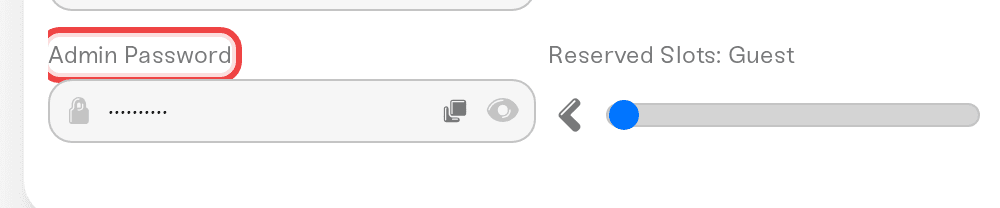
Join with the Admin Password from the Details tab of your Overview card. Enshrouded has no admin list, console, or RCON: the password typed at join sets the role, and admins kick and ban from the in-game player list. Full guide: Enshrouded roles: Admin, Friend, Guest, and Visitor passwords.
The individual game settings only apply when Difficulty is Custom. Under any preset the game ignores them, and it says so in the log at every start: 'gameSettings' will not be applied Preset is not set to 'Custom'. You can spot that line in your Console card. Set Difficulty to Custom and restart: Enshrouded difficulty and custom game settings.
That is how Enshrouded is built, not a rollback on your server. A Keen developer confirmed it on the official forum: changes inside a Flame Altar's area are permanent, and outside that area the world returns to its natural state over time (Keen's answer on Steam). Dig, build, and terraform inside a Flame Altar's area to keep your changes. It works the same on every host.
No, and you do not need to. Enshrouded has no autosave setting. It saves the world about every 30 seconds, and your server saves it once more every time it stops, restarts, or goes to sleep, so a normal stop loses nothing. The game's own rolling copies only reach back about 5 minutes, so to go further back, restore a backup from the Backups card.
Yes. Keen has no official mod support, but the community's mods use the Enshrouded Mod Loader (EML), and your server runs it for you. Upload each mod's folder, with its mod.json directly inside, into install/enshrouded/mods with the Files card or SFTP, then restart. The Console shows what loaded. A mod can stop working until its author updates it, because many were made before Enshrouded 1.0. There is no mod browser, because Enshrouded mods are on Nexus Mods, so you download them yourself: Enshrouded: add mods to your server.
On your PC, Enshrouded 1.0 keeps each single-player world as one file named like world0.ksd in %USERPROFILE%\Saved Games\keen games\Enshrouded\default. On your server, the world is savegame/world0.ksd in the Files card, with the game's rolling copies next to it in savegame/backup. A world from before 1.0 is converted by the game at its first 1.0 start, and your server keeps the old files in savegame/migrated. To move a world from your PC to your server: Enshrouded: move your world to your server.
No. Players can only join a server on the same build as their game, and Steam updates everyone automatically, so your server follows the latest build: Enshrouded: 1.0, game updates, and version mismatch.
Reach us on Discord or at support@haptic.gg. Tell us your server name and what you are trying to do.
 © Haptic, LLC
*40% off applies automatically at checkout for your first month. Ends November 22, 2026.


