Palworld: Hardcore Character Recreate, and the Character Files to Leave Alone
 PalworldGuide
Hardcore Character Recreate is its own checkbox, separate from Hardcore, and it is off by default. It lets a player who dies in Hardcore make a new…
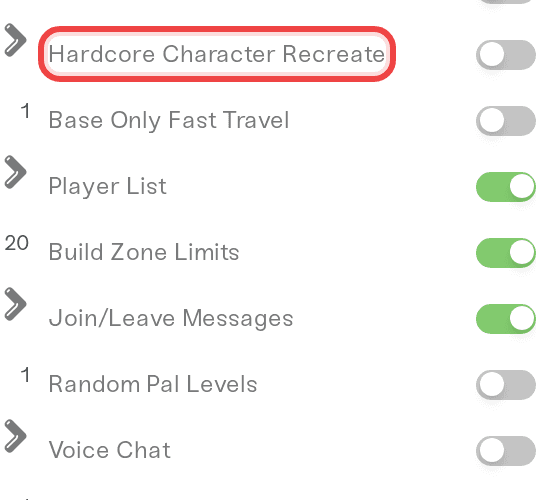
Hardcore Character Recreate is its own checkbox, separate from Hardcore, and it is off by default. It lets a player who dies in Hardcore make a new character instead of being locked out. Picking the Hardcore difficulty preset does not turn it on. And whatever you are trying to achieve, never delete a character file by hand: Haptic already sets a dead player's file aside for you, and deleting a living character's file can stop the world from loading.
Where the setting is
Open My Servers, press Detail view on your server, and open the Overview card's Details tab. Hardcore, Pal Permadeath and Hardcore Character Recreate sit together there.
Tick Hardcore Character Recreate and save.
Restart when you are ready; settings apply on the next start. The save flow is in Change your server settings.
To undo it, untick the box, save and restart.
| Setting | Default | What it does |
|---|---|---|
| Hardcore | Off | Permadeath. A player who dies loses that character, its inventory and its pals. Turning it on asks you to confirm with Turn on Hardcore. |
| Pal Permadeath | Off | A Pal that faints is gone for good. |
| Hardcore Character Recreate | Off | Lets a player who dies in Hardcore create a new character instead of being locked out. Only applies when Hardcore is on. |
Two details worth knowing:
The Hardcore preset leaves this box alone. The Difficulty dropdown's Hardcore preset turns Hardcore and Pal Permadeath on, and never touches Hardcore Character Recreate.
Visitors can see it. All three show on your server's public page, where the last one is labelled Hardcore Recreate.
When a player dies
Leave the death screen and exit to the title screen.
Wait for the notice. Your server's card on My Servers shows that the player's character is gone once the stale file has been set aside. That happens while the server runs, or at the next start at the latest.
Join again. The game asks for a new character.
Still blocked? Restart the server once and try again.
Nothing is deleted: the old file and the game's own backup copies of it are kept in .haptic/orphaned-players inside your server files. The full sequence is in Failed Join Game with FailedInvalidLoginPlayerCharacterHandle.
One honest note: the checkbox gives a dead player a new character, never the old one back. Only a whole-world backup restore does that, and it costs everyone the progress made since the backup, so agree on it with your group first: see Restore your server to an earlier backup.
Uploading a Hardcore world from co-op
Upload the whole world folder,
Playersincluded, untouched. A world that still lists a character whose file is missing can crash while loading.If a file went missing anyway, Haptic puts it back from the game's own snapshot copies when it finds one. When no copy exists, your card shows Character file missing for that player: copy the original file back into the world's
Playersfolder with its original name, or restore a backup from before it was removed.Your Hardcore choices come along in the settings review. After the first start, open the review on your card: the Settings from your world window lists what your co-op world stored. Nothing applies automatically. Apply them, or choose Keep my current settings and set them on the Details tab.
Host who wants a fresh character? Do not delete your host file. Choose I'll start fresh on the attach prompt instead. See Attach your co-op character, or unlink it again.
If what you want is a clean slate for everyone, stop the server and use Reset World on the Backups card. Your current world is saved as a backup first and your settings carry over, so the fresh world starts with your Hardcore choices already on: see Reset your world.
Things that will NOT fix it
Ticking Hardcore Character Recreate to revive someone. It offers a new character; only a backup restore brings the old one back.
Deleting a dead player's file in the Files card. Palworld restores it from its own snapshots on that player's next join. Haptic already sets it aside the right way, copies included.
Deleting a living character's file "just in case". The server crashes while loading the world until the file is back. Haptic restores it from the game's snapshot copies and shows Character files repaired, but only when such a copy exists.
Trimming the
Playersfolder before you upload. The world still lists those characters and the server has no copy to put back.Uploading only
Level.sav. It carries no characters, so everyone starts fresh whether you wanted that or not.
Need help?
Reach us on Discord or at support@haptic.gg. Include your server name and the in-game name of the player who is affected.


