Why your account picture is a spinning circle
 HapticTroubleshooting
The spinning circle in the top-right corner is your account button, not a loading bar. It is the stand-in we show when your Haptic profile has no picture…
The spinning circle in the top-right corner is your account button, not a loading bar. It is the stand-in we show when your Haptic profile has no picture saved, and it keeps spinning because it is the same icon we use while a profile is loading. Nothing is stuck and nothing is wrong with your account: click the circle and your account menu opens as normal.
What you are looking at
While you are signed in, the top-right corner of the site shows your profile picture. When your profile has no picture saved, that spot falls back to a spinning circle instead. The spin never stops, because it is a placeholder rather than a progress indicator. That is our display bug, not a sign that your sign-in or your server setup is still going.
Click it and the menu opens with:
Account, which appears once you have a server of your own or someone has shared one with you. On any dashboard page it is always there.
Start a server, shown instead while your account has no server of its own and no shared one yet.
Discord and Sign out, always.
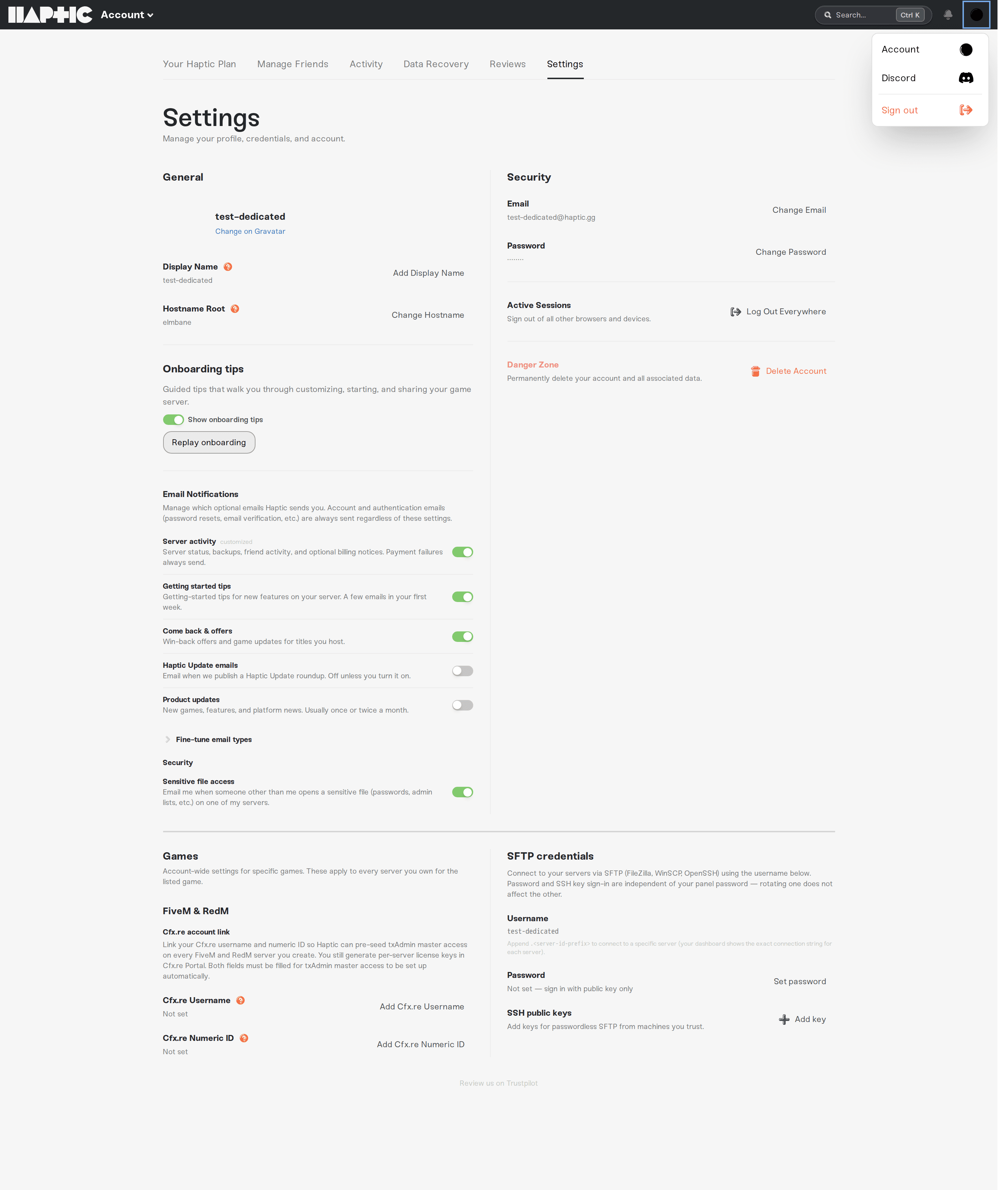
If you signed in to join a friend's server and the menu shows Start a server, the owner has not invited your address yet. The menu prints the exact address to give them; they add it under Account, Manage Friends. See Share server access with friends.
On a phone, the dashboard menu shows the same circle as a still Account tile. It does not spin there.
Where your picture comes from
We copy your picture once, when your account is created:
Signed in with Google or Discord: we take whatever picture that account had at that moment.
Signed up with an email address: we build one from Gravatar using that address. If that address has no Gravatar, you get a generated pattern instead, so an email account always has a picture.
If your Google or Discord account had no picture set when you created your Haptic account, there was nothing for us to copy and the slot stays empty. That is the whole cause.
One honest catch: we read that picture at signup only. Setting a picture on Google or Discord afterwards does not fill it in later, and there is no way to upload a picture to Haptic itself today.
Check what Haptic has saved
Click the circle in the top-right corner and choose Account.
Open the Settings tab and look at the General section, top left.
Your picture sits next to your name, with Synced from Google, Synced from Discord, or Change on Gravatar underneath.
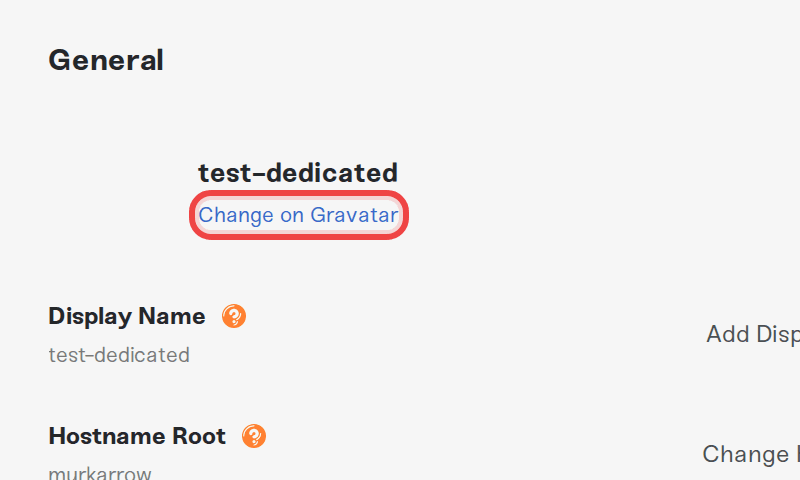
If the space next to your name is blank, your profile has no picture saved and the spinner in the corner is expected. In that case the link under your name reads Change on Gravatar even if you signed in with Google or Discord. That label is a default, not a hint about your account, and Gravatar will not fill the gap for you (see below). Nothing here needs changing, and nothing is lost by leaving it as it is.
If the spinning itself is what bothers you, turning on your device's reduce-motion accessibility setting stops it and leaves a still circle, because the icon only animates when your system allows motion. That setting is system-wide, so switch it back the same way if you want animations elsewhere.
Things that will NOT fix it
Refreshing, or signing out and back in. Nothing is loading, so a fresh session looks identical.
Clearing your cache or trying another browser. The placeholder comes from your profile, not from your browser.
Adding a picture to Google or Discord now. We only read it when the account is created, so it will not appear on Haptic.
Setting up Gravatar, if you signed in with Google or Discord. Gravatar is only used for accounts created with an email address, even though the Change on Gravatar link shows on an empty profile.
Waiting for your server to finish setting up. The circle is drawn from your profile alone, so it looks the same whatever your server is doing. Your server's real state is on My Servers: see My server status is Offline.
Need help?
If the account menu will not open at all, or your saved picture is wrong rather than missing, message us on Discord or email support@haptic.gg. Tell us which email address is on your account, and whether you sign in with Google, with Discord, or with that address.



