HumanitZ: How Friends Join Your Server
 HumanitZGuide
In HumanitZ, go to Play, Multiplayer, Find Server. Type your server name into the filter and join it from the list, or click Direct Connect and type the…
In HumanitZ, go to Play, Multiplayer, Find Server. Type your server name into the filter and join it from the list, or click Direct Connect and type the numeric IP address and port from your server card (for example 203.0.113.10:33001). If Direct Connect times out the first time, press Connect again or join from the list.
Send friends the address
Open My Servers and start your HumanitZ server if it is not running.
Once the card says Online, the strip at the bottom shows the IP address and port. Click it to copy.
Send it to your friends exactly as copied, numbers, dots, colon and port included. Your server name works too, for finding it in the list.
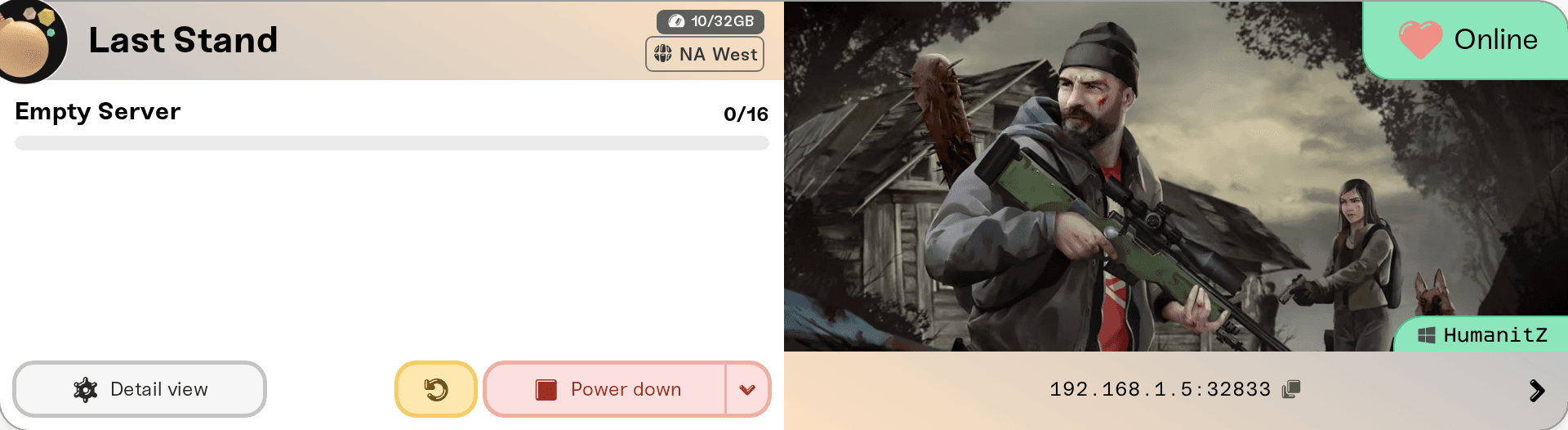
While the server is stopped, starting or asleep, the strip reads "Address appears when the server is online". A server that starts again can land on a different machine with a different IP address, so copy the address fresh after a restart or a wake. The port stays the same.
If you set a Server Password, friends type it when they join. Add, change or clear it in your server settings; it applies at the next restart.
Join from the server list
In HumanitZ, go to Play, Multiplayer, Find Server. Type your server name into the filter on the right and join it from the list. A server that has just started can take 2 to 3 minutes to appear.
If you changed Search ID in your server settings, the server only shows when players search for that exact Search ID. Leave it as HumanitZ_Dedicated to appear in the normal list.
Join with Direct Connect
On the Find Server screen, click Direct Connect. The box takes the address and port together, the way its example 127.0.0.1:7777 shows. Type the numbers from your server card, for example 203.0.113.10:33001, and click Connect.
If it says the connection timed out while your server card says Online, press Connect again, or join the server by name from the list. The game sometimes gives up on its first try before it reaches the server.
Who can join
PC players on Steam. HumanitZ dedicated servers are for the PC version of the game.
Up to 16 players by default. Max Players in your server settings goes from 1 to 64.
Your whitelist only, if you want. Turn on Whitelist Only and only the players on your whitelist can join. See HumanitZ: Become an Admin.
Need help?
Ask in Discord or email support@haptic.gg with your server's name and what the game said when the join failed.


