40% OFFOur winter sale is on! We're giving everyone 40% off their new server at checkout!
 Garry's ModGuide
Add Steam Workshop addons, maps and gamemodes on your server's Mods card, or a whole Workshop collection in your server settings, then restart. Each…
Add Steam Workshop addons, maps and gamemodes on your server's Mods card, or a whole Workshop collection in your server settings, then restart. Each Workshop item is tested on a real Garry's Mod server before it can reach yours. Your own addons, gamemodes and maps go into the garrysmod folders with Files or SFTP.
Open My Servers, open your Garry's Mod server, and go to the Mods card.
Paste the item's Steam Workshop link, or search for it, and add it. Items it requires on the Workshop come with it.
Restart the server. It downloads the item and loads it at the start.
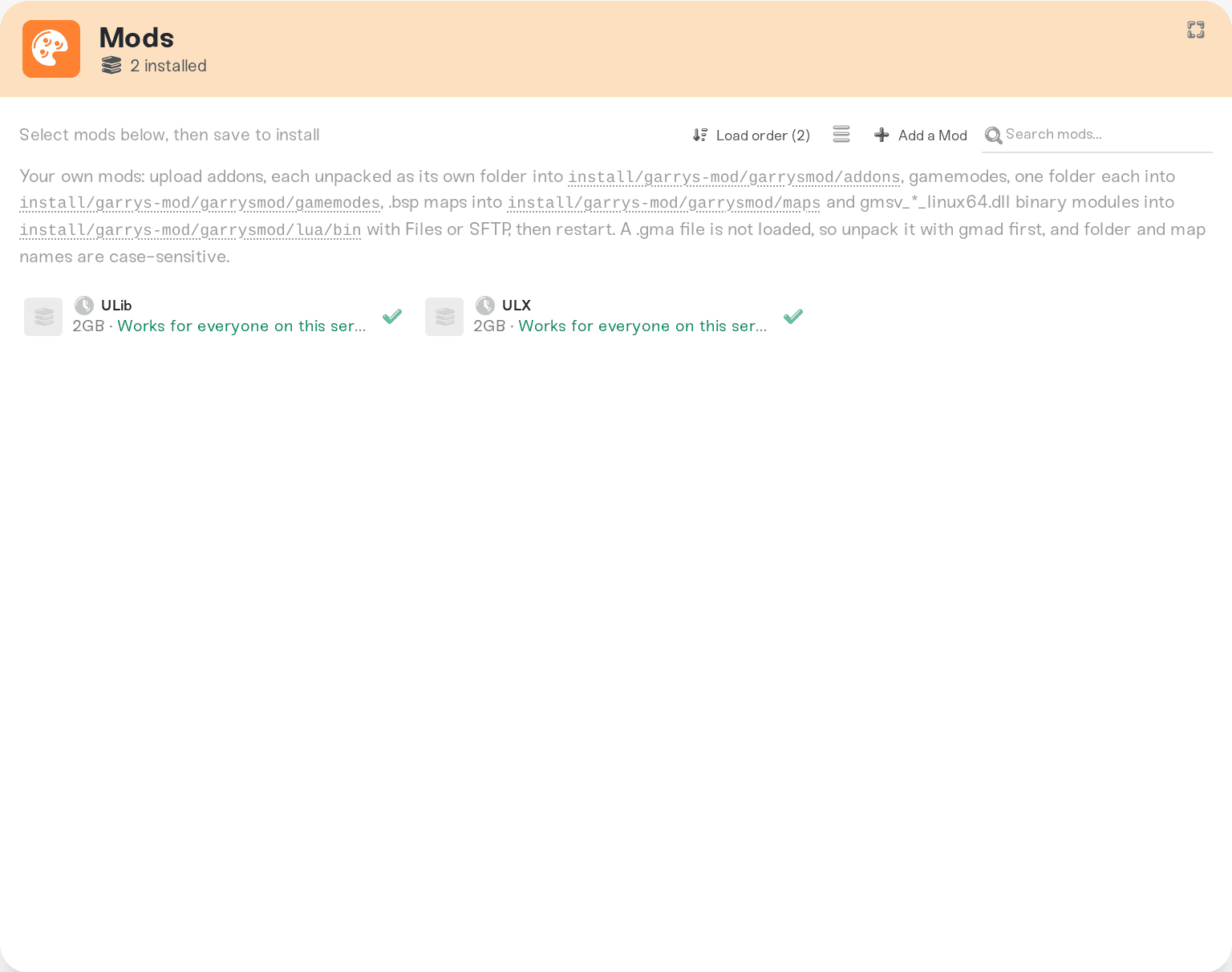
The server fetches the Mods card's items at every start, so it keeps them up to date. To remove an item, remove it on the Mods card and restart.
A map from the Workshop is added the same way, but the server does not switch to it by itself: set Start Map to the map's name, or use Map Workshop Item in your settings for the map your server starts on.
Paste the collection's link or number into Workshop Collection in your server settings and restart. The collection must be public or unlisted. With Update Collection on Start on, the server fetches new versions of the collection's items at every start; turn it off to keep the versions you have.
Open Files (or connect with SFTP) and upload into these folders under install/garrys-mod/garrysmod:
addons: addons, each unpacked as its own folder.
gamemodes: gamemodes, one folder each. Then type the folder's name in Gamemode Folder.
maps: .bsp maps.
lua/bin: binary modules named gmsv_*_linux64.dll.
Restart the server afterwards. A .gma file is not loaded as it is: unpack it with gmad first. Folder and map names are case-sensitive on the server, so MyAddon and myaddon are two different folders.
Gamemodes from a list. Pick DarkRP, Zombie Survival, Murder or Prop Hunt in the Gamemode setting, and Haptic adds the gamemode's Workshop item for you.
ULX. Add ULib and ULX on the Mods card. Haptic keeps ULX's groups in step with your Admins tab: see Garry's Mod: Become an Admin.
Counter-Strike: Source and Team Fortress 2 content. Many maps and addons use it. Turn on Mount Counter-Strike: Source or Mount Team Fortress 2 in your settings to give the server that content.
Start without Workshop content. If the server will not start after you added something, turn off Load Workshop Addons in your settings. The server then starts without any Workshop content, and a Workshop gamemode falls back to Sandbox. Remove the item that broke it, then turn the switch back on.
A Mods card warning. If an item fails to download or load, the Mods card says so next to it.
Ask in Discord or email support@haptic.gg with the addon's Workshop link.
 © Haptic, LLC
*40% off applies automatically at checkout for your first month. Ends November 22, 2026.


