Icarus: Console Commands
 IcarusGuide
Icarus admin commands are typed in the game's chat, not in your server's Console card. Join your server, send /AdminLogin with your server's Admin…
Icarus admin commands are typed in the game's chat, not in your server's Console card. Join your server, send /AdminLogin with your server's Admin Password, and you can then kick, ban and unban players, message everyone and send the server back to the lobby.
Log in as admin
Open your server in My Servers and find the Admin Password in the Details section of its settings. It is hidden behind dots; the copy button next to it copies it. Every new server gets a random one.
Join your server, open the chat, and send
/AdminLoginfollowed by the password.
/AdminLogin YourAdminPassword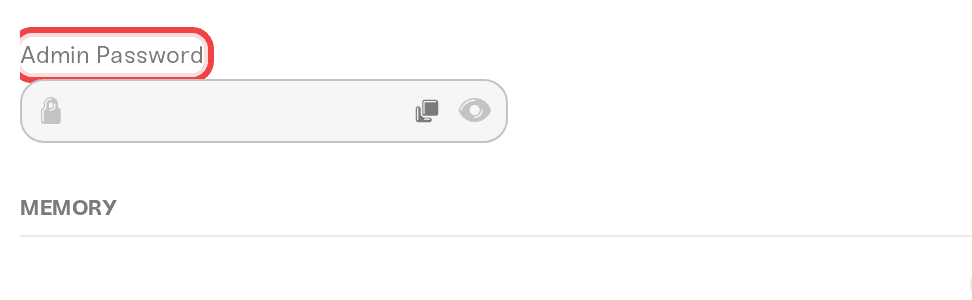
Changed the Admin Password? It applies on the next start, because your dashboard writes it into the server's settings file every time it starts. Keep it set: with an empty password, anyone who types /AdminLogin becomes an admin.
Every command starts with / in the chat. Swap the made-up IDs and messages in the examples for your own.
See the commands
/Help lists the commands you can use. Anyone can send it.
/HelpKick and ban players
These take a player's Steam ID (the 17-digit number) or their player name. Your server's Console card shows each player's Steam ID when they join, in the line with AddConnectedPlayer.
/KickPlayer removes a player. They can join again.
/KickPlayer 76561190000000001/BanPlayer removes a player and adds them to the ban list, so they can't come back.
/BanPlayer 76561190000000001/UnbanPlayer takes a player off the ban list.
/UnbanPlayer 76561190000000001Message everyone
/AdminSay shows your message to every player, without your name.
/AdminSay Server restarts in ten minutesBack to the lobby
These work while a prospect is running.
/ReturnToLobby disconnects everyone and returns the server to the lobby, where a prospect can be loaded or started.
/ReturnToLobby/ReturnToLobbyWhenEmpty returns the server to the lobby once the last player leaves.
/ReturnToLobbyWhenEmptyThings that will NOT work
Typing commands in the Console card. It shows your server's log. Icarus commands only work in the game's chat.
Admin commands before
/AdminLogin. The game answers "Non-admin commands are limited". Log in first.Changing
AdminPasswordinServerSettings.iniwith Files. Your dashboard writes the Admin Password into that file on every start, so change it in your server's Details settings instead.
Need help?
Send us the command and what the chat answered, on Discord or at support@haptic.gg.


