40% OFFOur winter sale is on! We're giving everyone 40% off their new server at checkout!
 RuneScape: DragonwildsGuide
Since the Dragonwilds update on November 10, 2026, the game does not send the server password when someone joins a dedicated server. A server with a…
Since the Dragonwilds update on November 10, 2026, the game does not send the server password when someone joins a dedicated server. A server with a password turns everyone away with "Password is incorrect", often without asking for a password at all. This is a bug in the game, on PC and console, and it affects every hosted Dragonwilds server, not only Haptic's. To play now, clear your Server Password and restart the server. Your friends then join without a password.
Open My Servers and press Detail view on your Dragonwilds server's card. On a phone, tap the server and swipe to Overview.
On the Overview card, open the Basic tab and find Server Password.
Delete everything in the field so it is empty.
Press Save changes in the popup at the bottom of the page.
Restart the server. The change takes effect when the server starts again.
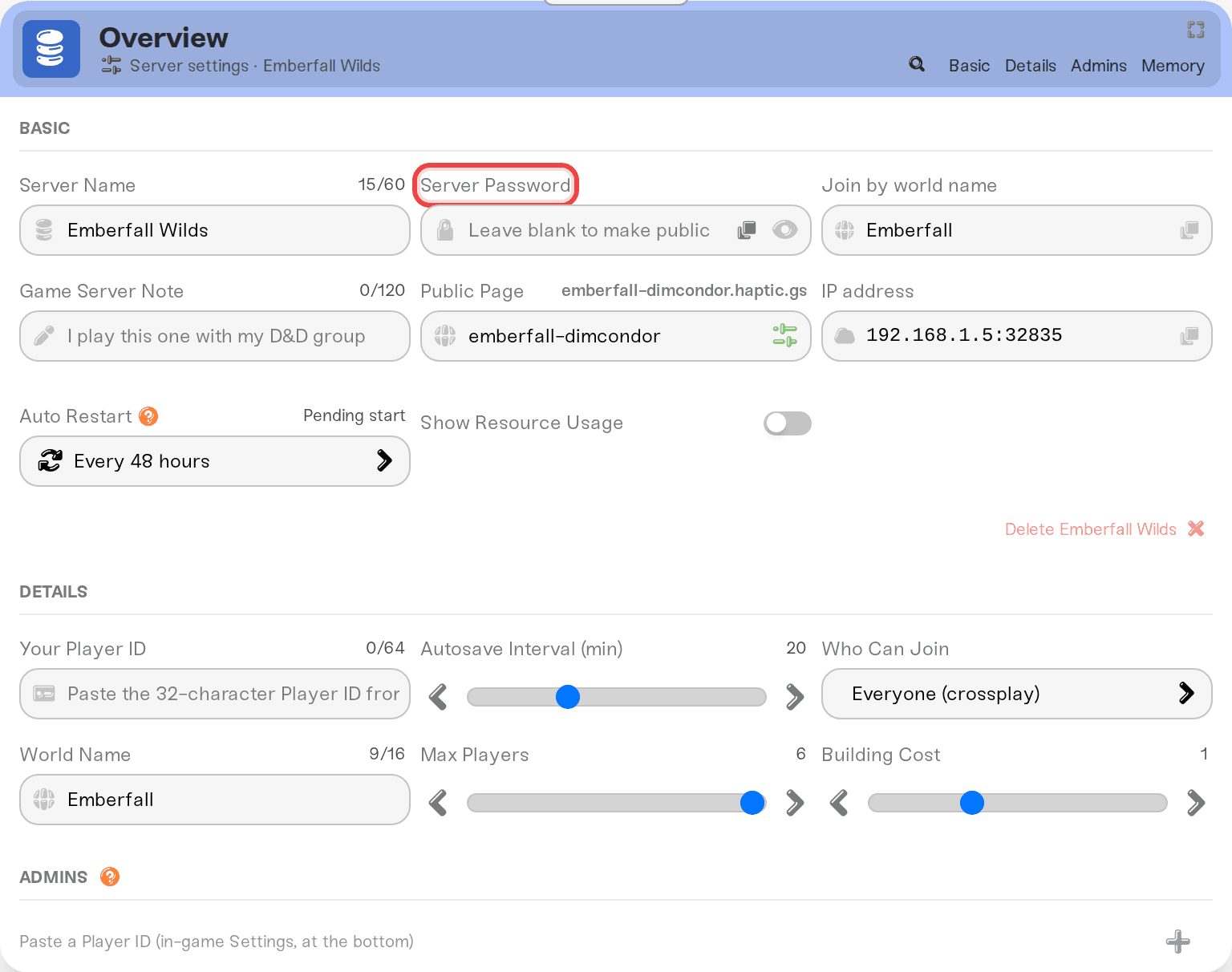
Your friends then join the way they always have, by searching your world name under Public Worlds or with the invite code on your server card, and the game lets them in without a password. Your world and everyone's progress stay exactly as they were.
Without a password, someone who searches your exact world name in Public Worlds could join. The search only finds a world by its full name, with the same capital letters, so a stranger has to know it.
As the owner you can remove anyone from the in-game Server Management screen. You are the owner when you join with the account whose code is in Your Player ID.
Retyping the password. The game does not send it, so the right password is refused like a wrong one.
Changing the password to a new one. The server still asks for a password, and the game still sends none.
Renaming the server or the world. The name has nothing to do with the password check.
Using the invite code. A join by invite code is refused the same way while the server has a password.
You can put the password back once Jagex fixes the game: type it into Server Password again, press Save changes, and restart. We are watching for the fix and will remove this notice when it arrives.
Ask in Discord or email support@haptic.gg with your world name and a screenshot of what your friend sees when they try to join.
 © Haptic, LLC
*40% off applies automatically at checkout for your first month. Ends November 22, 2026.