40% OFFOur winter sale is on! We're giving everyone 40% off their new server at checkout!
 Don't Starve TogetherGuide
Don't Starve Together does not join by address. Start the game, open Browse Games, search for your server's name (the Server Name on the Basic tab of your…
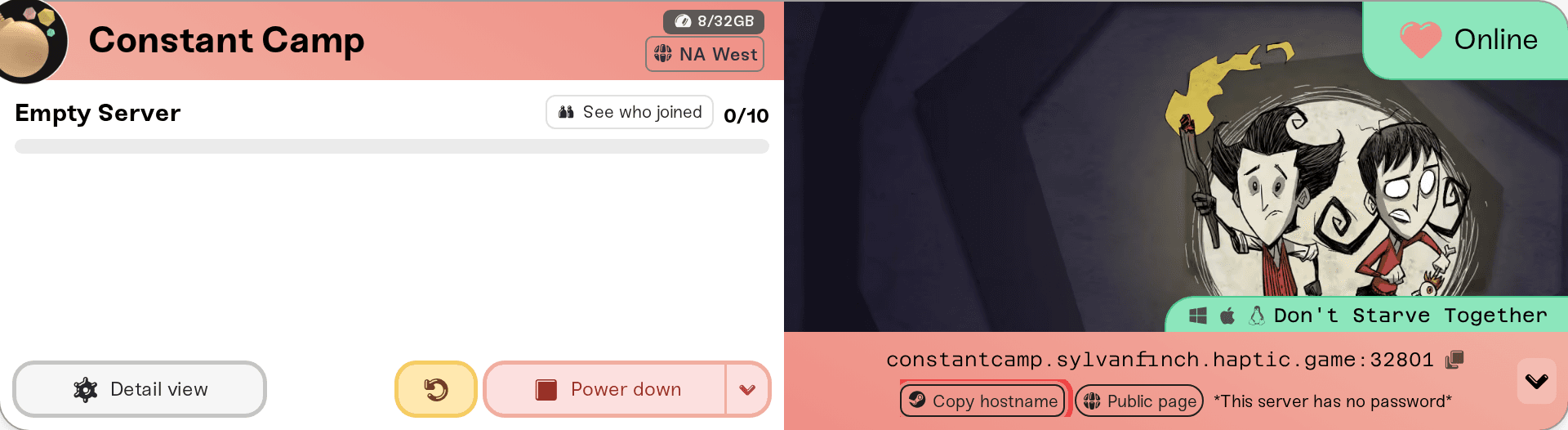
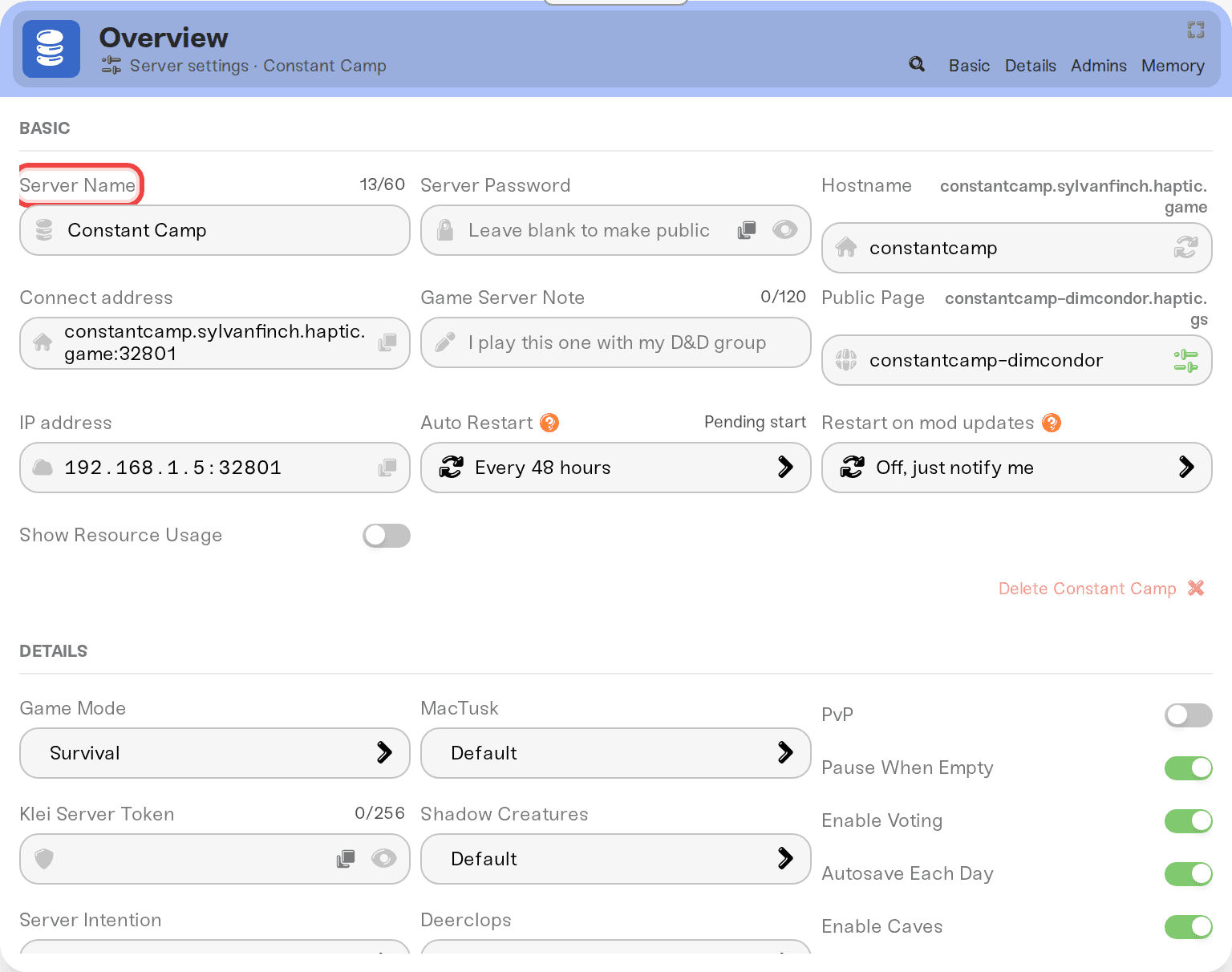
Don't Starve Together does not join by address. Start the game, open Browse Games, search for your server's name (the Server Name on the Basic tab of your server settings), pick it, and type the password if you set one. Your server only shows in that list while it is Online and running with your Klei server token. Your server is for the PC version on Steam: Windows, Mac and Linux players all join the same way. Joining never touches your world.
Your server's name. It is the Server Name on the Basic tab of your server's Overview card, and it is the name the game lists. Send it to your friends exactly as written.
The server password, if you set one. On a desktop browser, click the small arrow at the right end of the address strip on your server card and use the Copy password pill; on a phone the pills sit under the address. With no password set, anyone who finds the server can join. See Set or remove your server password.
A server that says Online. A sleeping or offline server is not in Browse Games. Wake & Play servers wake from the dashboard (What is Wake and Play?), and friends can wake yours from your public page once you turn that on (Let friends wake your server). Searching for it in the game does not wake it.
A Klei server token on your server. Without one the server does not start at all: see Don't Starve Together: Get your Klei server token.
The card's shortcut row also has a How to join pill that opens this guide, so you can send it to your friends.
Your card shows an address and, on a desktop browser with the server online, a Copy hostname pill with the Steam logo where other games have a Join pill. Steam's join link cannot find a Don't Starve Together server by its name, so there is no Join pill for this game. Copy hostname copies the same address as clicking the strip itself.
Don't Starve Together has no box to type that address into, so for a normal join you do not need it. Use the server's name in Browse Games.
Start Don't Starve Together from Steam.
On the main menu, choose Browse Games.
Search for your server's name.
Pick your server and join. If it has a password, the game asks for it now.
The first time you join a world, the game asks you to pick a character.
If your server runs Steam Workshop mods, players download the ones they need automatically when they join.
It has only just come online. The card can say Online up to a minute before the world has finished loading. Wait a minute and search again.
It is asleep or off. Wake it from the dashboard first; a sleeping server is never listed.
The name does not match. Search for the Server Name from the Basic tab, not your Steam name or the name you gave the token on Klei's site.
A token problem. A token that is invalid or expired stops the server from starting, so the card shows Failed rather than Online. Fix it with Don't Starve Together: Get your Klei server token.
Don't Starve Together just updated. Players can only join a server on their own game's build. Your card says New update available until the server restarts onto the new build, which it does by itself once nobody is on. If players are waiting, restart your server.
"Server Running mods with old version": a mod on your server was updated and the server has not restarted yet. Restart it and the server downloads the new version. See Don't Starve Together: Mods, mod settings and your own mods.
"Wrong password": copy it from the Copy password pill again. A change to the password applies on the next restart.
Everything else (stuck connecting, works for you but not a friend): walk through I can't connect to my server.
Ask in Discord or email support@haptic.gg. Include your server name, what your server card shows, and a screenshot of the message the player gets.
 © Haptic, LLC
*40% off applies automatically at checkout for your first month. Ends November 22, 2026.